

Business Education
Preply Business Communication Training: Complete Guide
A practical breakdown of Preply's corporate language solutions for professional communication development
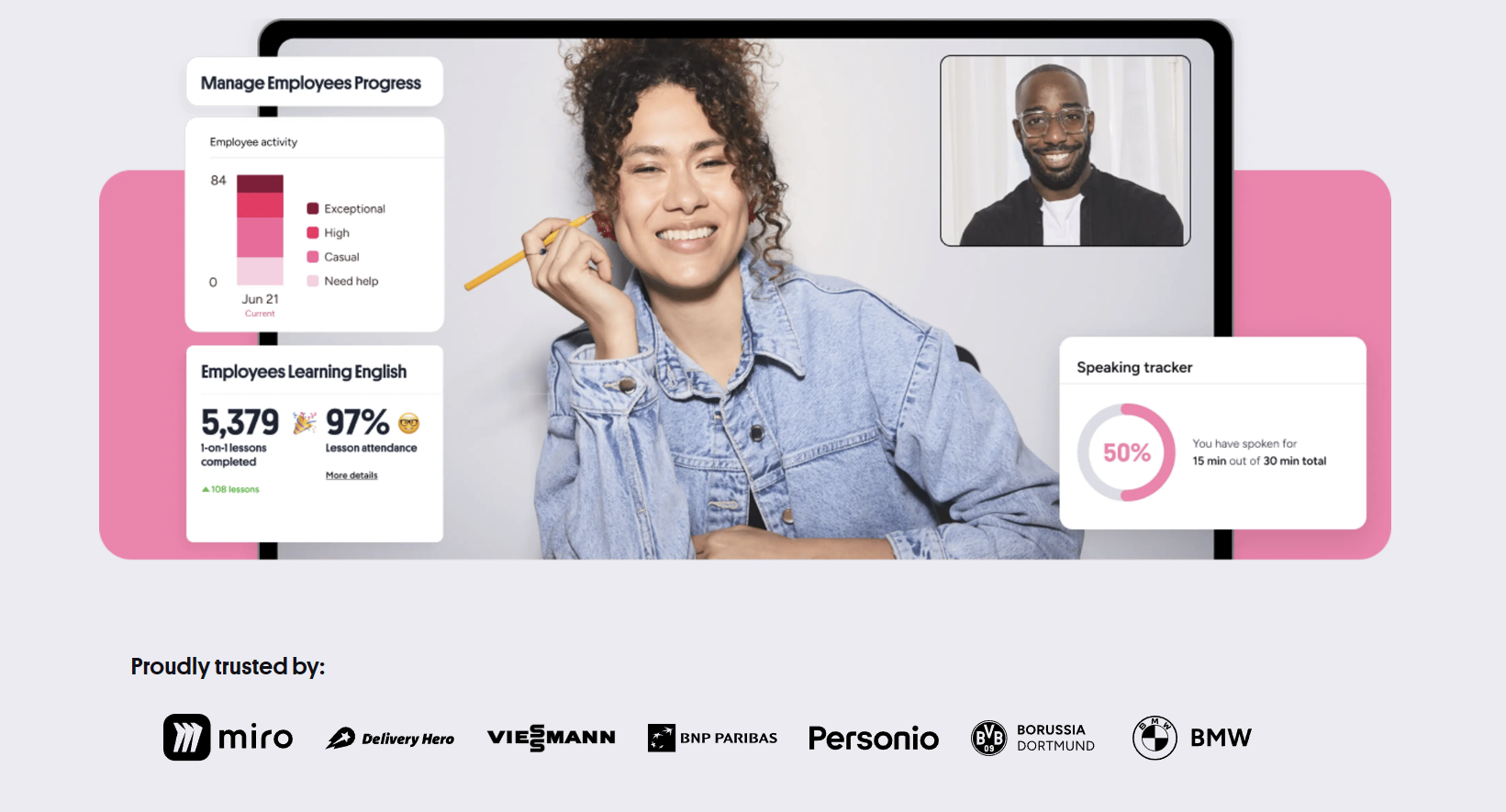
Preply Business Communication Training gives organizations a way to build language skills across distributed teams without the logistics of traditional classroom programs. The platform connects employees with tutors who specialize in professional contexts — negotiations, presentations, email writing, cross-cultural meetings — rather than general conversation. For companies that operate across borders or serve international clients, this distinction matters. General language apps teach vocabulary; Preply's business tier focuses on the specific communication scenarios that affect revenue, retention, and team cohesion.
Contents
- 1. What Preply Business Communication Training Offers
- 2. How the Platform Works for Teams
- 3. Tutor Selection and Specialization
- 4. Learning Formats and Scheduling Flexibility
- 5. Progress Tracking and Reporting Tools
- 6. Pricing Structure for Organizations
- 7. Integration with Existing Workflows
- 8. Real Company Experiences and Results
- 9. Comparing Preply to Other Corporate Solutions
- 10. Implementation Timeline and Onboarding
- 11. Limitations to Consider
- 12. Final Assessment of Preply Business Communication Training
The service sits inside Preply's broader marketplace but operates with a separate administrative layer. Managers get a dashboard to assign seats, track attendance, and monitor progress across departments. Learners still book one-on-one sessions with tutors they choose, but the billing, reporting, and onboarding flow through a central account. This hybrid model — individual flexibility with organizational oversight — is what separates it from both consumer language apps and traditional corporate training vendors.
What Preply Business Communication Training Offers
The core product is access to tutors who list business communication as a teaching specialty. These tutors filter into categories like business English, presentation skills, negotiation language, technical writing, and industry-specific terminology — finance, legal, tech, healthcare, hospitality. Companies can restrict the tutor pool to only those with verified business credentials or let employees choose from the full directory. Most organizations start with a curated list and open it up once learners know what works.
Beyond tutor access, the business plan includes placement testing aligned to CEFR levels, custom learning plans built around role-specific goals, and a reporting suite that shows hours used, lesson completion rates, and proficiency movement over time. There's also a dedicated account manager for teams above a certain size, though the threshold isn't published and varies by region. Smaller teams get email support and self-serve tools.
- One-on-one lessons with tutors who teach professional communication
- Placement tests mapped to CEFR framework
- Admin dashboard for seat management and usage tracking
- Custom learning plans tied to job functions
- Progress reports exportable for HR and L&D reviews
- Flexible scheduling across time zones
- Option to add group sessions for team workshops
Group sessions are a newer addition. They work as live workshops — up to six learners with one tutor — focused on scenarios like running effective meetings in English, giving feedback across cultures, or writing concise status updates. These don't replace individual lessons but supplement them. Some companies use groups for onboarding cohorts; others run monthly skill clinics. The feature is included in the per-seat price but requires advance scheduling since tutor availability for groups is tighter.
One practical detail: the platform supports 50+ languages, but business communication tutors cluster heavily in English, Spanish, German, French, and Mandarin. If your team needs Polish for manufacturing partners or Portuguese for Brazilian clients, options exist but are thinner. Check tutor density for your target languages before committing seats.
How the Platform Works for Teams
Setup starts with a company account. An admin invites employees by email or bulk upload. Each invitee gets a link to create a learner profile, take the placement test, and set availability. The test takes 20-30 minutes and covers grammar, vocabulary, listening, and a short speaking component recorded via the browser. Results map to CEFR and suggest a starting tutor pool. Learners can retest quarterly.
Once profiles are live, employees browse tutors using filters: specialization, price range, availability, accent preference, ratings, and video intro. They book 50-minute slots (25 or 80 minutes also available) directly on the tutor's calendar. Lessons happen in Preply's video classroom — screen share, whiteboard, file upload, chat history saved per session. No external Zoom or Teams links needed. The classroom records automatically if both parties consent, which is useful for review but raises privacy considerations some legal teams flag.
Cancellation policy is 4 hours for individual lessons, 24 hours for groups. Late cancellations count as used credits. This is stricter than the consumer side (which allows 1-hour notice) and catches some teams off guard. Build buffer into your scheduling guidelines.
Tutor Selection and Specialization
Tutor quality varies. The marketplace model means anyone with teaching experience can apply, pass a video interview, and list business communication as a specialty. Preply verifies credentials and runs background checks, but depth of business experience isn't uniformly assessed. A tutor might have taught business English at a language school for five years — valuable — or might have added the tag after a weekend certification. The rating system helps but reflects learner satisfaction, not necessarily business relevance.
For critical roles — executives prepping for board presentations, sales teams entering new markets — companies often shortlist 3-5 tutors, run paid trial lessons with each, then assign the best fit. Preply supports this with a trial lesson credit for new business accounts. Use it. The 25-minute trial reveals more than any profile: how the tutor structures feedback, whether they adapt to your industry terminology, whether they challenge the learner or just chat.
Scroll horizontally to see all columns
| Category | Typical Use Cases | Tutor Density |
|---|---|---|
| Business English General | Meetings, email, small talk, presentations | High |
| Industry-Specific Terminology | Finance, legal, medical, tech, engineering | Medium |
| Exam Preparation | BULATS, TOEIC, Linguaskill, IELTS | High |
| Accent & Pronunciation | Clarity for international calls, reduction | Medium |
| Cross-Cultural Communication | Negotiation styles, feedback norms, hierarchy | Low |
| Writing & Documentation | Reports, proposals, technical docs, Slack etiquette | Medium |
Cross-cultural communication tutors are the scarcest. They combine language coaching with cultural framework knowledge — Hofstede dimensions, Meyer's culture map, practical scenarios. If this is a priority, expect to pay premium rates and book further in advance. Some companies pair a language tutor with a separate cultural coach for this reason.
The tutor marketplace rewards specialization. The best business tutors build reputations in narrow niches — German for automotive engineers, English for SaaS sales — and their calendars fill fast.
Learning Formats and Scheduling Flexibility
Individual lessons remain the backbone. Most companies allocate 2-4 hours per learner per month — enough for measurable progress without overwhelming schedules. Lessons can be weekly, biweekly, or ad-hoc. The platform remembers tutor-learner pairs so continuity builds naturally. Learners who stick with one tutor for 6+ months show the strongest proficiency gains in internal Preply data, though that correlation likely reflects motivation as much as method.
Self-study materials supplement live sessions. Each tutor can assign homework from Preply's library — grammar drills, vocabulary sets, listening exercises, writing prompts — or upload custom PDFs. The library is stronger for general English than for niche business topics. Many tutors create their own materials instead. There's no centralized quality control on tutor-created content, so relevance varies.
The mobile app mirrors desktop functionality — booking, classroom, chat, materials. It's stable on iOS and Android. Some learners prefer it for quick vocabulary review between meetings. Offline mode downloads lesson materials but not video recordings. For teams with field staff or frequent travelers, the app matters more than for desk-bound employees.
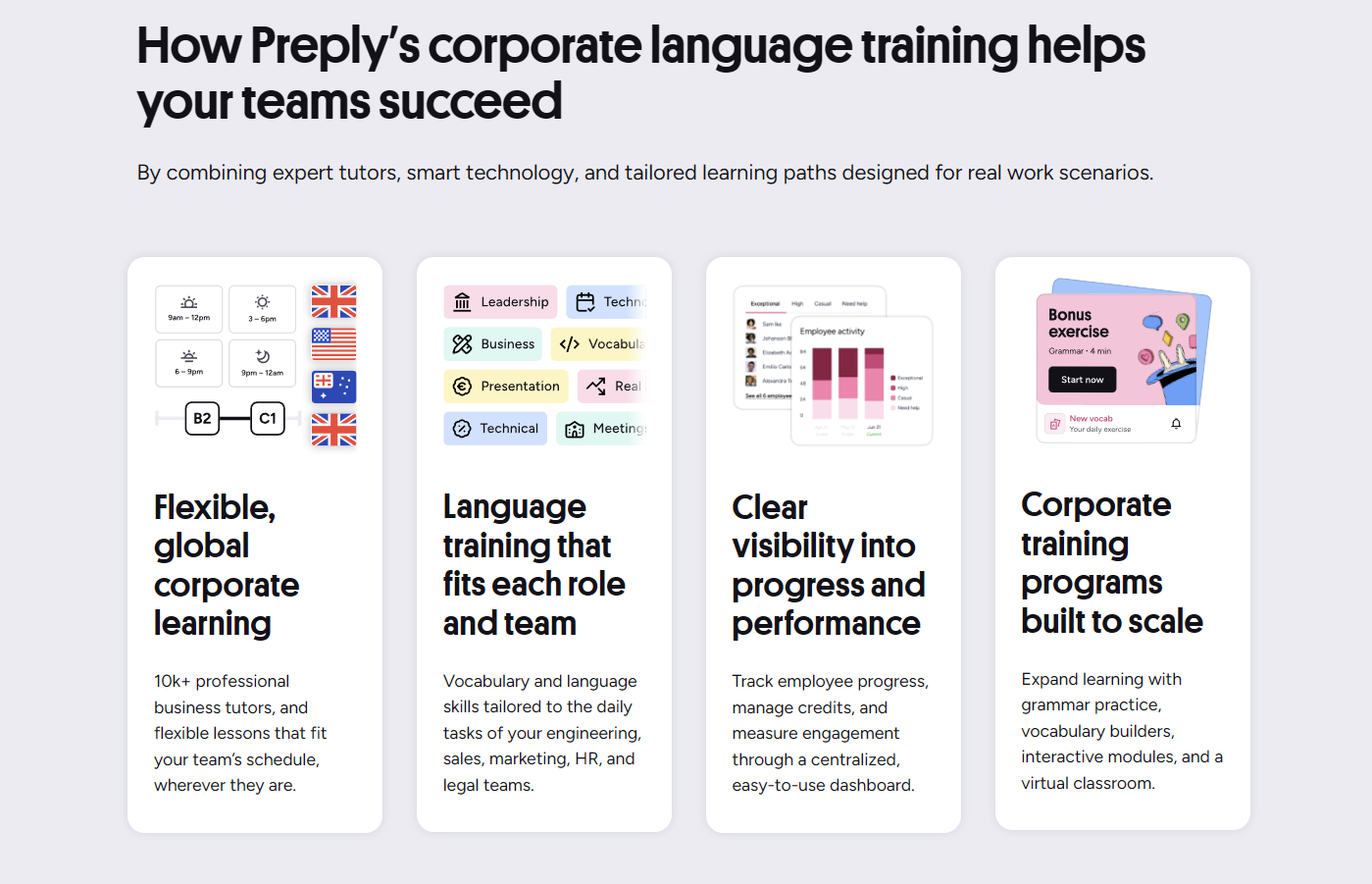
Group workshops follow a different rhythm. They're scheduled as recurring series — weekly or biweekly — with a fixed cohort. The tutor designs a 6-12 session arc. Attendance tracking is stricter: missing more than two sessions usually means the learner can't rejoin that cohort. This structure works for onboarding programs but fails for teams with unpredictable workloads. Consider your operational volatility before committing to group tracks.
Progress Tracking and Reporting Tools
The admin dashboard shows three layers of data. Seat utilization: how many assigned hours were actually used. Engagement: lesson completion rate, average lessons per learner per month, tutor consistency. Proficiency: placement test retest scores, tutor-assessed CEFR movement, self-reported confidence surveys. The first two are reliable. The third is directional — tutor assessments aren't standardized across the platform, and confidence surveys reflect perception more than ability.
Reports export as CSV or PDF. CSV is better for HRIS integration; PDF works for leadership reviews. You can schedule automated monthly emails to stakeholders. The data refreshes nightly. There's no real-time API for pushing data into internal learning systems, though Preply's enterprise tier mentions SSO and API access on request. Details require a sales conversation.
Scroll horizontally to see all columns
| Metric | Frequency | Export Format |
|---|---|---|
| Hours used vs. allocated | Daily | CSV, PDF |
| Lessons completed per learner | Daily | CSV, PDF |
| Tutor consistency rate | Weekly | CSV, PDF |
| Placement test score changes | Per retest | CSV, PDF |
| Learner satisfaction scores | Per lesson | CSV, PDF |
| Group workshop attendance | Per session | CSV, PDF |
One gap: no built-in skill gap analysis. The dashboard tells you who's learning and how much, not which competencies are improving or where the team still struggles. Some companies export lesson notes and tutor feedback, then run their own text analysis. Others accept the limitation and rely on manager check-ins. If you need granular skill mapping, you'll build it yourself or layer another tool on top.
Pricing Structure for Organizations
Preply doesn't publish business pricing. The model is per-seat, per-month with volume discounts. Seats include a monthly hour allowance — typically 4, 8, or 12 hours — and unused hours don't roll over. This use-it-or-lose-it design pushes utilization but penalizes teams with seasonal workloads. Some accounts negotiate rollover or annual pooling; it's not standard.
Tutor rates vary by tutor, not by plan. The platform shows each tutor's hourly price. Admins can cap the maximum rate learners can book. A typical business English tutor charges $25-45 per 50-minute lesson. Specialists in legal, medical, or technical fields run $50-80. Group workshops cost a flat fee per session split across attendees, usually cheaper per head than individual lessons.
Payment is monthly or annual invoice, net 30. Credit cards accepted for smaller accounts. No setup fee. Cancellation requires 30 days' notice; unused prepaid months on annual plans are prorated but not refunded. Read the contract language on auto-renewal — it defaults to on.
Integration with Existing Workflows
Integration depth depends on plan tier. Standard business accounts get SSO via SAML 2.0 or OIDC, SCIM provisioning for user lifecycle, and CSV exports. Calendar sync works with Google Calendar and Outlook — lessons appear as events with tutor name, topic, and video link. No native integration with Workday, SuccessFactors, Cornerstone, or other LMS platforms. Enterprise customers report custom webhook implementations for completion data, but this isn't documented publicly.
The learner experience stays inside Preply. There's no LTI launch from an LMS, no embedded classroom in Teams or Slack. Learners click a link, enter the Preply classroom, and return. For companies that want training inside their existing learning portal, this is a friction point. Some solve it with a custom portal page that deep-links to Preply; others accept the context switch.

The platform assumes learners will log in. If your culture requires training to appear inside the LMS with zero clicks, Preply's standard integration won't satisfy you.
Single sign-on setup takes 1-2 weeks with IT involvement. SCIM provisioning deactivates seats automatically when employees leave, which prevents orphaned licenses. Without SCIM, admins must manually remove users — a common source of wasted seats in fast-growing or high-turnover organizations.
Real Company Experiences and Results
Public case studies highlight companies like Datadog, Revolut, and Delivery Hero. They report outcomes like reduced meeting miscommunication, faster onboarding for international hires, and improved client satisfaction scores. The metrics are self-reported and lack control groups. Treat them as directional, not proof.
In practice, results correlate with three factors: management sponsorship, learner autonomy, and role relevance. Teams where managers check progress monthly, learners choose their tutors, and lessons map to daily tasks see 70%+ utilization. Teams where HR assigns tutors, mandates topics, and never follows up see 30% utilization and complaints about wasted budget. The platform enables the first scenario; it doesn't enforce it.
A mid-sized fintech company shared their internal review anonymously: 60 engineers, 4 hours/month, 9-month program. Placement test average moved from B1 to B2.2. Meeting effectiveness survey improved 22%. Cost per employee: ~$1,800 total. They credited tutor consistency — 85% stayed with the same tutor — and the ability to bring real work documents (PR descriptions, incident reports) into lessons. Their only regret: not starting group workshops earlier for cross-team alignment.
Comparing Preply to Other Corporate Solutions
Traditional vendors — Berlitz, EF, Learnlight — sell structured programs with proprietary curricula, dedicated account teams, and guaranteed outcomes. They cost 3-5x more per learner. Preply trades curriculum control for tutor choice and price flexibility. You get less program management, more learner agency. For companies with mature L&D functions that want to design their own programs, Preply is a component. For companies that want a turnkey solution, it's not.
Language apps — Babbel for Business, Busuu, Rosetta Stone — scale cheaply with self-paced content. They work for vocabulary and grammar maintenance. They don't develop speaking confidence, presentation skills, or negotiation fluency. Preply sits between: live human interaction at app-like pricing. The tradeoff is scheduling friction and tutor variability.
Scroll horizontally to see all columns
| Solution Type | Best For | Typical Cost/Learner/Year | Speaking Practice |
|---|---|---|---|
| Preply Business | Flexible 1:1 coaching, specific skill gaps | $1,500-3,500 | High — live tutor every session |
| Traditional Providers (Berlitz, EF) | Turnkey programs, compliance needs | $5,000-15,000 | High — structured curriculum |
| Self-Paced Apps (Babbel, Busuu) | Large populations, maintenance, basics | $100-300 | Low — speech recognition only |
| Hybrid Platforms (Learnlight) | Blended curriculum + live sessions | $3,000-8,000 | Medium-High — scheduled live |
Some companies use Preply alongside an app — Babbel for daily vocabulary, Preply for weekly speaking practice. This layered approach covers more ground than either alone but requires learners to manage two platforms. Adoption drops when the stack gets complex.
Implementation Timeline and Onboarding
From contract signature to first lessons: 2-4 weeks for standard accounts, 6-8 weeks for enterprise with SSO and custom reporting. The critical path is learner activation. Preply sends invite emails; admins must drive completion. Companies that assign an internal champion — someone who messages stragglers, shares tutor recommendations, celebrates early wins — hit 80% activation in week two. Companies that rely on the platform's automated reminders hit 40%.
- Week 1: Contract, admin setup, SSO configuration
- Week 2: Learner invites sent, placement tests launched
- Week 3: Tutor selection, first lessons booked
- Week 4: First progress review, admin dashboard training
- Month 2: Utilization audit, tutor adjustments, group pilot
- Month 3: Quarterly business review with Preply team
Preply assigns a customer success manager for accounts above ~25 seats. Their involvement ranges from monthly check-ins to quarterly business reviews with data presentations. Below that threshold, support is ticket-based. Response time averages 4-6 hours business days. No phone support on standard plans.
Limitations to Consider
No standardized curriculum means no guaranteed consistency across learners. Two employees at the same level with different tutors may cover different material, develop different gaps. For compliance-driven training — regulated industries, safety-critical communication — this is a blocker. Preply doesn't issue accredited certificates. Some tutors provide completion letters, but they carry Preply's brand, not an accrediting body.
Tutor turnover happens. Popular tutors raise rates, reduce availability, or leave the platform. Learners who lose a tutor after 6 months face disruption. The platform suggests replacements based on similarity, but the relationship reset costs momentum. Companies mitigate this by encouraging learners to work with 2-3 tutors in rotation, though this dilutes continuity.
Time zone coverage remains uneven. If you have teams in APAC and tutors in Europe/Americas, early morning or late evening lessons become the only overlap. Some learners accept this; others burn out. The platform doesn't solve geography — it just makes the mismatch visible.
Preply solves access to tutors. It doesn't solve organizational discipline. The companies that succeed treat language training like any other skill investment: managed, measured, and tied to business outcomes.
Final Assessment of Preply Business Communication Training
Preply Business Communication Training works best for organizations that need flexible, human-led language coaching for specific professional scenarios and have the internal capacity to manage utilization. It's not a set-and-forget compliance tool. The platform delivers tutor access, scheduling, and reporting — the infrastructure — but outcomes depend on how deliberately you deploy it. Companies that align lessons to real work, support learner autonomy, and review data monthly see measurable communication improvement. Companies that buy seats and hope for engagement waste budget. The difference isn't in the platform. It's in the management.
Frequently Asked Questions
How many hours per month should we allocate per employee?
Most companies start with 4 hours (roughly one lesson per week). Teams with urgent needs — relocation, client-facing roles — often use 8-12. Usage data shows diminishing returns above 12 hours unless the learner has dedicated study time outside lessons.
Can we restrict tutors to only those with specific industry experience?
Yes. Admins can create approved tutor lists or set filters that only show tutors tagged with your industry. Learners then choose from that curated pool. This prevents mismatches but reduces scheduling flexibility.
What happens if a tutor leaves the platform mid-program?
Preply notifies affected learners and suggests similar tutors. Scheduled lessons with the departing tutor are cancelled and credits restored. The transition typically takes 1-2 weeks. Some companies proactively pair learners with a secondary tutor to reduce disruption.
Does Preply provide certificates for completed training?
Preply issues completion certificates showing hours and CEFR level achieved, but these are not accredited by external bodies. For regulated industries requiring accredited certification, you'll need a separate exam provider like Cambridge, TOEIC, or Linguaskill.
Can we integrate Preply completion data into our LMS?
Standard plans offer CSV exports and scheduled email reports. Enterprise plans may include API access and webhooks for real-time LMS integration — this requires a custom agreement and technical implementation.
What's the minimum team size for a business account?
Preply Business typically starts at 3-5 seats depending on region. There's no hard minimum published, but accounts below 10 seats get limited admin features and no dedicated success manager.
How does billing work for group workshops?
Group sessions are included in the per-seat hour allowance. A 6-person workshop uses 1 hour from each attendee's monthly allocation. If attendees are on different hour tiers, the system deducts from each individually. No separate group billing.