

Corporate Training
Preply Enterprise Solutions for Corporate Language Training
A detailed look at features, pricing, and implementation for business language programs.
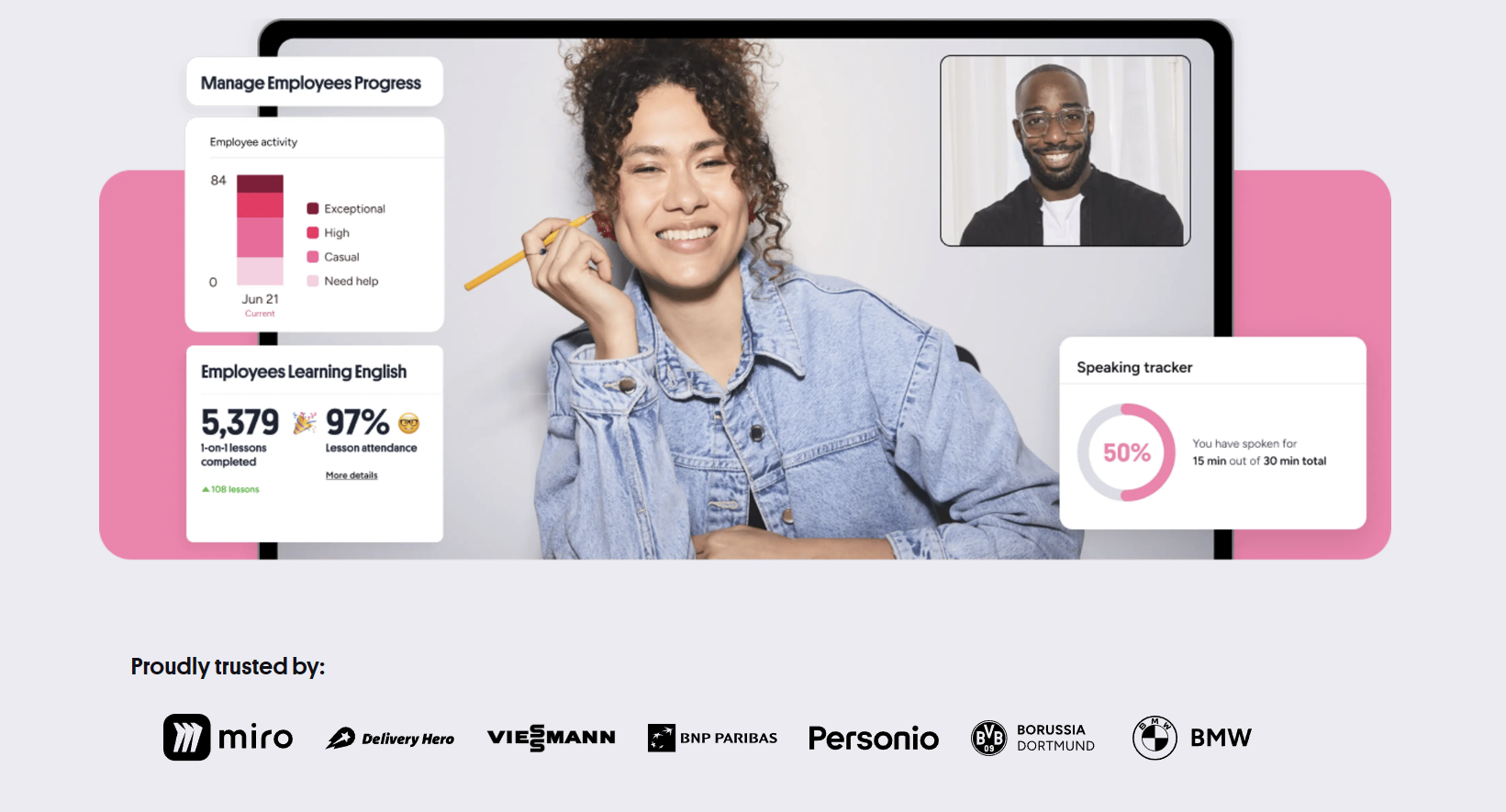
Companies investing in language training for employees face a familiar problem. Traditional classroom courses cost too much, move too slowly, and rarely fit around shift schedules or project deadlines. Self-paced apps lack accountability and speaking practice. Preply Enterprise Solutions sits between those extremes, offering live one-on-one tutoring at scale with the administrative tools that procurement and learning teams actually need.
Contents
- 1. What Preply Enterprise Offers Companies
- 2. How the Platform Works for Teams
- 3. Tutor Selection and Matching Process
- 4. Learning Management and Progress Tracking
- 5. Pricing Structure and Plans
- 6. Implementation and Onboarding
- 7. Integration with Existing Systems
- 8. Security and Compliance Features
- 9. Customer Support for Enterprise Clients
- 10. Case Studies and Measured Outcomes
- 11. Comparison with Traditional Language Training
- 12. Limitations and Considerations
- 13. Final Assessment of Preply Enterprise Solutions
The platform started as a marketplace connecting individual learners with tutors. Over time, organizations began buying seats in bulk, and Preply built a dedicated business layer on top of the consumer product. That layer adds centralized billing, usage analytics, level testing, and a dashboard for managers to assign courses, track attendance, and measure progress across departments or regions.
What distinguishes the enterprise tier from a stack of individual subscriptions is not just volume pricing. It is the ability to treat language learning like any other corporate training program — with defined cohorts, curriculum alignment, compliance reporting, and integration into existing HR or learning management systems. For companies with distributed workforces, that structure matters more than the per-lesson cost.
What Preply Enterprise Offers Companies
The core product remains live video lessons with human tutors. The enterprise wrapper adds a management console where administrators create learning groups, set goals, and monitor utilization. Employees receive a dedicated account with prepaid credits, access to the full tutor marketplace, and the option to follow structured courses or book ad hoc sessions. Tutors see the learner's company affiliation and can tailor materials to business contexts — presentations, negotiations, email writing, industry terminology.
Preply for Business supports over 50 languages, though English, Spanish, French, German, and Chinese account for the vast majority of enterprise demand. The platform does not lock companies into a single curriculum. Instead, it provides a framework: placement tests aligned to CEFR levels, suggested learning paths by role or industry, and a library of ready-made materials that tutors can adapt. Administrators can also upload proprietary content — product glossaries, compliance scenarios, onboarding dialogues — for tutors to incorporate.
- Centralized admin dashboard with role-based permissions
- Bulk onboarding via CSV, SCIM, or identity provider integration
- CEFR-aligned placement testing and progress benchmarks
- Custom learning paths by department, region, or job function
- Dedicated customer success manager for accounts over 50 seats
- Single sign-on (SAML, OIDC) and SCIM provisioning
- Usage reports exportable to CSV or BI tools
- White-label portal option for larger deployments
The white-label portal deserves mention. For organizations that want the training experience to feel like an internal program, Preply can host a branded subdomain with custom logos, color schemes, and a curated tutor pool. Learners log in through the company intranet and never see the public marketplace. This option typically requires a minimum commitment and a setup fee, but it removes the friction of asking employees to create personal accounts on an external site.
One practical advantage: the platform handles time zones automatically. A team spread across São Paulo, Warsaw, and Singapore can each book sessions with tutors in their local hours without administrator intervention. The calendar shows availability in the learner's time zone, and tutors set their own schedules. This flexibility is often the deciding factor for global companies that tried fixed-schedule virtual classrooms and saw attendance drop off after the first month.
How the Platform Works for Teams
From the administrator side, onboarding starts with a kickoff call. Preply's enterprise team helps define success metrics — usually a mix of utilization rate, level progression, and business-outcome proxies like customer satisfaction scores or internal mobility. Then comes the technical setup: SSO configuration, user provisioning, credit allocation rules, and notification preferences. Most companies run a pilot with 20 to 50 learners before scaling.
Learners receive an invitation email with a magic link. First login triggers a 20-minute adaptive placement test covering grammar, vocabulary, listening, and a short speaking prompt recorded via the browser. Results map to CEFR levels (A1 through C2) and generate a recommended learning path. The learner can accept the path, browse tutors manually, or wait for a manager to assign a specific course. Managers can also set mandatory minimums — for example, two 60-minute sessions per month — and the system flags accounts that fall below threshold.
The credit model deserves attention. Preply Enterprise sells credits in bundles. One credit equals one 60-minute lesson. Credits do not expire monthly; they roll over for the contract term, usually 12 months. This matters because utilization is rarely even. Some employees binge lessons before a business trip; others go quiet during product launches. Rolling credits prevent the use-it-or-lose-it pressure that drives low-quality attendance just to burn budget.
Tutor Selection and Matching Process
Preply's tutor pool exceeds 35,000 active profiles. For enterprise accounts, the platform surfaces a curated subset: tutors with business-teaching experience, verified credentials, and a minimum rating threshold (typically 4.8 out of 5). Administrators can further filter by industry background — finance, tech, healthcare, legal — or by certification such as TEFL, CELTA, or DELTA. The matching algorithm weighs learner goals, availability overlap, tutor specialization, and past learner feedback.
Learners still choose their tutor. The platform presents three to five recommended profiles with intro videos, calendars, and reviews. If the first session does not click, the learner can switch at no penalty. Preply covers the cost of a replacement trial lesson. This flexibility reduces the risk of a bad match derailing a learner's motivation, which is a common failure mode in assigned-tutor programs.
For specialized needs — legal English for contract review, medical Spanish for patient intake, technical German for engineering specs — Preply maintains a network of subject-matter tutors. These tutors command higher rates, and enterprise accounts can pre-approve a budget tier for premium matches. The platform also supports group sessions up to six learners, useful for team workshops or onboarding cohorts, though one-on-one remains the default.
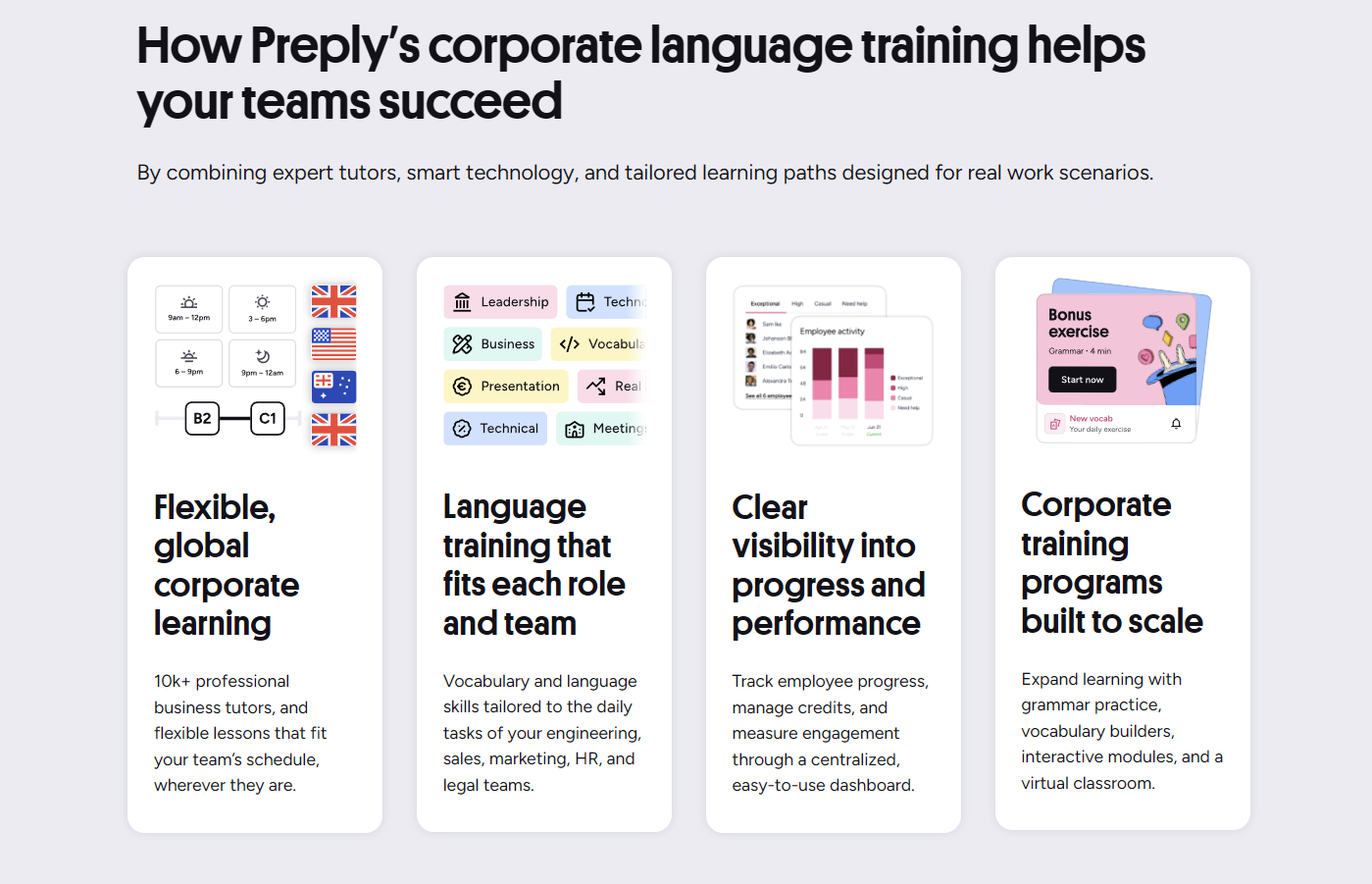
Tutor quality control operates on two levels. First, Preply's own vetting: identity verification, qualification checks, a demo lesson evaluated by the pedagogical team, and ongoing monitoring of lesson ratings, technical issues, and cancellation rates. Second, enterprise-specific feedback loops. Account managers receive aggregated tutor performance data for their client's learners and can request tutor removal from the client's pool if patterns emerge — consistent lateness, off-topic lessons, poor preparation. This level of oversight is not available on the consumer side.
Learning Management and Progress Tracking
The admin dashboard shows utilization at three levels: organization, group, and individual. Organization view aggregates total credits used, average lessons per learner, attendance rate, and level distribution. Group view breaks it down by department, region, or custom cohort. Individual view displays each learner's lesson history, tutor feedback notes, test scores, and self-assessment updates. Managers can drill into any learner's timeline — though privacy settings allow companies to hide tutor notes from direct supervisors if policy requires.
Progress measurement combines quantitative and qualitative signals. Quantitative: placement test retakes (recommended every 20 lessons), lesson completion rates, homework submission rates, vocabulary tracker growth. Qualitative: tutor-written session summaries, learner self-reflections, speaking confidence ratings. Preply does not issue formal certificates, but it generates progress reports suitable for internal HR records or compliance audits. Some clients map Preply levels to their own competency frameworks for promotion or rotation eligibility.
Scroll horizontally to see all columns
| Metric | Frequency | Granularity |
|---|---|---|
| Credits consumed | Real-time | Org / Group / Individual |
| Lessons completed | Real-time | Org / Group / Individual |
| Attendance rate | Weekly | Org / Group / Individual |
| CEFR level (placement test) | On demand | Individual |
| Vocabulary items learned | Per lesson | Individual |
| Tutor session ratings | Per lesson | Individual |
| Homework completion | Per assignment | Individual |
A gap worth noting: the platform does not natively integrate with performance review systems like Workday, SuccessFactors, or BambooHR. Exporting CSV reports and uploading them manually is the standard workflow. Preply's API supports webhook notifications for lesson events (booked, completed, cancelled), which some clients use to build custom dashboards or trigger nudges in Slack or Teams. But out-of-the-box HRIS integration is not yet a feature.
Pricing Structure and Plans
Preply does not publish enterprise pricing. Quotes depend on seat count, contract length, credit volume, and support tier. As a rough benchmark, a 100-seat annual contract with 24 credits per seat (two lessons per month) typically falls in the $1,200 to $1,800 per seat per year range, including platform fees and dedicated support. Larger deployments (500+ seats) negotiate volume discounts that can bring the per-seat cost below $1,000. The white-label portal adds a one-time setup fee of $5,000 to $15,000 depending on customization depth.
Two credit models exist. The pooled model allocates a shared credit bucket to the organization; any learner can draw from it. The allocated model assigns a fixed credit allowance per learner per period (monthly, quarterly, annually). Pooled credits maximize flexibility but require monitoring to prevent a few heavy users from draining the pool. Allocated credits guarantee fairness but create waste when learners underutilize. Most mid-size companies start with allocated credits and switch to pooled after the first renewal once utilization patterns stabilize.
Payment terms are usually annual upfront or quarterly. Monthly billing is available but carries a premium. Credits unused at contract end do not roll over to a new term unless renewed. Some enterprise agreements include a true-up clause: if actual usage exceeds purchased credits, the overage is billed at a pre-agreed rate rather than cutting off access. This prevents mid-year budget surprises during hiring surges or expansion into new markets.
Implementation and Onboarding
A typical enterprise rollout follows four phases. Phase one: discovery and configuration (weeks 1–2). Preply's solutions engineers map the company's org structure, define groups, configure SSO, and load the initial user list. Phase two: pilot launch (weeks 3–6). A representative cohort — usually 10% of target seats — begins learning. Weekly check-ins track early adoption, tutor feedback, and technical issues. Phase three: refinement (weeks 7–10). Adjust credit allocations, refine learning paths, add custom content, train internal champions. Phase four: full deployment (week 11 onward). Remaining seats activated, ongoing quarterly business reviews established.
Internal champions make or break adoption. Preply recommends identifying one champion per 50 learners — a local HR business partner, team lead, or enthusiastic early adopter. Champions receive admin-lite access: they can view their group's dashboard, send nudges, and escalate issues. They do not manage billing or global settings. Companies that skip this step often see utilization plateau at 30–40% after the initial enthusiasm fades.
Change management matters more than the technology. Employees accustomed to mandatory compliance training may treat language learning as another checkbox. Successful programs frame it as a benefit — a perk that builds marketable skills — and tie it to tangible outcomes: eligibility for international assignments, client-facing role qualification, promotion pathways. Some companies subsidize the first three months fully, then introduce a nominal co-pay (e.g., $10 per lesson) to signal value without creating a barrier.

Technical onboarding is straightforward for most IT teams. SAML 2.0 and OIDC cover the major identity providers (Okta, Azure AD, Google Workspace, OneLogin). SCIM 2.0 handles automated provisioning and deprovisioning — when an employee leaves the company, their Preply access revokes automatically. The platform also supports Just-In-Time provisioning: a user's first SSO login creates their account with the correct group assignment based on SAML attributes. No manual CSV uploads required after initial setup.

Integration with Existing Systems
Beyond identity, Preply's integration surface is modest. The REST API exposes endpoints for user management, credit balance queries, lesson scheduling, and event webhooks. Webhook events include lesson.booked, lesson.completed, lesson.cancelled, credit.low_balance, and user.assessment_completed. Payloads contain learner ID, group ID, tutor ID, timestamps, and metadata. This is sufficient for building custom reporting, triggering LMS completion records, or posting notifications to internal channels.
Preply does not currently offer pre-built connectors for Cornerstone, Docebo, SAP SuccessFactors Learning, or Workday Learning. Clients who need deep LMS integration — single sign-on into Preply from the LMS, automatic course enrollment sync, grade passback — build it themselves or engage Preply's professional services team for a custom integration project. The professional services rate is not published; it is scoped per engagement.
For companies using Microsoft Teams or Slack as their primary collaboration hub, Preply provides a basic bot that posts lesson reminders, credit balance alerts, and progress milestones. The bot does not support interactive booking or tutor search within the chat interface. Learners still open the Preply web or mobile app for core actions. This limitation frustrates some admins who expected a more embedded experience, but it reflects Preply's product philosophy: keep the learning environment focused and distraction-free.
Security and Compliance Features
Preply Enterprise runs on AWS with data centers in the US (Virginia), EU (Frankfurt), and APAC (Singapore). Enterprise customers can request data residency in a specific region during contract negotiation. The platform is SOC 2 Type II certified, GDPR compliant, and offers a Data Processing Addendum (DPA) as standard. Encryption covers data in transit (TLS 1.2+) and at rest (AES-256). Penetration testing occurs annually with a third-party firm; summaries are available under NDA.
Access controls follow a least-privilege model. Admin roles include Organization Owner (full access), Group Admin (group-scoped dashboard and user management), and Reporter (read-only analytics). Custom roles are not supported — a gap for organizations with complex approval chains. Audit logs capture all admin actions, login events, and data exports with timestamps and IP addresses. Logs are retained for 13 months and exportable via API.
Lesson recordings are optional and off by default. If enabled by the organization, recordings are stored for 90 days, accessible only to the learner and their assigned tutors. Admins cannot view recordings. This design choice respects learner privacy but limits quality assurance for training programs that rely on recorded role-plays for coaching. Some clients work around this by asking tutors to submit written session summaries with key vocabulary and error corrections instead.
Customer Support for Enterprise Clients
Support tiers scale with contract size. Accounts under 50 seats use the standard help center and email support (24-hour SLA). At 50 seats, a dedicated Customer Success Manager (CSM) is assigned. The CSM owns the relationship: quarterly business reviews, utilization deep-dives, tutor pool curation, escalation path for urgent issues. At 200 seats, a Technical Account Manager joins for API guidance, SSO troubleshooting, and integration planning. At 500 seats, a named Pedagogical Consultant advises on curriculum design, assessment strategy, and tutor development.
The CSM model works well for strategic alignment but creates a single point of dependency. If the CSM leaves or is reassigned, institutional knowledge can stall. Preply mitigates this with a shared account notes system and a handoff protocol, but some enterprise clients report inconsistency after transitions. Escalation paths exist — CSM reports to a Regional Director, then VP of Enterprise — but response times for non-critical issues can stretch to a week during handoff periods.
Tutor-side support is separate. Tutors have their own support channel and community forums. Enterprise learners do not interact with tutor support. If a tutor cancels repeatedly or has technical issues, the learner reports it to their CSM, who coordinates with the tutor operations team. Refunds for tutor-caused cancellations are automatic (credit returned to pool). Refunds for learner-caused cancellations follow the organization's policy — Preply enforces a 4-hour cancellation window by default, but enterprise contracts can customize this.
Case Studies and Measured Outcomes
Public case studies are limited — most enterprise clients do not permit named references. Preply's website features anonymized snapshots: a European logistics firm that moved 60% of its customer-facing staff from A2 to B1 within nine months; a Latin American fintech that reduced onboarding time for Spanish-speaking hires by 40% using Preply's technical Spanish track; a Japanese manufacturer that achieved 85% utilization across 300 engineers preparing for an ERP migration to English-language documentation.
The patterns across these snapshots are consistent. High utilization correlates with three factors: executive sponsorship visible in internal communications, integration with existing career frameworks (language level tied to promotion bands), and local champions empowered to nudge and celebrate progress. Low utilization correlates with optional, untracked programs launched via a single email with no follow-up. The platform enables structure; it does not create culture.
Scroll horizontally to see all columns
| Program Design | Avg. Lessons / Learner / Month | 12-Month Retention |
|---|---|---|
| Optional, no tracking | 0.8 | 35% |
| Manager-assigned minimums | 1.9 | 62% |
| Tied to career progression | 2.7 | 78% |
| Cohort-based with milestones | 3.1 | 81% |
These benchmarks come from Preply's aggregated enterprise data shared during quarterly reviews. They are not independently audited. Treat them as directional. The clearest signal: accountability structures drive usage. Whether that usage translates to business results depends on whether the language skills being practiced match the actual communication demands of the job — a design question, not a platform question.
Comparison with Traditional Language Training
Traditional corporate language training falls into three categories: in-person group classes (Berlitz, EF, local schools), virtual instructor-led training (VILT) with fixed cohorts, and self-paced e-learning (Rosetta Stone, Babbel for Business, Busuu). Preply Enterprise differs from all three on the dimension that matters most for working adults: scheduling autonomy.
In-person classes require physical presence at a fixed time. VILT requires virtual presence at a fixed time. Both conflict with client meetings, production incidents, and personal obligations. Self-paced e-learning has no scheduling conflict but suffers from abysmal completion rates — industry averages hover around 15% for corporate licenses. Preply's live one-on-one model lets each learner book sessions when their calendar allows, with any tutor who has availability. The trade-off is coordination overhead: learners must actually book lessons. The platform mitigates this with recurring booking (same tutor, same time weekly) and automated reminders.
Cost per learning hour is another differentiator. In-person group classes average $40–$80 per learner-hour (amortized over class size). VILT averages $30–$60. Self-paced platforms average $5–$15 per learner-hour but with low effective utilization. Preply Enterprise averages $18–$35 per learner-hour depending on tutor tier and volume discounts. The per-hour cost is higher than self-paced but lower than live group instruction, while delivering individualized content and full speaking time.
A hybrid approach is common. Companies use self-paced apps for vocabulary and grammar maintenance, Preply for speaking practice and business-specific scenarios, and occasional VILT workshops for team alignment or certification prep. Preply does not position itself as a full replacement for every language training need. Its strength is the speaking layer — the part that apps cannot replicate and group classes dilute.
Limitations and Considerations
No platform fits every organization. Preply Enterprise has clear limitations that buyers should weigh. First, tutor consistency. Even with recurring bookings, tutors take vacations, change time zones, or leave the platform. Learners may need to switch tutors mid-program. Preply's matching algorithm helps, but the relationship reset costs momentum. Some companies mitigate this by assigning two tutors per learner from the start — a primary and a backup — but this doubles the coordination effort.
Second, curriculum control. Preply provides structure but not a locked-down syllabus. Tutors have autonomy to adapt materials, skip units, or introduce their own. For compliance-driven training (e.g., aviation English, medical terminology), this variability can be a risk. Organizations with strict curriculum requirements often supplement Preply with a dedicated content designer who creates detailed lesson plans for tutors to follow — an additional cost and management layer.
Third, the mobile experience. Preply's mobile apps (iOS and Android) support the full learner workflow: booking, video lessons, chat, homework, progress tracking. However, the admin dashboard is desktop-only. Managers cannot approve credits, view reports, or manage users from a phone. For executives who review metrics on the go, this is a friction point. Preply's roadmap includes a responsive admin view, but no committed timeline.
Fourth, language coverage depth. While 50+ languages are available, tutor density varies wildly. English has thousands of tutors; Icelandic has three. For less common languages, the enterprise curation filters (business experience, certifications) may leave zero matches. Companies needing niche languages should verify tutor availability before contracting. Preply's sales team can run a supply check during the evaluation phase.
Final Assessment of Preply Enterprise Solutions
Preply Enterprise Solutions solves a specific problem well: delivering live, individualized language tutoring to a distributed workforce with the administrative controls that make it a manageable line item rather than a chaotic expense. It is not a full learning management system, not a content authoring tool, and not a certification engine. It is a tutoring platform with an enterprise wrapper — and for many organizations, that is exactly the right shape.
The companies that get the most value treat Preply as infrastructure, not a program. They build their own curriculum wrappers, tie language levels to role requirements, fund it from the talent development budget rather than the wellness stipend, and hold managers accountable for their team's utilization. The platform supports that approach. It does not enforce it. That distinction matters.
If your organization needs structured, scalable speaking practice with measurable progress tracking and can accept the operational overhead of managing a tutor marketplace, Preply Enterprise is a strong contender. If you need a turnkey curriculum with guaranteed outcomes, standardized assessments, and deep HRIS integration, you will hit walls. Evaluate against your actual constraints, not the demo.
Frequently Asked Questions
What is the minimum seat count for Preply Enterprise?
Preply Enterprise typically requires a minimum of 10 seats for a business contract. Smaller teams can use individual Preply subscriptions with shared payment methods, but they lose the admin dashboard, centralized billing, SSO, and dedicated support.
Can we use our own curriculum and materials with Preply tutors?
Yes. Enterprise admins can upload proprietary content — PDFs, slides, glossaries, scenario scripts — to a shared library. Tutors assigned to your organization see this library and can incorporate materials into lessons. Preply does not enforce curriculum compliance; tutor adherence depends on your briefing and oversight.
How does Preply handle tutor cancellations or no-shows?
If a tutor cancels or misses a lesson, the credit is automatically returned to your organization's pool. The learner receives a notification and can rebook immediately. Repeated tutor cancellations trigger a quality review; enterprise CSMs can request removal of specific tutors from your organization's pool.
Is there a free trial for enterprise accounts?
Preply does not offer a free enterprise trial. Most evaluations proceed through a paid pilot (typically 20–50 seats for 60–90 days) with a defined success criteria document. The pilot cost is credited toward the annual contract if the organization proceeds.
Can learners take lessons in multiple languages under one enterprise account?
Yes. Credits are not language-specific. A learner can use their allocation for English, Spanish, and Japanese lessons in the same month. The dashboard tracks progress separately per language. This flexibility is useful for multilingual teams or employees relocating across regions.
What happens to learner data and progress if we cancel the contract?
Upon contract termination, learner accounts revert to free Preply accounts. Progress history, vocabulary lists, and tutor relationships remain accessible to the individual. The organization loses admin access, reporting, and centralized billing. Preply deletes organizational data per the DPA within 30 days unless a retention request is filed.
Does Preply Enterprise support group lessons for teams?
Yes. Group sessions support up to six learners with one tutor. These are booked as a single credit per learner per 60-minute session. Group lessons work well for onboarding cohorts, project teams preparing for a client engagement, or department-wide workshops. The tutor manages the group dynamic; Preply does not provide breakout rooms or collaborative whiteboards.