

Online Teaching Platforms
Preply Teach English Online: Complete Guide for Tutors
Everything you need to know about teaching English on Preply as an online tutor.
Preply has grown into one of the largest online language tutoring marketplaces, connecting millions of students with tutors across dozens of languages. For English teachers specifically, the platform offers a way to reach global students without handling marketing, payment processing, or scheduling infrastructure yourself. But the experience of teaching on Preply differs significantly from traditional classroom work or even other online platforms. Understanding the mechanics, economics, and day-to-day realities before you apply can save weeks of frustration.
Contents
- 1. Getting Started with Preply as an English Tutor
- 2. Application Process and Requirements
- 3. Setting Up Your Tutor Profile
- 4. How Preply's Commission Structure Works
- 5. Finding and Managing Students
- 6. Teaching Tools and Platform Features
- 7. Earnings Potential and Payment Methods
- 8. Scheduling and Time Zone Management
- 9. Building Your Reputation and Reviews
- 10. Preply for Business English Teaching
- 11. Mobile App and Desktop Experience
- 12. Common Challenges and Workarounds
- 13. Preply Compared to Alternatives
- 14. Tax and Legal Considerations
- 15. Final Assessment of Preply for English Tutors
This guide covers the full lifecycle of teaching English on Preply: what the application actually requires, how the commission structure affects your take-home pay, what tools you get for lessons, how to build a sustainable student base, and where the platform falls short. The information comes from current tutor experiences, platform documentation, and the practical constraints that shape whether this work fits your goals.
If you are evaluating Preply against alternatives like italki, Cambly, or independent tutoring, the comparison points that matter most are commission rates, student acquisition cost, scheduling flexibility, and the administrative burden the platform imposes. Each of those areas has sharp edges on Preply that marketing materials do not emphasize.
Getting Started with Preply as an English Tutor
The barrier to entry on Preply is lower than many tutors expect. You do not need a teaching degree, TEFL certification, or prior tutoring experience to apply. The platform accepts native and non-native English speakers alike, though your profile will display your proficiency level and students filter accordingly. What you do need is a reliable internet connection, a computer with a webcam and microphone, and the ability to pass a video interview with the Preply team.
The application process has three stages. First, you create a profile with your education, work history, languages spoken, and a short introduction video. Second, you complete a written English proficiency test that assesses grammar, vocabulary, and reading comprehension. Third, you schedule a 20-minute video interview with a Preply recruiter who evaluates your communication skills, teaching approach, and technical setup. The interview is not a demo lesson; it is a conversation about your background and how you would handle common tutoring scenarios.
Approval typically takes three to seven business days after the interview. Rejection reasons are rarely detailed. Tutors who are turned down often report generic feedback about "not meeting current standards" without specifics. You can reapply after three months, but the criteria may have shifted. The platform periodically adjusts its acceptance rate based on student demand and tutor supply in specific language categories.
Application Process and Requirements
Preply's stated requirements are minimal: you must be at least 18 years old, have a C1 English level or higher, and possess the technical equipment for video lessons. The platform does not verify degrees or certifications during onboarding. Students see whatever you list on your profile, so misrepresenting qualifications is possible but risky. Negative reviews mentioning dishonesty can destroy a profile quickly.
The written proficiency test contains roughly 40 questions covering verb tenses, conditionals, prepositions, vocabulary in context, and reading comprehension passages. It is timed at 40 minutes. The questions are multiple choice and adaptive; difficulty adjusts based on your answers. Scoring above the platform's threshold (not publicly disclosed) advances you to the interview stage. You cannot retake the test immediately if you fail; a waiting period applies.
During the video interview, the recruiter typically asks: why you want to tutor on Preply, how you would handle a beginner student who speaks no English, what you would do if a student cancels repeatedly, and how you structure a 50-minute lesson. They also verify your timezone availability matches student demand. The recruiter may role-play a difficult student scenario to assess patience and adaptability.
- Minimum age: 18
- English proficiency: C1 or higher (self-assessed, tested)
- Stable internet: minimum 10 Mbps upload/download
- Equipment: laptop/desktop with HD webcam, headset with microphone
- Environment: quiet, well-lit, professional background
- Availability: at least 10 hours per week during peak student hours
- Bank account or PayPal for withdrawals
Setting Up Your Tutor Profile
Your profile is your storefront. Students browse hundreds of tutors; the profile determines whether they click "Book trial lesson" or move on. Preply's algorithm weights several factors in search ranking: response rate, review score, number of completed lessons, profile completeness, and video introduction quality. New tutors start with zero reviews and zero lessons, so the profile content and video carry disproportionate weight initially.
The introduction video should be 60 to 90 seconds. Speak directly to the camera. State your name, where you are from, your teaching philosophy, and what students can expect in lessons. Avoid reading from a script. Students report skipping videos that feel rehearsed or generic. Show personality. If you specialize in IELTS preparation, business English, or conversation practice, say so explicitly. Specialization attracts students with specific goals who book more consistently.
Profile completeness includes: a professional headshot (not a selfie), detailed education and work history, all languages you speak with proficiency levels, teaching specialties selected from Preply's taxonomy, hourly rate, timezone, and availability calendar. The availability calendar is critical. Students book based on open slots. If your calendar shows only three hours per week at odd times, you will get few bookings. Block out realistic weekly availability and update it when your schedule changes.
Scroll horizontally to see all columns
| Element | Impact on Search Ranking | Student Decision Weight |
|---|---|---|
| Introduction video | High | Very High |
| Review score | Very High | Very High |
| Completed lessons count | High | High |
| Response rate | High | Medium |
| Profile completeness | Medium | Medium |
| Hourly rate | Low | High |
| Specialization tags | Medium | High |
How Preply's Commission Structure Works
Preply takes a commission on every lesson. The rate starts at 33% for your first 20 lessons with a new student, drops to 28% for lessons 21 through 50, 23% for lessons 51 through 100, and settles at 18% for lessons beyond 100 with the same student. This tiered structure incentivizes retention. A student who stays for 100 lessons costs you 18% commission instead of 33%, a meaningful difference on a $20 hourly rate.
The commission applies to the full lesson price, not just your take-home. If you set your rate at $25 per hour, Preply collects $8.25 on the first lesson (33%), leaving you $16.75. After 100 lessons with that student, Preply collects $4.50 (18%), leaving you $20.50. The platform also charges students a service fee on top of your rate, which does not affect your earnings but influences how price-sensitive students perceive your rate.
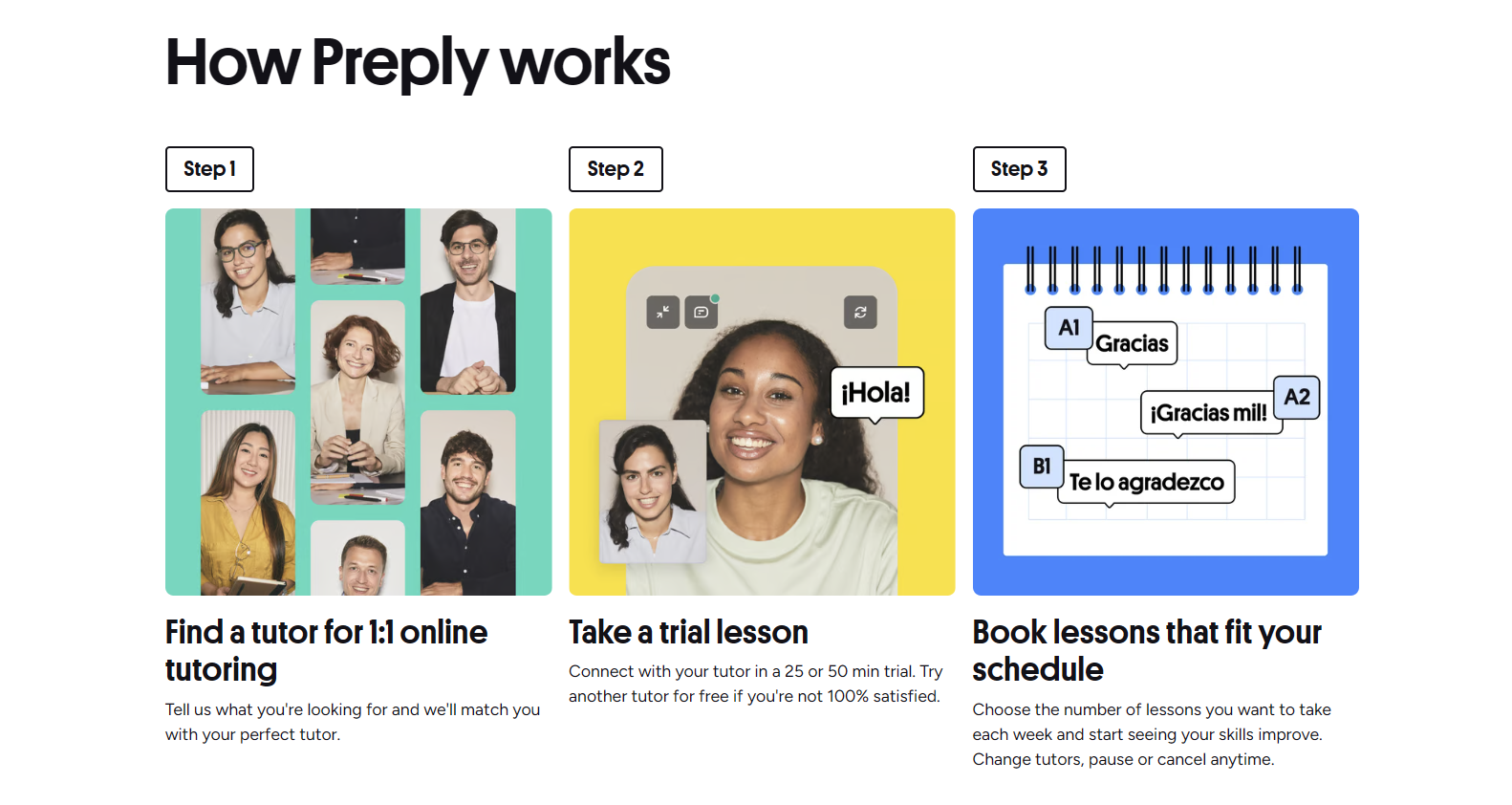
Trial lessons are 50 minutes and priced at a discount set by Preply, typically 50% to 70% off your regular rate. You cannot opt out of trial lessons. The commission on trial lessons is 100% for the first trial with each student, meaning you earn $0. Preply keeps the full trial fee. This is a customer acquisition cost baked into the model. Some tutors factor this into their regular rate; others treat it as marketing expense.
Scroll horizontally to see all columns
| Lesson Range | Commission Rate | Tutor Keeps (on $20/hr) |
|---|---|---|
| 1-20 | 33% | $13.40 |
| 21-50 | 28% | $14.40 |
| 51-100 | 23% | $15.40 |
| 101+ | 18% | $16.40 |
Finding and Managing Students
Preply does not assign students. You appear in search results when students filter by language, price range, availability, specialty, and tutor nationality. New tutors get a temporary "New" badge for two weeks that boosts visibility. After that, you compete on the same ranking factors as everyone else. The first month is critical. Tutors who secure 5 to 10 regular students in month one tend to sustain momentum. Those who do not often plateau at 1 to 2 students and quit.
Student acquisition on Preply is passive. You cannot message students first, bid on jobs, or advertise outside the platform. Your levers are: profile optimization, competitive pricing for your experience level, broad availability during peak hours (European evenings, Asian mornings, US evenings), and quick response to trial lesson requests. Response rate affects search ranking. Preply expects replies within one hour during waking hours. Missed messages drop your visibility.
Trial lessons are the conversion point. Roughly 30% to 50% of trial students book at least one paid lesson, depending on tutor skill and niche. Business English and exam prep (IELTS, TOEFL) convert higher than general conversation. Students who book trials at 3 AM your time rarely convert; they are testing the platform, not committing. Many tutors restrict trial availability to hours when they teach best.
- Respond to trial requests within 30 minutes during your active hours
- Send a personalized welcome message before the trial
- Prepare a structured trial lesson plan with level assessment
- Follow up within 24 hours with a learning plan proposal
- Offer a package discount for 10+ lesson commitments
Teaching Tools and Platform Features
Preply's built-in classroom runs in the browser. It includes video chat, screen sharing, a collaborative whiteboard, file upload, chat, and a shared notes panel. The whiteboard supports text, shapes, images, and PDF annotation. You can upload lesson materials before class and they persist in the room. Students access the same room for every lesson, so notes and files accumulate. The platform records lessons automatically if both parties consent; recordings are stored for 30 days.
The classroom works adequately for conversation and grammar explanation. It struggles with complex document collaboration. Google Docs integration is limited to screen sharing. Many tutors run a parallel Zoom or Google Meet call for better stability and use Preply only for the official record. Preply's terms require the lesson to occur on their platform for payment protection, but they do not actively monitor whether you also have a backup connection.
The platform provides a lesson library with structured courses for general English, business English, IELTS, TOEFL, and conversation topics. These are slide decks with teacher notes. Quality varies. Some are well-designed; others are outdated or contain errors. You can edit slides during the lesson. Most experienced tutors build their own material libraries in Google Drive or Notion and screen-share them. The Preply library is a backup, not a curriculum.
Earnings Potential and Payment Methods
English tutor rates on Preply range from $8 to $75 per hour. The median for native speakers with some experience is $18 to $25. Non-native speakers with C1/C2 proficiency typically charge $12 to $20. Specialized niches (IELTS, business English, medical English, legal English) command $30 to $50. Rates above $50 are rare and usually require demonstrable credentials like examiner status or advanced degrees.
A full-time schedule (25 teaching hours per week) at $20/hour after average commission (roughly 25% blended across student tenures) yields approximately $1,500 per month before taxes. At $30/hour with a mature student base (18% commission), the same hours yield $2,460. These figures assume 100% slot utilization, which is unrealistic. Most tutors fill 60% to 80% of available slots. Gaps come from cancellations, no-shows, and seasonal demand drops (December, July-August).
Payments process weekly. Lessons completed Monday through Sunday are calculated, commission deducted, and the balance becomes available for withdrawal the following Wednesday. Withdrawal methods: PayPal, Payoneer, Wise (TransferWise), and direct bank transfer (SEPA for Europe, SWIFT elsewhere). Minimum withdrawal is $30. Fees vary: PayPal charges ~2% plus fixed fee, Payoneer charges $1 to $3, Wise charges ~0.5% to 1%, bank transfers may incur intermediary bank fees. Preply does not cover withdrawal fees.
Scroll horizontally to see all columns
| Hourly Rate | Blended Commission | Slot Fill Rate | Est. Monthly Net |
|---|---|---|---|
| $15 | 30% | 70% | $735 |
| $20 | 25% | 70% | $1,050 |
| $25 | 22% | 75% | $1,463 |
| $30 | 20% | 75% | $1,800 |
| $40 | 18% | 80% | $2,624 |
Scheduling and Time Zone Management
Preply operates on a global marketplace model. Your students may span 10+ time zones. The platform displays your availability in each student's local time automatically. You set your weekly calendar in your timezone; students see converted slots. This works well until daylight saving transitions. Not all countries switch on the same dates. Preply handles most transitions automatically, but edge cases occur. Verify your calendar after each DST change.

Cancellation policy: students can cancel free up to 4 hours before the lesson. Within 4 hours, they are charged 50% of the lesson price (you receive your share of that 50%). No-shows after lesson start time: you wait 15 minutes, then mark the student absent and receive 100% of your rate. You cannot charge for no-shows if you are late. The 15-minute grace period applies to both parties.
Vacation mode hides your profile from search and prevents new bookings. Existing recurring lessons remain unless you cancel them individually. Activate vacation mode at least one week before planned time off. Students who message you during vacation mode see an auto-reply with your return date. You do not lose search ranking for using vacation mode, but extended absences (30+ days) may require re-verification.
- Set recurring weekly availability rather than daily manual slots
- Block 15-minute buffers between lessons for notes and reset
- Limit trial lessons to 2-3 per day to avoid burnout
- Use vacation mode for any absence longer than 3 days
- Communicate schedule changes to regular students directly in chat
Building Your Reputation and Reviews
Reviews are the single strongest driver of long-term success on Preply. Students filter by 4.9+ stars. A single 4-star review drops a new tutor from 5.0 to 4.5, which many students filter out. The first 10 reviews determine your trajectory. Preply's review system allows students to rate 1 to 5 stars and leave optional public and private feedback. Private feedback goes only to you and Preply; public feedback appears on your profile.
You cannot remove negative reviews. Preply only removes reviews that violate policy (profanity, personal information, irrelevant complaints). A 3-star review with "tutor was late" stays. The best defense is prevention: over-communicate, start on time, prepare materials, and follow up with lesson summaries. When a lesson goes poorly, message the student afterward acknowledging the issue and proposing a fix. Some students update reviews after resolution.
Review solicitation is delicate. Preply's terms prohibit incentivizing reviews. You can ask for feedback naturally at the end of a milestone (10th lesson, course completion). Phrasing matters: "I'd appreciate your honest feedback on our lessons so far" is acceptable. "Leave me 5 stars and I'll give you a free lesson" gets you banned. The platform monitors chat for review manipulation patterns.
The tutors who last on Preply treat every lesson like a job interview for the next one. Consistency beats brilliance.
Preply for Business English Teaching
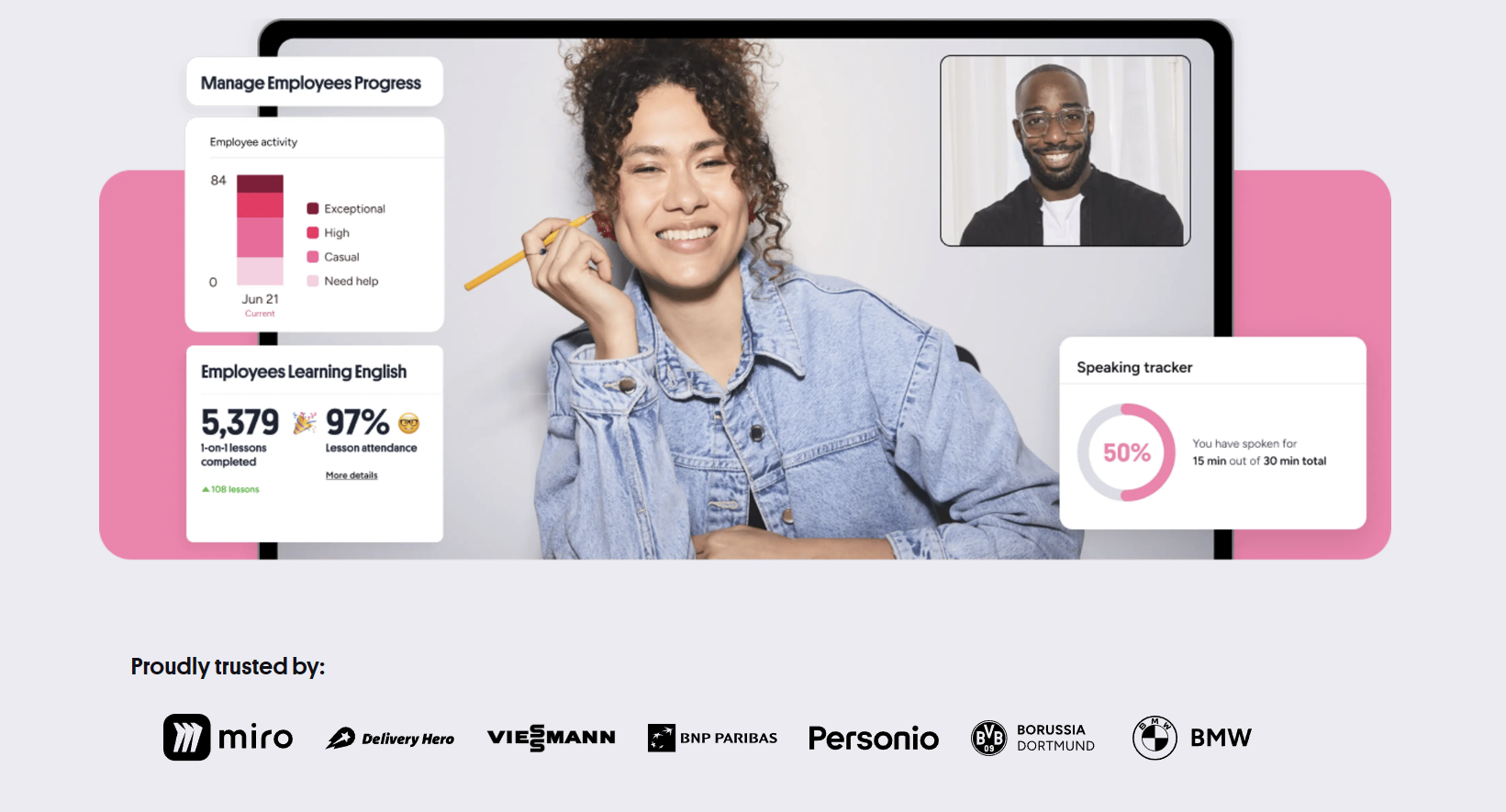
Preply Business is a separate product sold to companies for employee language training. Tutors can opt into the Business tutor pool after completing 50 lessons and maintaining a 4.8+ rating. Business students come through corporate accounts, not individual search. Rates are set by Preply based on your standard rate plus a premium (typically 20% to 30%). Commission remains the same tiered structure.
Business students differ from individual learners. They have specific professional goals (presentations, negotiations, email writing, industry terminology). Lessons are often scheduled during work hours, creating daytime slots for tutors in compatible time zones. Attendance is more consistent; companies track utilization. However, business students may reschedule frequently due to meetings. The platform provides business-focused lesson materials, but most tutors supplement with custom content.
Opting into Business tutoring requires a separate profile section highlighting professional experience, industry knowledge, and relevant certifications. Students see this as a distinct badge. Competition is lower than general English because fewer tutors qualify. If you have corporate experience, this channel can provide steadier income at higher effective rates.
Mobile App and Desktop Experience
Preply offers iOS and Android apps for tutors. The app handles messaging, schedule management, and lesson notifications. You cannot teach through the mobile app; the classroom requires the desktop browser. The app is useful for responding to trial requests quickly when away from your computer, which protects your response rate metric. Some tutors keep the app open during teaching hours for instant replies.
The desktop experience is browser-based. No desktop application exists despite the name "Preply Desktop App" appearing in some search results. The website works on Chrome, Firefox, Safari, and Edge. Chrome is most stable for the classroom. Safari occasionally has screen-sharing permission issues. Clear browser cache weekly if you experience whiteboard lag or audio drops.
Notifications: email, push (mobile), and in-platform. Configure them in settings. Essential notifications: trial lesson requests, messages from students, lesson reminders (1 hour and 10 minutes before), schedule changes. Disable marketing notifications. The platform sends frequent promotional emails about student discounts and platform updates that clutter inboxes.
Common Challenges and Workarounds
The most frequent complaint from tutors is the commission on trial lessons. Working for free on every new student feels exploitative, especially when many trials are "tire kickers" with no intention to continue. The workaround: treat trials as a structured assessment. Deliver genuine value in 50 minutes. Give the student a clear level evaluation and learning plan. Even if they do not book, you practiced your onboarding flow. Some tutors raise their regular rate slightly to amortize trial costs across paying students.
Another friction point: Preply's messaging system does not allow external contact information until after the first paid lesson. Students sometimes ask for WhatsApp, Telegram, or email in the first message. Sharing contact info before the first paid lesson violates terms and can trigger account suspension. The platform monitors chat for patterns. Redirect politely: "Let's keep communication here until our first lesson, then we can discuss preferred channels."
Seasonal demand drops are real. December (holidays), July-August (summer break in Northern Hemisphere), and Chinese New Year (February) see 30% to 50% fewer trial requests. Experienced tutors plan vacations during these periods or use them for material development. Some diversify across platforms to smooth income. Preply does not offer income guarantees or minimum hours.
Scroll horizontally to see all columns
| Period | Demand Level | Typical Trial Volume Change |
|---|---|---|
| January-March | High | +20% to +40% |
| April-June | Medium-High | Baseline |
| July-August | Low | -30% to -50% |
| September-November | High | +15% to +30% |
| December | Very Low | -40% to -60% |
Preply Compared to Alternatives
Italki uses a flat 15% commission with no trial lesson requirement. Tutors set their own trial prices (often free or $1). Student acquisition is similar: search-based marketplace. Italki has more language variety but fewer business English students. The platform feels older but more tutor-friendly on economics. Many tutors maintain profiles on both.
Cambly pays a fixed per-minute rate ($0.17/min = $10.20/hr) with no commission tier. No profile building required; students are assigned randomly for conversation practice. Zero prep, zero admin, but zero control over students, topics, or schedule. Earnings ceiling is hard. Good for supplemental income, not a primary teaching career.
Independent tutoring (own website, Zoom, Stripe) keeps 100% of revenue minus payment processing (2.9% + $0.30). You own the student relationship, set policies, and build an asset. The cost: you handle marketing, scheduling, cancellations, tax compliance, and technical issues. Most tutors need 6 to 12 months of platform experience before independent work is viable.
Scroll horizontally to see all columns
| Platform | Commission | Trial Policy | Student Acquisition | Best For |
|---|---|---|---|---|
| Preply | 18-33% tiered | Free for student, 100% commission | Search marketplace | Structured lessons, specialization |
| Italki | 15% flat | Tutor sets price | Search marketplace | Lower fees, experienced tutors |
| Cambly | Fixed rate $10.20/hr | N/A (no trials) | Random assignment | Casual conversation, flexibility |
| Independent | ~3% payment only | Tutor controls | Self-marketing | Long-term business building |
Preply is a good place to start. It is a expensive place to stay. The commission structure penalizes loyalty.
Tax and Legal Considerations
Preply does not withhold taxes. You are an independent contractor. The platform issues no tax forms for non-US tutors. US tutors earning over $600 receive a 1099-K from the payment processor (PayPal, Payoneer, etc.), not from Preply directly. You are responsible for tracking income, expenses, and filing according to your country's laws. Common deductible expenses: internet, equipment, software subscriptions, professional development, home office portion of rent/utilities.
VAT/GST obligations depend on your location and student locations. Preply handles VAT for EU students under the OSS scheme. For non-EU tutors teaching EU students, Preply collects and remits VAT. You receive the net amount. For tutors in VAT-registered jurisdictions, consult an accountant. The platform's help center has generic guidance but not country-specific advice.
Contractual relationship: you sign Preply's Tutor Agreement, which includes a non-compete clause preventing you from taking Preply students off-platform for 12 months after your last lesson with them. Enforcement is difficult but the clause exists. The agreement also grants Preply a license to use your profile content, video introduction, and lesson recordings for marketing. Read the current version before accepting.
Final Assessment of Preply for English Tutors
Preply works best as a launchpad. The platform solves the hardest part of online tutoring: finding students who pay reliably. The trade-off is a steep commission that declines only after significant retention with each student. Tutors who treat Preply as a client acquisition channel — building relationships, then gradually moving long-term students to independent arrangements where permitted — extract the most value. Tutors who stay exclusively on Preply for years effectively pay a 18% to 33% revenue share indefinitely for student access they could eventually generate themselves.
The platform's strengths are real: global reach, integrated scheduling and payments, dispute resolution, and a steady stream of new students if your profile ranks well. The weaknesses are structural: trial lesson economics, algorithm dependency, limited classroom tools, and a review system that amplifies early variance. Neither outweighs the other universally. Your calculation depends on your alternatives, risk tolerance, and how much you value administrative simplicity versus margin.
If you are new to online teaching, Preply reduces the friction of starting. You can be teaching paying students within two weeks of deciding to try. That speed has value. If you already have a student base or marketing skills, the commission is hard to justify. Most tutors fall somewhere between. The pragmatic approach: join, build a base of 15 to 20 regular students, learn the craft of online teaching, then evaluate whether the platform's cut still buys enough convenience.
Frequently Asked Questions
How long does it take to get approved as a Preply tutor?
Typically 3 to 7 business days after the video interview. The written test and interview scheduling add another week. Total timeline from application to first lesson is usually 2 to 3 weeks.
Do I need a TEFL certificate to teach English on Preply?
No. Preply does not require TEFL, CELTA, or any teaching certification. However, having one improves your profile credibility and may help with student conversion, especially for exam preparation niches.
Can I teach on Preply and other platforms simultaneously?
Yes. Preply does not require exclusivity. Many tutors maintain profiles on italki, Cambly, or their own websites. You cannot solicit Preply students to move off-platform within 12 months of your last lesson with them.
What happens if a student does not show up for a lesson?
Wait 15 minutes in the classroom. Then mark the student as absent. You receive 100% of your rate for that lesson. The student is charged the full price.
How do I increase my hourly rate on Preply?
You can change your rate anytime in profile settings. Existing students keep their current rate for 30 days after you notify them. New students see the new rate immediately. Raise rates gradually (10-15% at a time) and communicate value clearly.
Does Preply provide lesson materials?
Yes, a library of structured courses for general English, business English, IELTS, TOEFL, and conversation. Quality varies. Most experienced tutors create or curate their own materials and use the library as backup.
What equipment do I need to teach on Preply?
A laptop or desktop with HD webcam, headset with microphone, stable internet (10+ Mbps upload/download), and a quiet, well-lit space. Ethernet connection strongly recommended over WiFi.
Can non-native English speakers teach on Preply?
Yes. Preply accepts tutors with C1 or higher English proficiency. Your profile displays your proficiency level. Many non-native tutors succeed, especially those who share a first language with their target students.