

Programming Education
Preply Python Tutors: Find Your Ideal Coding Instructor
A practical guide to learning Python with Preply's tutor marketplace.
Learning Python opens doors to data science, web development, automation, and more. But picking the right tutor can feel overwhelming when hundreds of profiles promise similar results. Preply's marketplace connects learners with tutors worldwide, and its Python category is one of the most active on the platform. This guide walks through how to evaluate tutors, what to expect from lessons, and how to get the most value for your time and money.
Contents
- 1. How Preply Works for Programming Subjects
- 2. Searching and Filtering Python Tutors Effectively
- 3. Reading Tutor Profiles and Reviews Critically
- 4. What a Good Python Lesson Looks Like
- 5. Pricing, Packages, and Hidden Costs
- 6. Common Learning Paths and Specializations
- 7. Using Preply's Tools: Notes, Homework, and Progress Tracking
- 8. Scheduling, Time Zones, and Consistency
- 9. When to Switch Tutors
- 10. Supplementing Preply Lessons with Free Resources
- 11. Preply for Teams and Corporate Python Training
- 12. Alternatives and How They Compare
- 13. Key Takeaways for Choosing a Preply Python Tutor
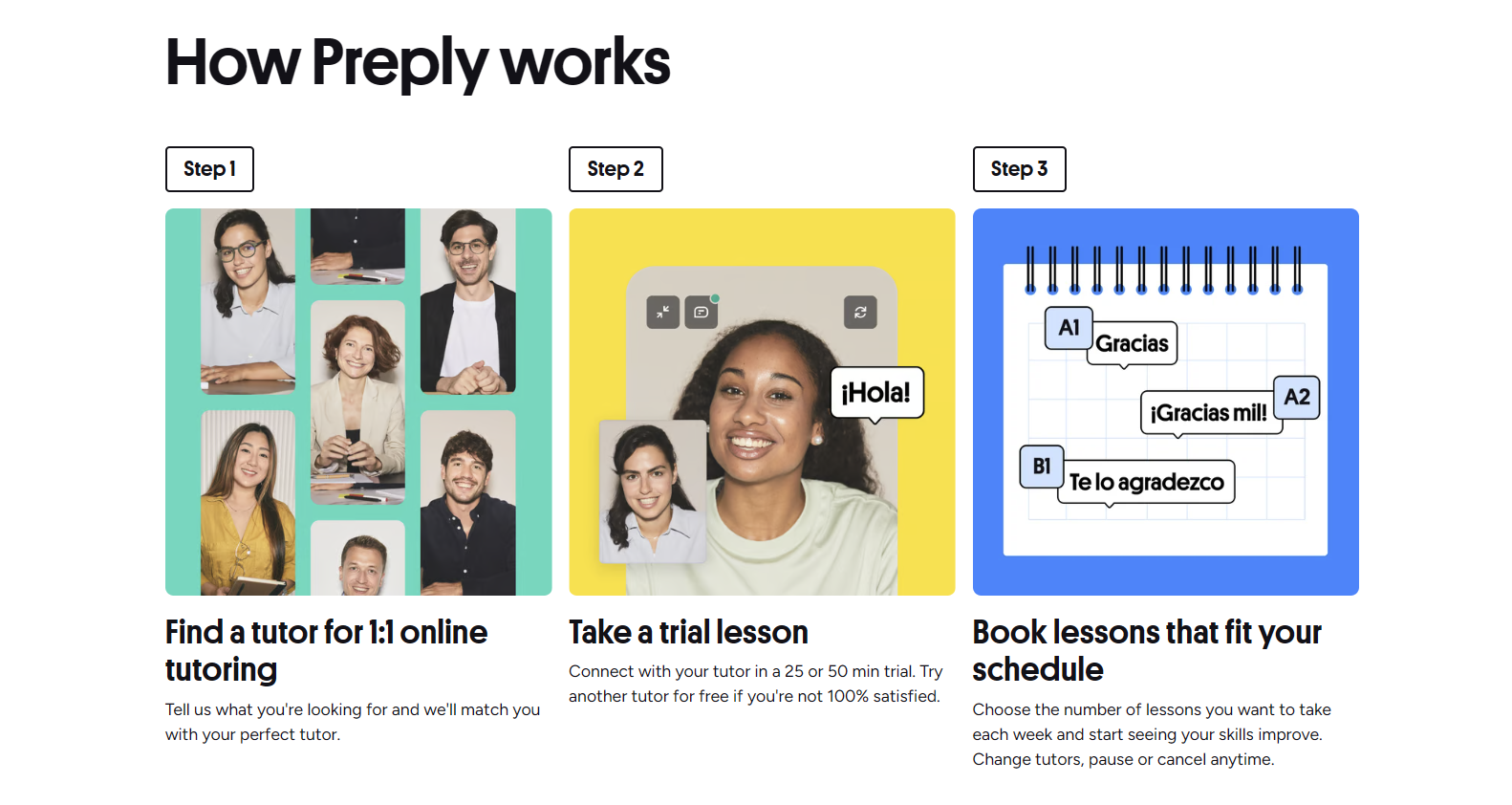
The platform itself is straightforward: you search, filter, book a trial, and then decide whether to continue with a subscription. What makes the difference is knowing which filters matter, how to read reviews critically, and what a good lesson structure looks like for programming versus language learning. The following sections break down each step.
How Preply Works for Programming Subjects
Preply started as a language tutoring platform, but its structure works well for coding too. Tutors set their own hourly rates, availability, and teaching style. You pay for lesson packages upfront — typically 5, 10, or 20 hours — and schedule sessions through the built-in calendar. The video classroom includes screen sharing, a collaborative code editor, and chat history that persists between lessons.
Unlike some competitors, Preply does not enforce a standardized curriculum. Each tutor designs their own approach. That flexibility is a strength if you have specific goals — building a Django app, preparing for a technical interview, or learning pandas for data analysis — but it also means you need to vet tutors more carefully than on platforms with fixed syllabi.
The platform takes a commission from each lesson, which decreases as a tutor earns more through the site. That model incentivizes tutors to stay on Preply long-term, so you often find instructors with hundreds of completed lessons and consistent ratings. For Python specifically, many tutors are working developers who teach part-time, which can be an advantage if you want current industry perspective.
Searching and Filtering Python Tutors Effectively
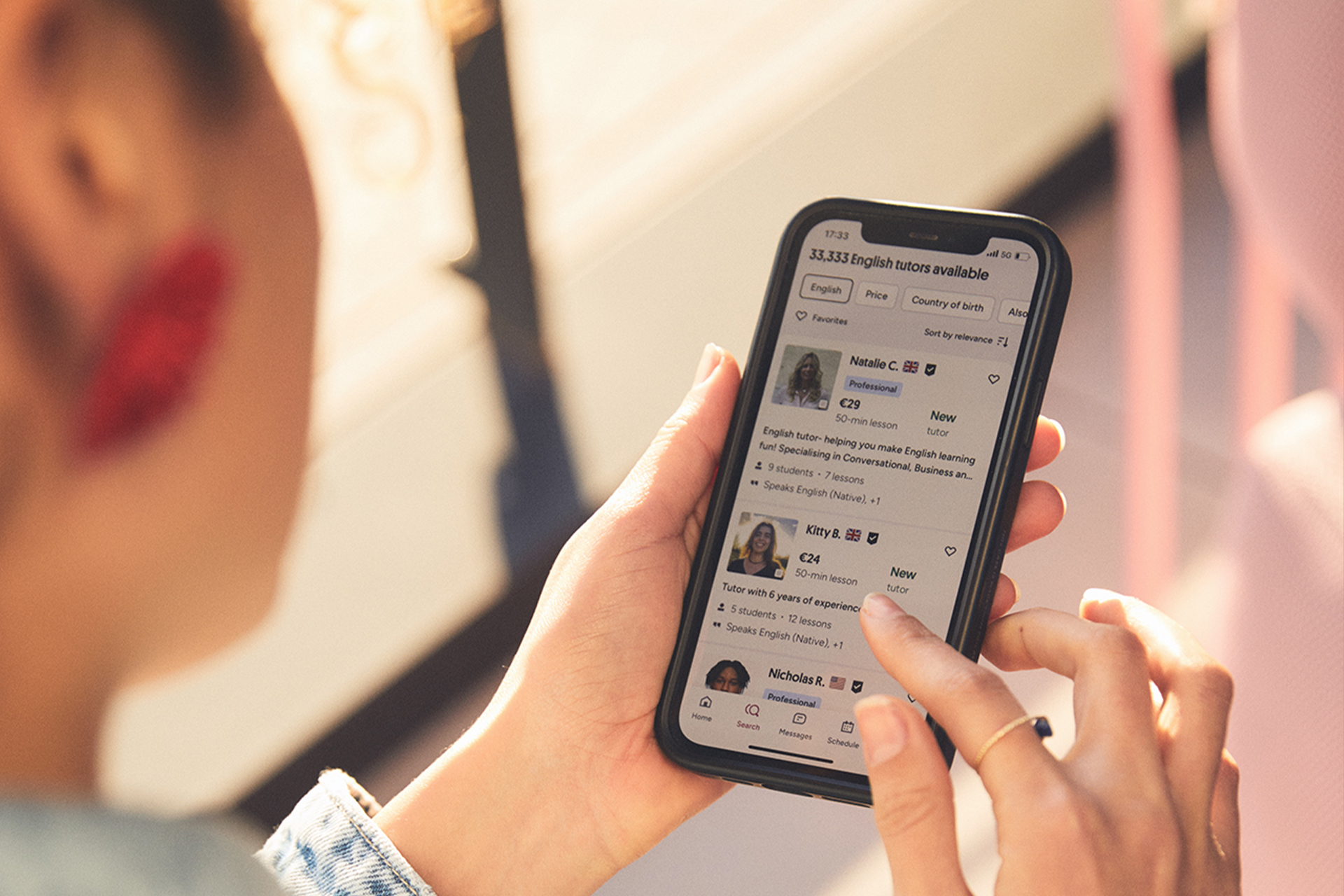
The search bar defaults to language tutors, so you must select "Programming" or type "Python" explicitly. Once in the Python results, the most useful filters are price range, availability (time zone), tutor's native language, and lesson type (beginner, intermediate, advanced). There is also a "Specialties" tag cloud where tutors list frameworks like Django, Flask, FastAPI, or libraries like NumPy and TensorFlow.
- Set price ceiling first — rates range from $10 to $80+ per hour.
- Choose a time zone overlap of at least 3 hours for scheduling ease.
- Filter by "Native speaker" only if you need English fluency; many excellent tutors are non-native but fluent.
- Check the "Specialties" tags for your target framework or domain.
- Sort by "Rating" or "Number of reviews" to surface experienced tutors.
A common mistake is ignoring the "Trial lesson" filter. Always book a 30-minute trial (usually discounted) before committing to a package. Use that session to assess communication style, code review workflow, and whether the tutor asks about your goals or jumps straight into syntax.
Reading Tutor Profiles and Reviews Critically
A profile shows the tutor's bio, education, work experience, teaching methodology, and a video introduction. For Python tutors, look for concrete project examples: "Built a REST API with FastAPI for a fintech startup" beats "Experienced in web development." The video intro lets you gauge English clarity and enthusiasm — both matter for technical explanations.
Reviews are the most reliable signal. Preply shows the number of lessons each reviewer took with that tutor. Prioritize reviews from students who took 10+ lessons; they reveal consistency. Watch for patterns: multiple reviewers mentioning "patient with beginners," "good at debugging," or "provides homework" are stronger indicators than generic praise.
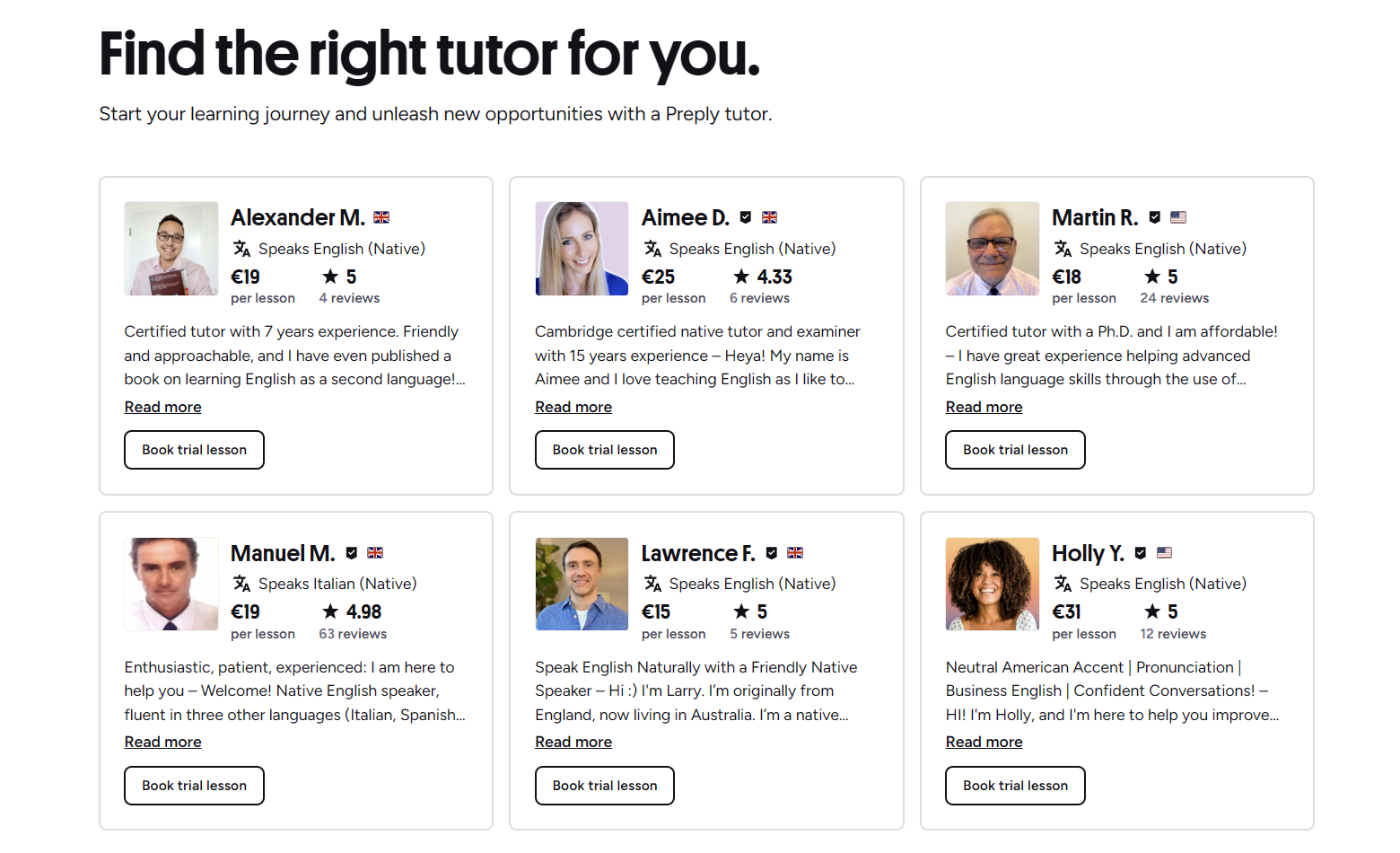
Be wary of profiles with only 5-star reviews and fewer than 10 total reviews — they may be new or have limited sample size. A tutor with a 4.9 average across 200 reviews is generally a safer bet than a 5.0 with 5 reviews. Also check the tutor's response time; Preply displays average reply speed. Under 1 hour is ideal for scheduling changes.

Scroll horizontally to see all columns
| Green flag | Red flag |
|---|---|
| Lists specific Python projects or domains | Vague claims like "expert in all Python" |
| Reviews mention code reviews and homework | Reviews only say "great teacher" without detail |
| Video shows live coding or screen sharing | No video or only static photo |
| Clear lesson structure described in bio | No methodology mentioned |
| Responsive messaging (under 1 hour) | Response time > 24 hours |
What a Good Python Lesson Looks Like
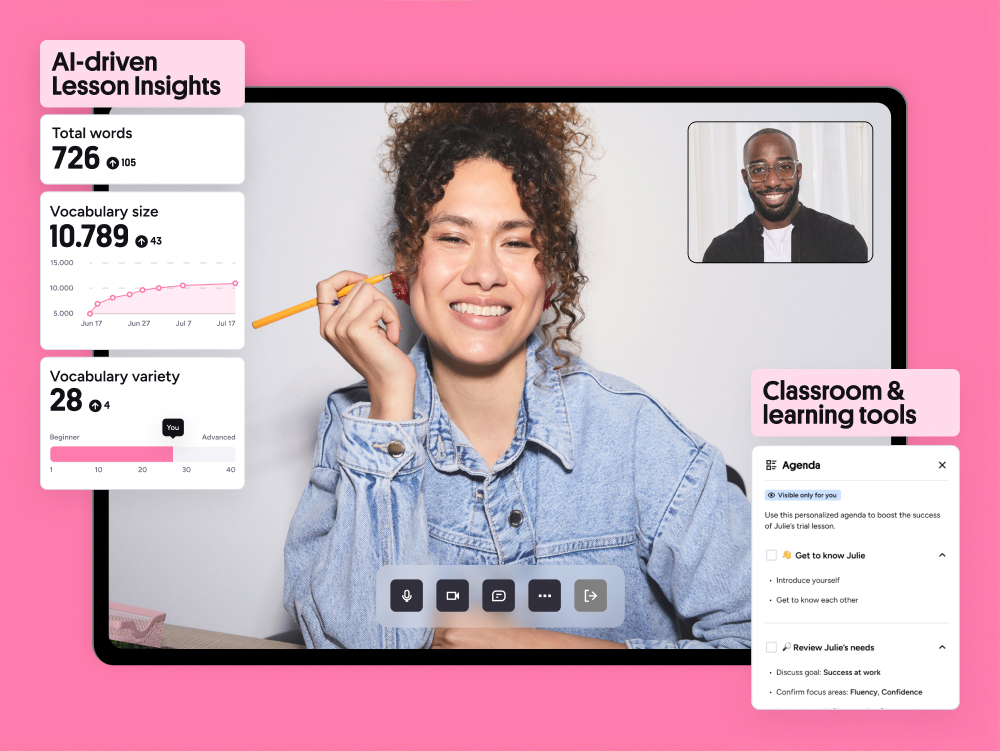
Programming lessons differ from language lessons. You need a shared editor, the ability to run code, and a way to revisit past sessions. Preply's classroom supports screen sharing and a basic collaborative editor, but many tutors prefer external tools: VS Code Live Share, Replit, GitHub Codespaces, or Jupyter notebooks. Confirm the toolset during the trial.
A typical effective session: 10 minutes reviewing previous homework or questions, 30 minutes introducing a new concept with live coding, 15 minutes guided practice where you write code while the tutor observes, and 5 minutes assigning next steps. Tutors who only lecture or only watch you code without intervention are less effective.
The best tutors treat lessons like pair programming: they navigate, you drive, and you both learn.
Pricing, Packages, and Hidden Costs
Preply tutors set hourly rates. Python tutors typically charge $15-$50 per hour, with senior engineers or specialized domains (ML, quant finance) at the higher end. You buy lesson packages: 5, 10, or 20 hours. Larger packages sometimes unlock a small per-hour discount, but the discount is tutor-specific — not a platform-wide rule.
There are no monthly subscription fees. You pay per package, and unused hours expire after a period (usually 12 months) if not used. Refunds for unused hours are possible but require contacting support and are not guaranteed. Always read the tutor's cancellation policy: most require 4 hours notice, some 24 hours. Late cancellations count as a used lesson.
Scroll horizontally to see all columns
| Tier | Hourly range | Typical background |
|---|---|---|
| Entry | $10-$20 | Students, junior devs, bootcamp grads |
| Mid | $20-$40 | Professional developers, 3+ years exp |
| Senior/Specialized | $40-$80+ | Senior engineers, ML researchers, FAANG exp |
Payment methods include major credit cards, PayPal, and in some regions local options. Preply handles currency conversion automatically. There are no extra platform fees for students — the tutor's listed rate is what you pay. However, if you request a refund to your original payment method, bank processing times apply.
Common Learning Paths and Specializations
Python tutors on Preply cluster around a few common tracks. Knowing which track you want helps you filter faster and communicate goals clearly.
- Beginner fundamentals: syntax, data structures, control flow, basic OOP.
- Web development: Django, Flask, FastAPI, REST APIs, deployment basics.
- Data science: pandas, NumPy, matplotlib, scikit-learn, Jupyter workflows.
- Automation & scripting: file handling, APIs, Selenium, scheduling tasks.
- Interview prep: LeetCode patterns, system design basics, mock interviews.
- Advanced topics: async programming, type hints, testing, performance profiling.
Many tutors cover multiple tracks. During the trial, ask for a rough roadmap: "If I want to build a Django REST API in three months, what would our weekly plan look like?" A tutor who can sketch a sequence of topics and milestones is likely organized. One who says "we'll figure it out" may wing it.
For absolute beginners, some tutors offer a structured "Python from zero" curriculum with exercises and mini-projects. For career switchers, look for tutors who include portfolio project guidance — building a deployable app you can show employers. That extra step separates hobby learning from job-ready preparation.
Using Preply's Tools: Notes, Homework, and Progress Tracking
The platform includes a notes panel visible to both parties during and after lessons. Tutors often paste code snippets, links, or explanations there. You can also add your own notes. After each lesson, the chat history and shared files remain accessible. There is no built-in homework tracker, so most tutors use external tools: GitHub repos, Google Docs, Notion, or Trello boards.
Preply's progress dashboard shows total hours used, upcoming lessons, and a simple skill self-assessment that you update manually. It's basic but functional. For more granular tracking, ask your tutor to maintain a shared document with topics covered, exercises assigned, and concepts mastered. That document becomes your personal curriculum record.
Scheduling, Time Zones, and Consistency
Consistency beats intensity. One 60-minute lesson per week with daily 20-minute practice outperforms a 3-hour cram session every two weeks. Preply's calendar lets you set recurring slots. Book the same day and time for at least a month ahead; popular tutors fill up fast.
Time zone alignment is critical. A tutor in Eastern Europe may be perfect skill-wise but only available at 6 AM your time. Filter by "Available at" and pick your preferred windows. If you travel, the mobile app (iOS and Android) lets you reschedule on the go, but the 4-hour cancellation window still applies.
If your schedule shifts, communicate early. Most tutors appreciate a heads-up and will try to swap slots. Repeated last-minute changes strain the relationship. Treat the tutoring commitment like a part-time class: show up prepared, on time, and with questions ready.
When to Switch Tutors
Not every match works. Signs it's time to move on: the tutor frequently cancels, doesn't review your code between sessions, cannot explain concepts in multiple ways, or sticks rigidly to a plan that doesn't match your pace. Preply allows tutor changes within your package — unused hours transfer to the new tutor.
Before switching, have a direct conversation. Say: "I'm struggling with X, and I feel we're not making progress. Can we adjust the approach?" A good tutor will adapt. If the response is defensive or dismissive, switch. The platform makes it easy: end the current package, start a new one with a different tutor. No penalty.
A tutor who cannot adjust their teaching style to your learning style is a tutor, not a teacher.
Supplementing Preply Lessons with Free Resources
Tutors accelerate learning, but they cannot replace self-study. The most successful students combine weekly lessons with daily practice using free resources. Recommended companions: Python.org tutorial, Automate the Boring Stuff (free online), Real Python articles, Corey Schafer's YouTube channel, and LeetCode or Codewars for drills.
- Official Python tutorial — authoritative, dry, complete.
- Automate the Boring Stuff — practical scripts for office tasks.
- Real Python — deep dives on specific libraries and patterns.
- Corey Schafer YouTube — clear visual explanations of intermediate topics.
- LeetCode / Codewars — daily coding puzzles to build fluency.
Share your self-study progress with your tutor. They can spot gaps, recommend specific chapters, or design exercises that reinforce what you read. That feedback loop is where the real value of paid tutoring appears: curated practice, not just information delivery.
Preply for Teams and Corporate Python Training
Preply offers a business tier for companies upskilling engineers or onboarding non-technical staff. Features include centralized billing, admin dashboard, progress reports, and dedicated account management. Pricing is custom; you negotiate volume discounts. For a team of 5-10 learning Python basics, it can be cheaper than individual plans.
The business platform also allows group lessons (up to 6 participants) which work for introductory workshops but not for individualized code review. If your company has a training budget, ask HR about Preply Business — many organizations already have contracts.
For individual learners, the business features are irrelevant. But knowing they exist signals platform stability: Preply serves enterprise clients, which means uptime, support, and compliance are taken seriously.
Alternatives and How They Compare
Preply is not the only option. CodeMentor (now part of Wyzant) focuses exclusively on programming and offers on-demand 15-minute sessions. Wyzant has a broader tutor pool but less specialized tooling. MentorCruise and Codementor.io cater to career mentorship with structured programs. Free alternatives include Discord communities, Reddit's r/learnpython, and open-source mentorship programs like Python Discord's mentorship.
Scroll horizontally to see all columns
| Platform | Strength | Weakness |
|---|---|---|
| Preply | Large tutor pool, flexible scheduling, persistent classroom | No standardized curriculum, commission model raises rates |
| Wyzant | US-based tutors, in-person option, pay-as-you-go | Higher average rates, less programming-specific tooling |
| CodeMentor | On-demand 15-min sessions, dev-focused | Smaller tutor pool, no recurring schedule |
| MentorCruise | Structured mentorship programs, career focus | Monthly subscription, less flexible scheduling |
| Free communities | Zero cost, diverse perspectives | No accountability, inconsistent quality, no guaranteed response |
Choose Preply if you want a recurring weekly relationship with a specific tutor, need timezone flexibility, and value the built-in classroom tools. Choose on-demand platforms if you only need occasional debugging help. Choose mentorship programs if you want a multi-month career roadmap with accountability.
Frequently Asked Questions
How much do Preply Python tutors typically charge?
Most Python tutors charge between $15 and $50 per hour. Entry-level tutors start around $10, while senior engineers or specialists in machine learning can charge $60-$80+. Rates are set by tutors, not Preply.
Can I get a refund if I don't like my tutor?
Preply allows refunds for unused lesson hours within a package, but you must contact support. Refunds are not automatic and may be prorated. Trial lessons are usually non-refundable but heavily discounted.
Do I need to install any software for lessons?
Lessons run in the browser via Preply's classroom. For coding, most tutors use external tools like VS Code Live Share, Replit, or GitHub Codespaces, which also run in the browser. No installation required unless you prefer a local IDE.
How do I know if a tutor is good at teaching Python specifically?
Check their specialties tags for Python frameworks, read reviews from students who took 10+ lessons, watch their video intro for communication clarity, and book a trial lesson to assess their code review style.
Can I switch tutors mid-package?
Yes. Unused hours transfer to a new tutor. End the current package and start a new one with the desired tutor. No penalty, but give your current tutor feedback first — they may adjust.
Is Preply good for absolute beginners with zero coding experience?
Yes, many tutors offer "Python from zero" curricula. Filter for "Beginner" lesson type and look for tutors who mention structured fundamentals, exercises, and patience in reviews.
What happens if my tutor cancels a lesson?
If the tutor cancels, the lesson is credited back to your package. If they cancel repeatedly, you can request a tutor change. Preply monitors tutor reliability metrics.
Does Preply offer certificates for completing Python courses?
Preply does not issue accredited certificates. Some tutors provide personal completion certificates, but they carry no formal weight. For recognized credentials, consider platforms like Coursera, edX, or Python Institute certifications.
Key Takeaways for Choosing a Preply Python Tutor
Preply's Python tutor marketplace works well if you treat it like hiring a personal trainer: define your goal, vet candidates with a trial, commit to a consistent schedule, and supplement with daily practice. The platform's tools are adequate; the tutor's teaching ability and your own effort determine outcomes. Filter aggressively, read reviews for patterns, and don't hesitate to switch if the fit isn't right. The best learning happens when the tutor's expertise matches your specific project or career target, not when you chase the highest rating alone.