

Language Learning
Preply English Courses: Find the Right Tutor for Your Goals
A practical guide to choosing English courses on Preply, from beginner to advanced.
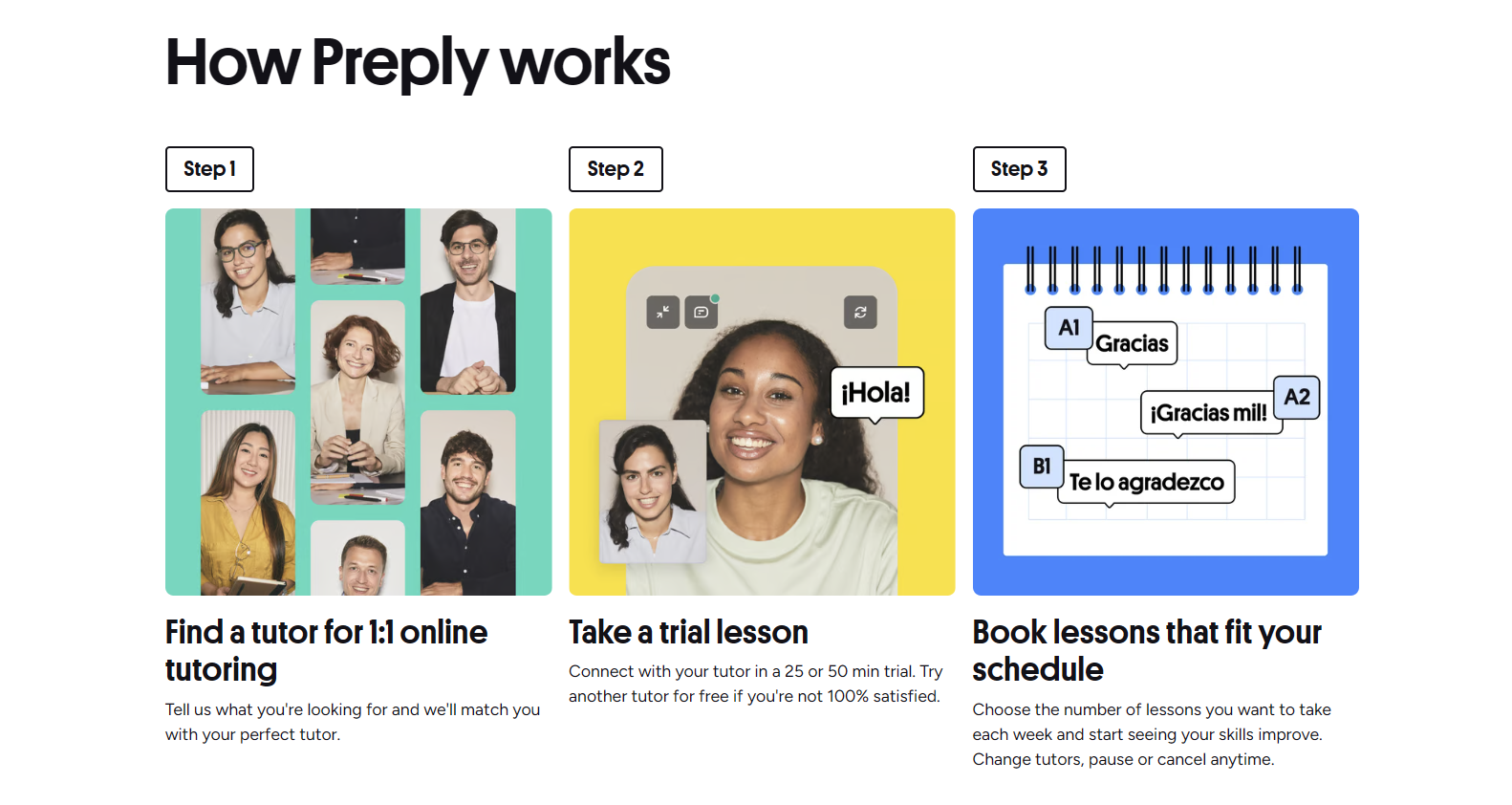
Preply English courses connect learners with thousands of tutors worldwide for one-on-one lessons tailored to specific goals. The platform does not sell fixed curricula; instead, it lets you filter tutors by specialty, price, availability, and student ratings, then book individual sessions or recurring weekly slots. This flexibility makes it popular for everything from casual conversation practice to structured exam preparation.
Contents
- 1. Types of English Courses Available on Preply
- 2. How to Choose the Right English Tutor
- 3. Preply English Course Pricing and Subscription Options
- 4. Learning Tools and Platform Features
- 5. Preply for Business: Corporate English Training
- 6. Exam Preparation Courses: IELTS, TOEFL, and More
- 7. Student Progress Tracking and Learning Outcomes
- 8. Preply Mobile App and Desktop Experience
- 9. Pros and Cons of Preply English Courses
- 10. How Preply Compares to Other Platforms
- 11. Getting Started: From Sign-Up to First Lesson
- 12. Preply English Courses for Kids and Teens
- 13. Final Assessment of Preply English Courses
Because every tutor designs their own approach, the experience varies widely. Some follow textbook-based grammar syllabi, others focus on speaking fluency through guided discussion, and many blend both. The platform provides a video classroom, shared whiteboard, chat, and homework tools, but the pedagogical quality depends on the tutor you choose. Understanding the main course categories helps narrow the search before you spend time reading profiles.
Types of English Courses Available on Preply
Preply groups English tutors into several specialty tags that function as course categories. You can filter for these directly in the search bar or browse the dedicated landing pages for each type.
- General English — broad skill building across reading, writing, listening, and speaking, often aligned with CEFR levels.
- English Grammar — targeted lessons on tenses, conditionals, passive voice, article usage, and common error patterns.
- English Conversation — fluency-focused sessions built around topics, role-plays, and real-time correction.
- English Pronunciation — phoneme drills, intonation practice, connected speech, and accent reduction techniques.
- English for Travel — situational vocabulary for airports, hotels, restaurants, directions, and emergencies.
- English for Work — business correspondence, meetings, presentations, negotiations, and industry-specific terminology.
- Exam Preparation — structured programs for IELTS, TOEFL, Cambridge exams, TOEIC, PTE, and others.
How to Choose the Right English Tutor
With over 30,000 English tutors on the platform, filtering effectively saves hours of trial lessons. Start by defining a concrete goal — for example, "raise IELTS speaking from 6.0 to 7.0 in three months" — rather than a vague desire to "improve English." Then apply these filters in order.
- Specialty tags — select the course type that matches your goal (e.g., IELTS, Business English, Pronunciation).
- Price range — set a maximum hourly rate; tutors charge anywhere from $5 to $80+ per hour.
- Availability — choose time slots that fit your schedule, including weekends and late evenings.
- Native vs. non-native — both can be excellent; non-native tutors often explain grammar from a learner's perspective.
- Rating and review count — prioritize tutors with 4.9+ stars and at least 50 reviews for statistical reliability.
- Video introduction — watch the 60-second clip to gauge teaching style, accent clarity, and personality fit.
Preply English Course Pricing and Subscription Options
Preply operates on a subscription model. You purchase a monthly package of lesson hours (4, 8, 12, or 20), which renews automatically. Unused hours roll over for one month only. Tutors set their own per-hour rates, so the effective cost per lesson depends on both the package and the tutor's price.
Scroll horizontally to see all columns
| Package | Hours per Month | Best For |
|---|---|---|
| Starter | 4 | Casual learners, one lesson per week |
| Regular | 8 | Steady progress, two lessons per week |
| Intensive | 12 | Fast-track goals, three lessons per week |
| Immersion | 20 | Full-time preparation, daily lessons |
A tutor charging $15/hour on the Regular package costs $120/month. The same tutor on the Intensive package costs $180/month. There are no hidden platform fees; the subscription covers the classroom, scheduling, and payment processing. You can cancel or downgrade anytime before the next renewal date.
Learning Tools and Platform Features
The Preply classroom runs in the browser and on mobile apps. It includes video, audio, screen sharing, a collaborative whiteboard, and a persistent chat log that saves files and links between lessons. Tutors can assign homework — PDFs, audio recordings, writing prompts — which students submit through the platform. Progress tracking shows lesson count, hours completed, and a self-assessed CEFR level that updates after each session.
- Automatic timezone conversion for scheduling across borders.
- Lesson recordings available for 30 days (opt-in by both parties).
- Vocabulary flashcard generator from chat history.
- Placement test at sign-up to suggest a starting CEFR level.
- Offline mode in mobile apps for reviewing materials without internet.
Preply for Business: Corporate English Training
Preply Business offers team plans with centralized billing, admin dashboards, and group reporting. Companies can assign learning budgets per employee, track utilization, and curate tutor pools aligned with industry needs — such as finance, IT, or customer support. The platform also provides placement testing for new hires and periodic progress reports for HR.
Exam Preparation Courses: IELTS, TOEFL, and More
Exam prep is one of Preply's strongest use cases because tutors often specialize in a single test. They know the rubric, timing tricks, and common traps. A typical IELTS package includes mock speaking interviews, writing task corrections with band-score estimates, and reading/listening strategy drills. TOEFL tutors emphasize integrated tasks and note-taking templates.
Scroll horizontally to see all columns
| Exam | Typical Focus | Recommended Hours |
|---|---|---|
| IELTS Academic | Writing Task 1/2, Speaking Parts 1-3, Academic Reading | 20-40 |
| TOEFL iBT | Integrated Speaking/Writing, Note-taking, Campus Vocabulary | 24-48 |
| Cambridge C1 Advanced | Use of English, Long Turn Speaking, Essay Structure | 30-50 |
| TOEIC | Listening Comprehension, Reading Speed, Business Vocabulary | 15-30 |
Student Progress Tracking and Learning Outcomes
Preply's progress dashboard shows cumulative hours, lesson frequency, and a self-reported CEFR slider. Tutors can add private notes after each lesson — visible only to the student — highlighting vocabulary covered, errors corrected, and next steps. The platform does not issue accredited certificates, but many tutors provide informal completion letters summarizing topics and hours.
The dashboard is useful for habit building, but real progress shows up in unscripted conversations outside the platform.
Preply Mobile App and Desktop Experience
The iOS and Android apps mirror the web classroom: video, whiteboard, chat, and homework all work on mobile. Push notifications remind you of upcoming lessons and tutor messages. Offline mode lets you review flashcards and downloaded materials during commutes. The desktop app (Windows/macOS) is a wrapper around the web version with slightly better audio routing for external microphones.


Pros and Cons of Preply English Courses
No platform fits every learner. The table below summarizes the most common trade-offs reported by students across review sites and forums.
Scroll horizontally to see all columns
| Pros | Cons |
|---|---|
| Huge tutor pool with niche specialties | Quality varies; no standardized curriculum |
| Flexible scheduling across time zones | Subscription model locks you into monthly hours |
| Pay-as-you-go trial lessons available | Unused hours expire after one month rollover |
| Integrated classroom with whiteboard and recordings | No group classes; only 1-on-1 format |
| Business plans with admin tools | Higher-end tutors can exceed $50/hour |
How Preply Compares to Other Platforms
Preply sits between marketplace models like iTalki and structured schools like EF English Live. iTalki offers a similar tutor marketplace but with a larger community tutoring section and lower entry prices. Verbling has fewer tutors but stricter vetting. Cambly focuses purely on conversation with native speakers on demand, no booking required. Preply's differentiation is the combination of specialty filters, subscription packages, and business features.
Scroll horizontally to see all columns
| Platform | Model | Best For |
|---|---|---|
| Preply | Marketplace + subscription | Goal-oriented learners wanting structure and tutor choice |
| iTalki | Marketplace + pay-per-lesson | Budget flexibility, community tutors, many languages |
| Verbling | Curated marketplace | Higher tutor standards, fewer but vetted options |
| Cambly | On-demand conversation | Spontaneous speaking practice, no scheduling |
| EF English Live | Online school with group/private classes | Fixed curriculum, live group classes, certification |
Getting Started: From Sign-Up to First Lesson
The onboarding flow takes about ten minutes. After creating an account, you take a short adaptive placement test (reading, grammar, listening) that suggests a CEFR level. You then answer a few questions about goals, preferred lesson length, and budget. The algorithm returns a ranked tutor list. You can book a trial immediately or message tutors first to ask about materials, cancellation policy, or teaching style.
- Create account via email, Google, or Apple ID.
- Complete the 15-minute placement test (optional but recommended).
- Set learning goals: exam, business, travel, general, kids.
- Filter tutors by specialty, price, availability, and rating.
- Watch introduction videos and read recent reviews.
- Book a 30-minute trial (often discounted 50% for first lesson).
- Join the classroom five minutes early to test audio/video.
- After trial, choose a subscription package and schedule recurring slots.
Preply English Courses for Kids and Teens
A dedicated "For Kids" filter shows tutors with experience teaching children aged 4-17. These tutors use games, songs, storybooks, and interactive slides. Parents can sit in on lessons, review recordings, and receive weekly progress summaries. Lesson lengths of 30 or 45 minutes are common for younger learners. The platform complies with COPPA and GDPR-K for data protection.
Kids' progress depends heavily on tutor patience and parent follow-up between lessons. The platform tools help, but they don't replace home practice.
Frequently Asked Questions
Can I switch tutors if the first one isn't a good fit?
Yes. You can change tutors at any time. Unused subscription hours remain in your account and apply to the new tutor's rate.
Are Preply English courses accredited or certified?
Preply itself does not issue accredited certificates. Some tutors provide completion letters, but these are not recognized by universities or immigration authorities.
What happens if my tutor cancels a lesson?
The lesson credit is returned to your balance immediately. You can rebook with the same tutor or choose another.
Can I use Preply on a tablet without the app?
The browser classroom works on iPad and Android tablets, but the mobile app offers better offline access and push notifications.
Is there a free trial for the subscription?
There is no free subscription trial. First lessons with new tutors are often discounted 50%, letting you test the platform at low cost.
How does Preply handle time zone differences?
The platform detects your time zone and displays tutor availability in your local time. Confirm the time zone label when booking to avoid daylight-saving errors.
Can I get a refund for unused subscription hours?
Refunds for unused hours are not standard. You can cancel auto-renewal and use remaining hours before the period ends. Exceptional cases are handled by support.
Final Assessment of Preply English Courses
Preply English courses work best when you treat the platform as a tutor marketplace rather than a course provider. The subscription model rewards consistent weekly study, and the specialty filters make it easy to find tutors who actually know the exam or industry you're targeting. Quality control is decentralized — read recent reviews, watch the intro video, and run a paid trial before committing to a package. For self-directed learners with clear goals, the flexibility and tutor variety are hard to beat. For those who need a fixed syllabus, graded assignments, or accredited certificates, a structured online school may be a better fit.