Programming Education
Preply Programming Tutors: Finding the Right Code Mentor
A practical guide to choosing programming tutors on Preply for Python, JavaScript, Java, and more.
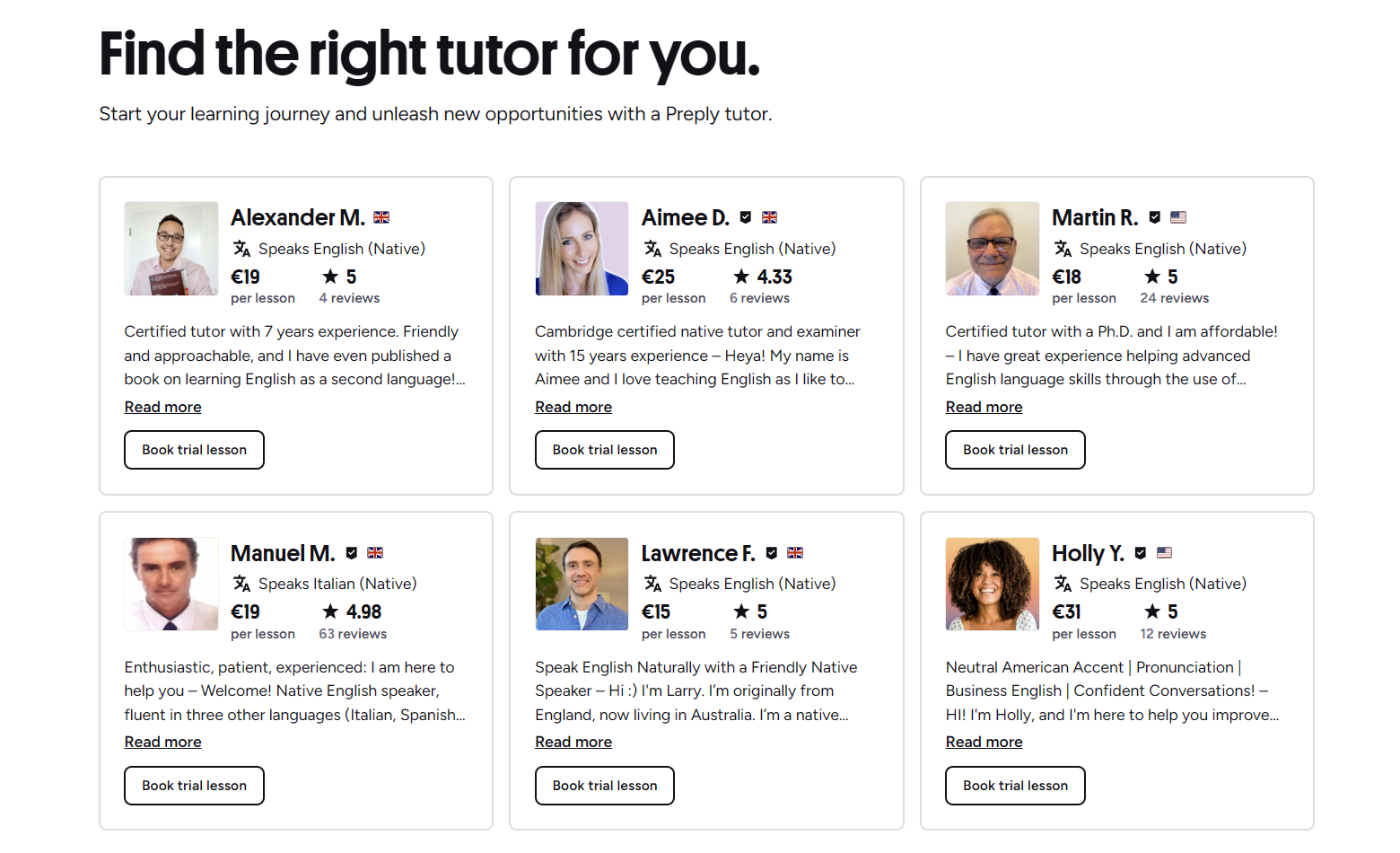
Preply has grown into one of the larger marketplaces for one-on-one tutoring, and its programming section now covers dozens of languages and frameworks. The platform connects learners with tutors who set their own rates, schedules, and teaching approaches. For someone new to coding or looking to level up a specific skill, the sheer number of options can feel overwhelming. This guide breaks down how the platform works for programming students, what to look for in a tutor, and where the value actually lies.
Contents
- 1. How Preply Works for Programming Students
- 2. Programming Languages Available on Preply
- 3. Python Tutors on Preply
- 4. JavaScript and Web Development Tutors
- 5. Pricing Structure for Programming Lessons
- 6. Finding a Tutor Who Matches Your Level
- 7. Tutor Profiles and Reviews
- 8. Trial Lessons and What to Expect
- 9. Learning Paths for Different Goals
- 10. Preply for Career Switchers
- 11. Corporate Training Options
- 12. Mobile App Experience for Coding Lessons
- 13. Common Challenges and How to Address Them
- 14. Alternatives to Consider
- 15. Final Assessment of Preply Programming Tutors
Unlike structured bootcamps or video courses, Preply lessons are live and personalized. You book a time slot, join a video call, and work through material with the tutor in real time. That format suits people who learn better through interaction than passive watching. It also means progress depends heavily on tutor quality and your own preparation between sessions. The platform provides tools for scheduling, payments, and basic progress tracking, but the learning experience itself is shaped almost entirely by the individual tutor.
Most programming tutors on Preply fall into a few categories: working developers who teach part-time, computer science students or recent graduates, and full-time tutors who specialize in specific languages. Rates typically range from $10 to $75 per hour, with the majority clustering between $15 and $35. Higher prices don't always mean better teaching, but very low rates can signal limited experience or tutors who are still building their review base. The platform takes a commission that decreases as tutors complete more lessons, which partly explains why established tutors sometimes charge less than newer ones with similar backgrounds.
How Preply Works for Programming Students
The search flow starts with selecting a subject — Python, JavaScript, Java, C++, and so on — then filtering by price range, availability, tutor rating, and other criteria. Each tutor profile shows an introductory video, hourly rate, number of lessons taught, student reviews, and a calendar of open slots. You can book a single trial lesson (usually 30 or 60 minutes) or purchase a package of hours upfront. Packages come with a small discount but lock you into that tutor. If the fit isn't right, Preply allows switching tutors, though unused package hours may not transfer cleanly.
Programming Languages Available on Preply
The platform covers virtually every mainstream language and many niche ones. Python and JavaScript dominate in tutor count and student demand, followed by Java, C++, C#, and SQL. You'll also find tutors for Go, Rust, Ruby, PHP, Swift, Kotlin, TypeScript, and various frameworks like React, Django, Spring, and .NET. Data science and machine learning tutors often list Python with libraries like pandas, NumPy, and TensorFlow as their specialty. Mobile development has representation for both iOS (Swift, SwiftUI) and Android (Kotlin, Jetpack Compose).
- Python — largest tutor pool, strong for beginners and data science
- JavaScript/TypeScript — heavy focus on React, Node.js, and full-stack
- Java — enterprise-focused tutors, Spring Boot common
- C/C++ — systems programming, competitive coding, embedded
- C# — .NET ecosystem, Unity game development
- Go/Rust — growing but smaller tutor selection
- SQL — often paired with backend or data tutoring
- Swift/Kotlin — mobile specialists, fewer generalists

Python Tutors on Preply
Python attracts the widest range of tutors because it's the default entry point for many learners. You'll find tutors who specialize in teaching absolute beginners, others who focus on data analysis and visualization, and some who build production backends with Django or FastAPI. The variety means you can usually match with someone whose daily work resembles what you want to learn. A beginner building their first script needs a different tutor than someone optimizing pandas pipelines for a data engineering role. Read the tutor's bio and recent reviews carefully — many list their professional background, which is often more telling than their rating alone.
JavaScript and Web Development Tutors
JavaScript tutors tend to cluster around the React ecosystem. If you're learning vanilla JS, Node.js, Vue, or Svelte, you may need to search more specifically or message tutors to confirm they teach those stacks. Full-stack tutors who cover both frontend and backend are common but vary in depth — some are stronger on the database and API side, others on component architecture and state management. A practical way to evaluate: ask for a short code review of a small project during a trial lesson. Their feedback style reveals more than a profile description.
Scroll horizontally to see all columns
| Language | Tutor Count (Approx.) | Typical Rate Range | Common Specializations |
|---|---|---|---|
| Python | 2,000+ | $15–$45 | Beginner, Data Science, Django, Automation |
| JavaScript | 1,800+ | $15–$50 | React, Node.js, TypeScript, Full-stack |
| Java | 800+ | $20–$55 | Spring Boot, Android, Enterprise |
| C++ | 600+ | $20–$60 | Systems, Competitive, Embedded, Game Dev |
| C# | 500+ | $20–$50 | .NET, Unity, Azure |
| Go | 200+ | $25–$65 | Backend, Cloud, Microservices |
| Rust | 150+ | $30–$70 | Systems, WebAssembly, Blockchain |
Pricing Structure for Programming Lessons
Preply tutors set their own hourly rates. The platform adds a service fee on top, which varies by payment method and region but generally falls around 10–15%. Trial lessons are often discounted — sometimes 50% off the regular rate — but not all tutors offer this. Package discounts typically range from 5% for 5 hours to 15% for 20+ hours. There's no monthly subscription; you pay per lesson or per package. Refunds for unused package hours are possible but require contacting support and may be prorated at the single-lesson rate, which reduces the effective discount.
Finding a Tutor Who Matches Your Level
The filter system lets you sort by rating, price, and availability, but it doesn't have a dedicated "experience level" tag for students. You have to infer fit from the tutor's description, their lesson count, and the types of reviews they receive. Tutors who work with beginners often mention "step-by-step," "patient," or "from zero" in their profiles. Those targeting intermediate or advanced learners reference specific frameworks, architecture patterns, or interview prep. Reading the last 10–15 reviews gives a clearer picture than the overall score — look for reviewers at a similar stage to yours.
Don't hesitate to message tutors before booking. A short question about their approach to a specific topic — like "How do you teach async/await to someone coming from synchronous code?" — often gets a revealing response. Tutors who engage thoughtfully tend to be more invested in lesson quality. Those who reply with generic templates or don't respond at all are a signal to keep looking.
Tutor Profiles and Reviews
Each profile includes an introductory video, which is worth watching. It shows communication style, English fluency (if that matters for you), and whether the tutor has put effort into presentation. The review section shows star ratings and written feedback. Preply verifies that reviewers actually took lessons, but reviews are overwhelmingly positive across the platform — the average rating hovers around 4.9. Negative reviews exist but are rare. Pay attention to the detail in positive reviews: "Helped me debug a memory leak in C++" is more useful than "Great teacher!".
The review system rewards consistency over brilliance. A tutor who reliably shows up prepared and explains clearly will maintain 4.9 stars. The exceptional ones stand out through specific technical feedback in reviews, not the score itself.
Trial Lessons and What to Expect
A trial lesson is typically 30 or 60 minutes. Use it to assess three things: communication clarity, technical depth, and whether the tutor listens to your goals. Come prepared with a small coding task or question — even something as simple as "I'm stuck on this loop logic" or "Review this function." A good tutor will ask clarifying questions before jumping to solutions. They'll also give you a sense of how they structure ongoing lessons: some follow a curriculum, others adapt week to week based on your progress. Neither is inherently better, but the approach should match how you learn.
Learning Paths for Different Goals
Preply doesn't enforce curricula, so the learning path is whatever you and the tutor agree on. That flexibility is a strength if you know what you need, and a weakness if you don't. Common goal-based paths include:
- Complete beginner to first portfolio project — 20–40 hours over 3–6 months with weekly lessons
- Language transition (e.g., Java to Python) — 10–20 hours focused on idioms and ecosystem differences
- Interview preparation — 5–15 hours of mock interviews, system design, and algorithm practice
- Specific framework deep-dive — 8–16 hours building a real feature with guidance
- Code review and mentorship — ongoing biweekly sessions for professional development
Preply for Career Switchers
Many students use Preply while transitioning into software development from other fields. The one-on-one format helps bridge gaps that self-study leaves — especially around debugging workflows, reading documentation, and understanding error messages. Tutors with industry experience can also advise on portfolio projects, resume framing, and what junior roles actually expect. However, Preply alone won't replace the structure of a full curriculum. Most successful career switchers combine tutoring with a structured course or certification, using the tutor to unblock specific concepts and review their work.
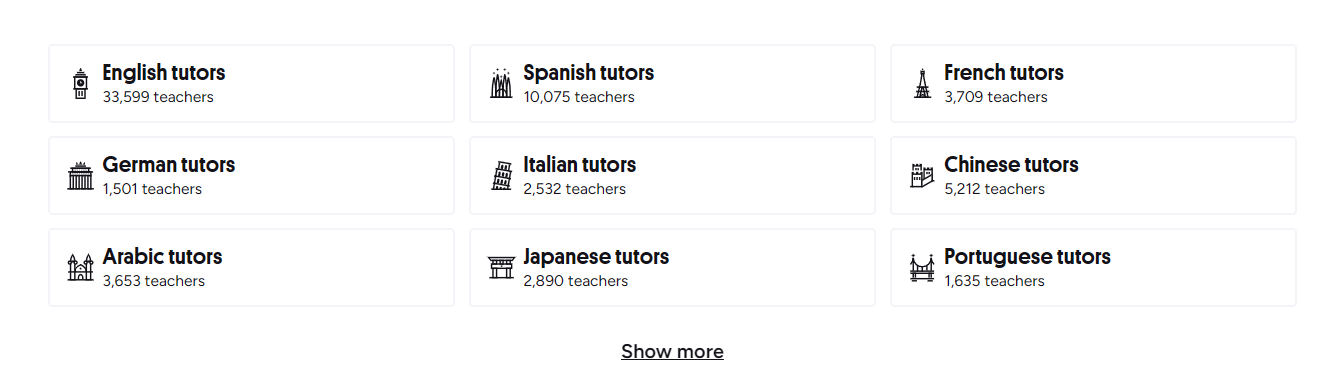
If you're building a portfolio, ask tutors whether they're willing to review code between lessons via GitHub or a shared editor. Some do this as part of the hourly rate; others charge extra or limit it to lesson time. Clarify this upfront — asynchronous feedback can double the value of each session.
Corporate Training Options
Preply offers a business tier for teams, with centralized billing, admin dashboards, and volume discounts. For programming teams, this can work for upskilling in a new language or framework — for example, a backend team adopting Go, or frontend developers learning TypeScript. The tutors available for corporate accounts are the same pool, but the platform assigns a success manager to help match tutors to team needs. Pricing starts higher than individual rates and typically requires a minimum seat count. For small teams under 10, individual accounts with a shared budget spreadsheet are often simpler.
Mobile App Experience for Coding Lessons
Preply's mobile apps (iOS and Android) handle scheduling, messaging, and video calls adequately. For programming lessons, the desktop experience is stronger — screen sharing a code editor or IDE works better on a larger screen with a stable connection. The mobile app is useful for managing bookings on the go or joining a lesson while traveling, but it's not a replacement for a proper development environment during the session. Most tutors expect you to code on your machine and share your screen.
Common Challenges and How to Address Them
The most frequent friction points aren't platform bugs — they're mismatched expectations. Here's what comes up often:
- Tutor cancels or reschedules frequently — check their cancellation rate on the profile; message them about reliability before booking a package
- Lessons feel like lectures — ask for more hands-on coding during the trial; if they don't adjust, switch tutors
- Progress stalls — set a concrete 4-week goal with the tutor and review it together; lack of milestones is a common drift cause
- Time zone gaps — filter by availability before falling for a profile; a perfect tutor at 3 AM your time isn't practical
- Language barrier — watch the intro video; if technical explanations are hard to follow, the lesson will be frustrating
Alternatives to Consider
Preply isn't the only way to get live coding help. Depending on your budget, learning style, and goals, other options may fit better:
Scroll horizontally to see all columns
| Option | Format | Typical Cost | Best For |
|---|---|---|---|
| Preply | 1-on-1 video, marketplace | $15–$50/hr | Personalized pacing, specific questions, long-term mentorship |
| Wyzant | 1-on-1 video, marketplace | $30–$80/hr | US-based tutors, academic CS support, test prep |
| CodeMentor | 1-on-1 video, dev-focused | $40–$120/hr | Senior devs, architecture reviews, debugging production issues |
| Bootcamp Mentorship | Structured + mentor | $500–$15,000 total | Career switchers needing curriculum + accountability |
| FreeCodeCamp / Discord | Community help, async | Free | Specific bugs, concept clarification, no budget |
Final Assessment of Preply Programming Tutors
Preply works well when you know what you need and can evaluate tutors yourself. The platform provides access, tools, and a review system — but it doesn't vet teaching ability beyond student feedback. For self-directed learners who want flexibility and can invest time in finding the right match, it's a solid option. For those who need a guided curriculum, accountability, or guaranteed outcomes, a structured program with built-in mentorship may be more efficient. The sweet spot is using Preply as a supplement: a weekly session to unblock, review, and get direction while you drive the bulk of learning through courses, projects, and practice. That approach keeps costs manageable and puts you in control of the pace.
Frequently Asked Questions
How much do Preply programming tutors typically charge?
Most programming tutors charge between $15 and $35 per hour. Rates go as low as $10 for newer tutors and above $60 for senior developers with specialized expertise. The platform adds a service fee on top.
Can I get a refund if I don't like my tutor?
Preply offers a satisfaction guarantee on the first lesson with a new tutor. If you're not satisfied, you can request a free replacement tutor or a refund for that lesson. Refunds for unused package hours are possible but may be calculated at the single-lesson rate.
Do Preply tutors provide curriculum or do I need my own?
Tutors set their own approach. Some follow structured curricula, especially for beginners. Others adapt to your goals and materials. Discuss this during the trial lesson — bring any courses or projects you're working on.
Are Preply programming tutors vetted for technical skills?
Preply verifies identity and education credentials optionally provided by tutors, but there's no standardized technical assessment. The review system is the main quality signal. Read detailed reviews and consider a paid trial to evaluate technical depth yourself.
Can I use Preply for team training at my company?
Yes, Preply Business offers team accounts with centralized billing, admin tools, and volume discounts. Minimum seat requirements apply. Each team member still gets one-on-one lessons; group sessions aren't a standard feature.
What programming languages have the most tutors on Preply?
Python and JavaScript have the largest tutor pools, each with 1,500+ tutors. Java, C++, and C# follow with several hundred each. Niche languages like Rust or Go have smaller but growing selections.
Is the mobile app good enough for coding lessons?
The mobile app works for scheduling and video calls, but screen sharing a code editor is difficult on a phone. For actual coding sessions, use a desktop or laptop with a stable internet connection.
The platform's strength is breadth — you can find a tutor for almost any language or niche at almost any hour. Its weakness is depth of vetting. Treat it as a marketplace, not a school. Spend time on the search, run trials with two or three tutors, and commit only when the teaching style clicks. That's how you get value.