

Corporate Language Training
Preply For Teams: Corporate Language Training Solutions
A detailed look at Preply's team plans, enterprise options, and how they fit your organization's language learning goals.
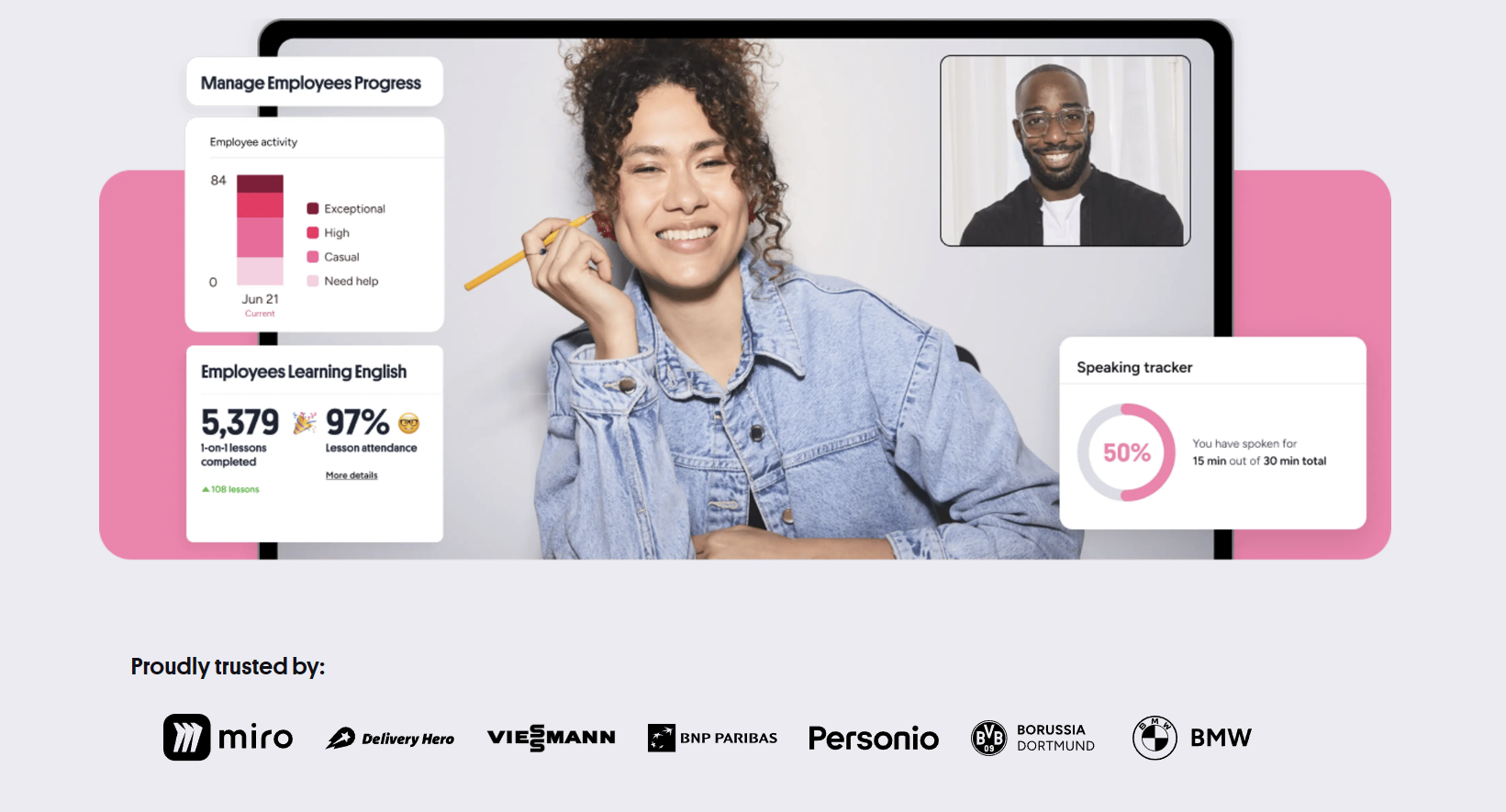
Companies that invest in language training often struggle to find a solution that scales across departments, time zones, and proficiency levels. Preply For Teams aims to solve that by offering a centralized platform where managers can assign tutors, track progress, and manage billing from a single dashboard. The service builds on Preply's existing marketplace of thousands of tutors but adds administrative tools designed for groups rather than individuals.
Contents
- 1. What Is Preply For Teams?
- 2. Core Features for Team Learning
- 2.1. Admin Dashboard and Reporting
- 2.2. Customized Learning Paths
- 2.3. Flexible Scheduling Across Time Zones
- 3. Preply For Teams Pricing Structure
- 4. How to Set Up Your Team Account
- 5. Benefits for Organizations
- 6. Preply For Business vs. Preply For Teams
- 7. Real-World Use Cases
- 8. Integration and API Options
- 9. Customer Support and Success Management
- 10. Security and Compliance
- 11. Final Assessment of Preply For Teams
The platform targets organizations that need consistent language development for employees who interact with international clients, collaborate across borders, or prepare for relocation. Unlike traditional corporate language schools, Preply For Teams lets each learner choose a tutor who matches their schedule, learning style, and industry-specific vocabulary needs. That flexibility is a major reason why businesses from startups to multinational enterprises have started pilot programs.
This article breaks down how the team plans work, what they cost, and where they fit compared to other corporate language solutions. We'll also look at real-world implementation steps, integration options, and the kind of support you can expect after launch.
What Is Preply For Teams?
Preply For Teams is a business-oriented layer on top of the standard Preply marketplace. It provides a dedicated admin panel where a company representative can invite employees, allocate lesson credits, and monitor usage across the organization. Each employee still gets a personal Preply account, but the company holds the subscription and controls the budget.
The core idea is to combine the tutor variety of a marketplace with the oversight that procurement and HR teams require. Tutors are not employed by Preply; they are independent contractors who set their own rates within platform guidelines. The team plan adds volume discounts, consolidated invoicing, and reporting that individual accounts lack.
Core Features for Team Learning
The feature set focuses on three areas: administration, learning customization, and scalability. Below are the most relevant capabilities for decision-makers.
- Centralized admin dashboard with role-based permissions for managers and HR.
- Bulk onboarding via CSV upload or integration with HRIS systems.
- Shared lesson credit pool that rolls over monthly or annually depending on the plan.
- Progress reports that aggregate individual learner data into team-level insights.
- Custom learning paths aligned with business goals such as negotiation, presentations, or technical documentation.
- Dedicated customer success manager for Professional and Enterprise tiers.
- API access for automated reporting and single sign-on (SSO) via SAML/OIDC.
These features are designed to reduce the administrative burden of running a language program. The credit pool, for example, means unused lessons from one employee can be reallocated to another without purchasing additional packages.
Admin Dashboard and Reporting
The dashboard shows real-time utilization: how many credits have been consumed, which tutors are most booked, and average lesson ratings per team. Filters allow slicing by department, location, or language. Export options include CSV and PDF for board presentations. The reporting is not as granular as a dedicated LMS, but it covers the basics most stakeholders ask for.
Customized Learning Paths
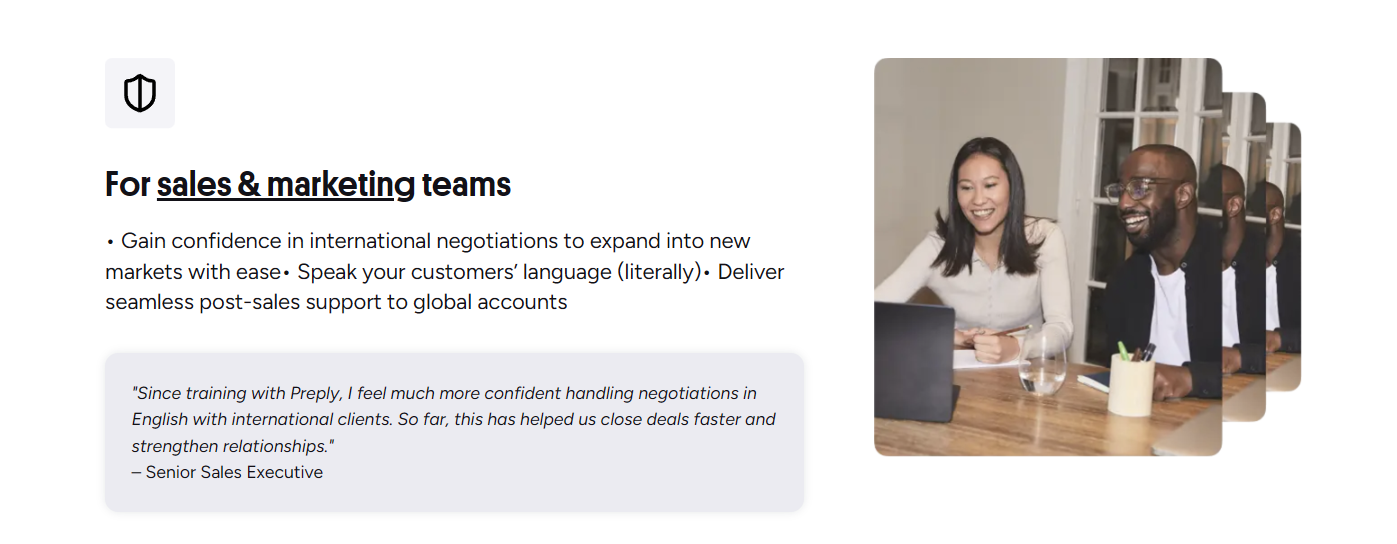
Managers can create curriculum templates that suggest specific tutors or topic areas. For instance, a sales team might get a path focused on business English for cold calling, while engineers receive tutors who specialize in technical writing. Tutors see the path objectives and can adapt their lesson plans accordingly. This is not a rigid curriculum; it's a framework that guides tutor selection and goal setting.
Flexible Scheduling Across Time Zones
Because tutors are located worldwide, employees can book sessions at almost any hour. The platform displays tutor availability in the learner's local time, and the admin can set booking windows to prevent sessions outside working hours if policy requires. This flexibility is often cited as the top reason teams prefer Preply over fixed-schedule language schools.
The screenshot above illustrates the main admin view. Notice the credit balance, active learners, and upcoming lessons. The interface is clean enough for non-technical managers to navigate without training.
Preply For Teams Pricing Structure
Pricing is not published on the public site; it varies by company size, contract length, and required features. However, the typical structure includes three tiers: Basic, Professional, and Enterprise. All tiers use a credit system where one credit equals one 50-minute lesson. Volume discounts increase with the number of credits purchased upfront.
Scroll horizontally to see all columns
| Feature | Basic | Professional | Enterprise |
|---|---|---|---|
| Minimum seats | 5 | 20 | 50 |
| Credit rollover | Monthly | Quarterly | Annual |
| Admin accounts | 1 | 3 | Unlimited |
| Custom learning paths | No | Yes | Yes |
| Dedicated success manager | No | Yes | Yes |
| API & SSO | No | No | Yes |
| Contract term | Monthly | Annual | Multi-year |

The Basic tier suits small teams testing the waters. Professional adds the learning paths and a success manager who helps with onboarding and quarterly reviews. Enterprise includes API access for deeper integration with internal systems and custom contract terms. Note that tutor rates are not fixed by the plan; they depend on the tutor's own pricing. The company sets a maximum hourly rate policy if needed.
How to Set Up Your Team Account
Getting started takes a few days from contract signing to first lesson. The process is straightforward but benefits from internal preparation.
- Define the program scope: languages, number of learners, budget, and success metrics.
- Sign the service agreement and choose a billing cycle (monthly or annual).
- Receive admin credentials and access the dashboard.
- Upload learner list via CSV or connect HRIS for automated provisioning.
- Set credit allocation rules per learner or department.
- Launch an internal communication campaign with booking instructions.
- Schedule a kickoff call with the assigned success manager (Professional/Enterprise).
The success manager helps configure learning paths and recommends tutors based on the initial skill assessments. Learners take a short placement test during their first login, which informs tutor matching.
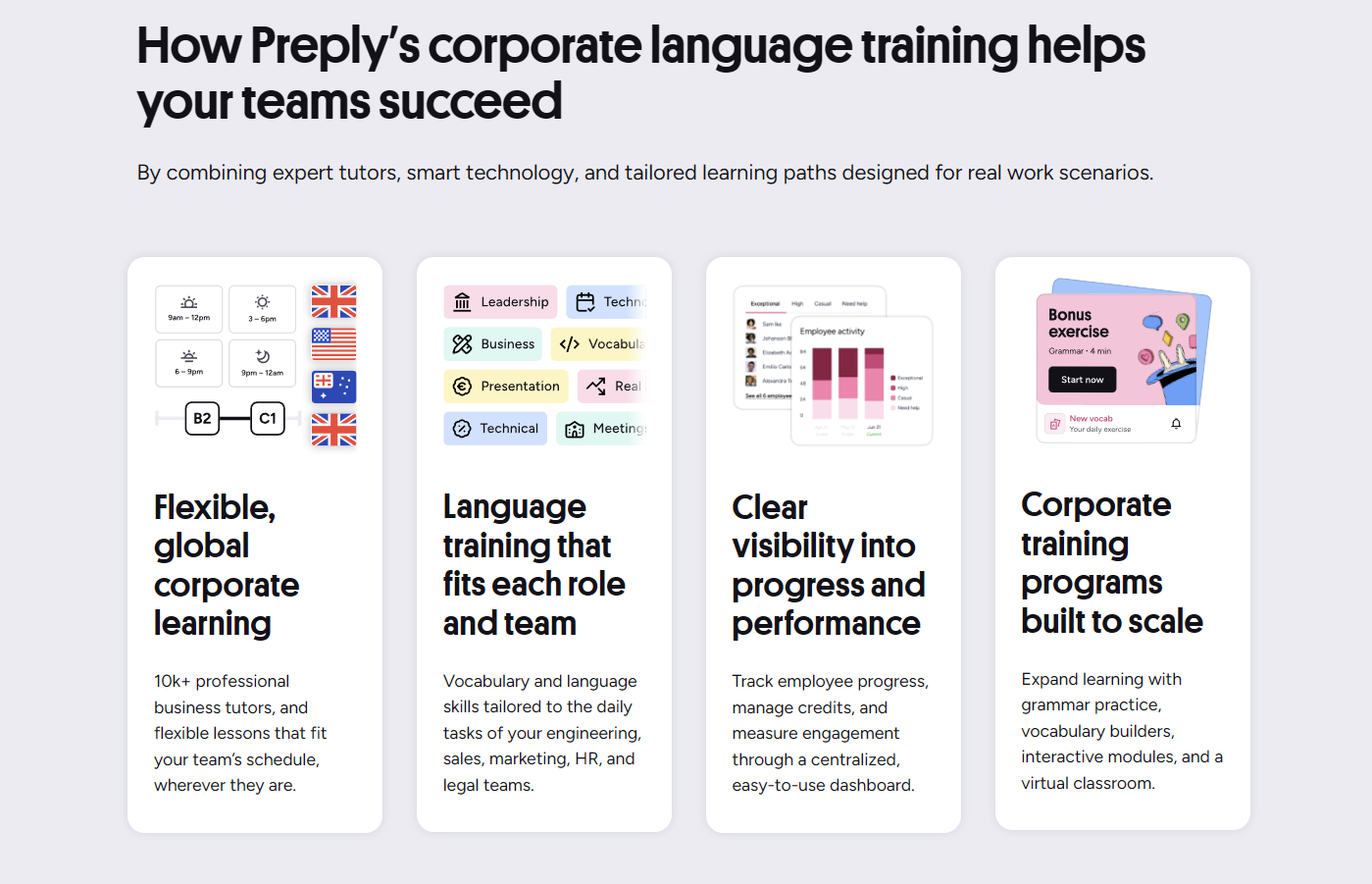
The onboarding flow guides admins through each step. The platform also provides email templates for inviting employees, which saves time on internal communications.
Benefits for Organizations
Beyond the feature list, the practical advantages show up in three areas: cost predictability, learner engagement, and operational simplicity.
- Predictable budgeting with fixed credit pools and no surprise invoices.
- Higher engagement because employees choose tutors they connect with.
- Reduced HR workload: no need to coordinate group class schedules or venue logistics.
- Scalable from a pilot of five users to a global rollout without platform migration.
- Data-driven decisions: usage reports reveal which languages or skills need more investment.
Engagement is the hardest metric to move in corporate learning. Giving learners autonomy over tutor selection tends to increase session attendance and completion rates compared to mandatory group classes.
That rollover policy is a significant financial advantage over per-seat licenses that expire monthly.
Preply For Business vs. Preply For Teams
Preply offers two distinct B2B products. Preply For Business is the older brand name often used interchangeably, but the current segmentation separates them by target size and feature depth. Understanding the difference prevents buying the wrong tier.
Scroll horizontally to see all columns
| Aspect | Preply For Business | Preply For Teams |
|---|---|---|
| Target audience | SMBs and mid-market | Mid-market to enterprise |
| Admin features | Basic reporting | Advanced analytics, API, SSO |
| Support level | Email support | Dedicated success manager |
| Customization | Limited | Learning paths, custom contracts |
| Minimum commitment | Month-to-month | Annual contract typical |
If your company has fewer than 20 learners and needs only basic oversight, the Business product may suffice. Teams is built for organizations that require compliance features, integration, and strategic account management.
Real-World Use Cases
The platform fits several common scenarios. Here are the ones we see most often in practice.
- Global sales teams needing business English for client calls and proposals.
- Engineering departments requiring technical English for documentation and code reviews.
- Relocation support for employees moving to non-English-speaking countries.
- Customer support centers standardizing communication quality across regions.
- Leadership development programs that include language coaching for executives.
In each case, the ability to match tutors with industry-specific experience makes a measurable difference. A tutor who has worked in fintech can teach relevant vocabulary far better than a generalist.
The tutor matching is the hidden engine. When a learner gets someone who understands their daily work, progress accelerates without extra curriculum design.
That observation comes from implementation reviews across multiple clients. The platform's algorithm suggests tutors based on the learner's stated goals, but the admin can also curate a shortlist.
Integration and API Options
Enterprise customers get REST API access for automating user provisioning, credit allocation, and report extraction. The API uses OAuth2 and supports webhooks for real-time events like lesson completion or credit threshold alerts.
- SCIM provisioning for automatic user lifecycle management via Okta, Azure AD, or Workday.
- SSO via SAML 2.0 or OpenID Connect for seamless login.
- Webhook notifications for lesson booked, completed, cancelled, and credit balance changes.
- Batch reporting endpoints for pulling utilization data into BI tools like Tableau or Power BI.
The API documentation is thorough but not public; it's shared after contract signing. Development resources are needed to build the integration, though Preply's engineering team offers a few hours of consultation during onboarding.
The diagram above outlines the integration touchpoints. Most companies start with SSO and add SCIM later as the user base grows.
Customer Support and Success Management
Support tiers align with the pricing plans. Basic gets email support with a 24-hour SLA. Professional adds a dedicated success manager who conducts quarterly business reviews and helps optimize tutor allocation. Enterprise includes a named technical account manager for API issues and custom feature requests.
- Email and chat support for all tiers during business hours (UTC).
- Phone escalation for Enterprise critical issues.
- Quarterly health checks with usage trends and tutor feedback summaries.
- Custom tutor recruitment assistance for niche languages or specialized domains.
The success manager role is proactive. They analyze utilization data and recommend adjustments, such as shifting credits from low-engagement departments to high-demand ones.
Waiting until the end of the first quarter often means missing the window to rebalance before the annual renewal.
Security and Compliance
Data protection is a common procurement requirement. Preply For Teams stores data on AWS with encryption at rest and in transit. The platform is SOC 2 Type II certified and GDPR compliant. Enterprise contracts can include a Data Processing Addendum (DPA) and custom data residency options (EU, US).
- SOC 2 Type II audit report available on request.
- GDPR compliance with data subject access request workflow.
- Optional data residency in EU (Frankfurt) or US (Virginia) regions.
- Role-based access control with audit logs for admin actions.
The audit logs capture every admin change: user invites, credit adjustments, report exports. This satisfies most internal audit requirements without additional tooling.
Final Assessment of Preply For Teams
Preply For Teams delivers a practical middle ground between consumer language apps and traditional corporate language schools. Its strength lies in the tutor marketplace combined with just enough administrative control for mid-sized and large organizations. The credit model aligns cost with actual usage, and the flexibility of tutor choice drives engagement. The main limitations are the lack of a built-in curriculum authoring tool and the reliance on tutor availability for niche languages at odd hours. For companies that value learner autonomy and need a scalable, data-informed program, it's a strong contender. For those requiring rigid curriculum compliance or offline classroom integration, a dedicated LMS with content authoring might be a better fit.
Frequently Asked Questions
What is the minimum number of seats for Preply For Teams?
The Basic tier starts at 5 seats, Professional at 20, and Enterprise at 50. Smaller teams can use the standard Preply Business product with month-to-month billing.
Can unused lesson credits roll over to the next period?
Yes. Basic plans roll over monthly, Professional quarterly, and Enterprise annually. Credits expire only if the contract ends without renewal.
Does Preply For Teams support single sign-on (SSO)?
SSO via SAML 2.0 and OpenID Connect is available on the Enterprise tier only. Professional and Basic tiers use email/password or social login.
How are tutors vetted for corporate programs?
All tutors on Preply pass identity verification and a teaching demo. For corporate clients, the success manager can filter tutors by industry experience, certifications, and student ratings in business contexts.
Is there a trial period for Preply For Teams?
Preply typically offers a paid pilot for 1-2 months with a reduced seat minimum. Terms vary by region and company size; contact sales for current pilot options.
Can we integrate Preply For Teams with our HRIS for automatic user provisioning?
Yes, Enterprise tier includes SCIM 2.0 support for Okta, Azure AD, Workday, and other identity providers. Professional tier does not include API access.
What languages are available for team training?
Over 50 languages are offered, including all major business languages and many less common ones. Availability of tutors for specific languages at specific times may vary.
How does billing work for international teams?
Billing is centralized in the company's chosen currency (USD, EUR, GBP). Invoices are issued monthly or annually per contract. VAT/GST is applied based on the company's billing address.