

Language Learning Platforms
Preply Refund Policy: What You Need to Know
A clear breakdown of refund eligibility, cancellation steps, and subscription management on Preply.
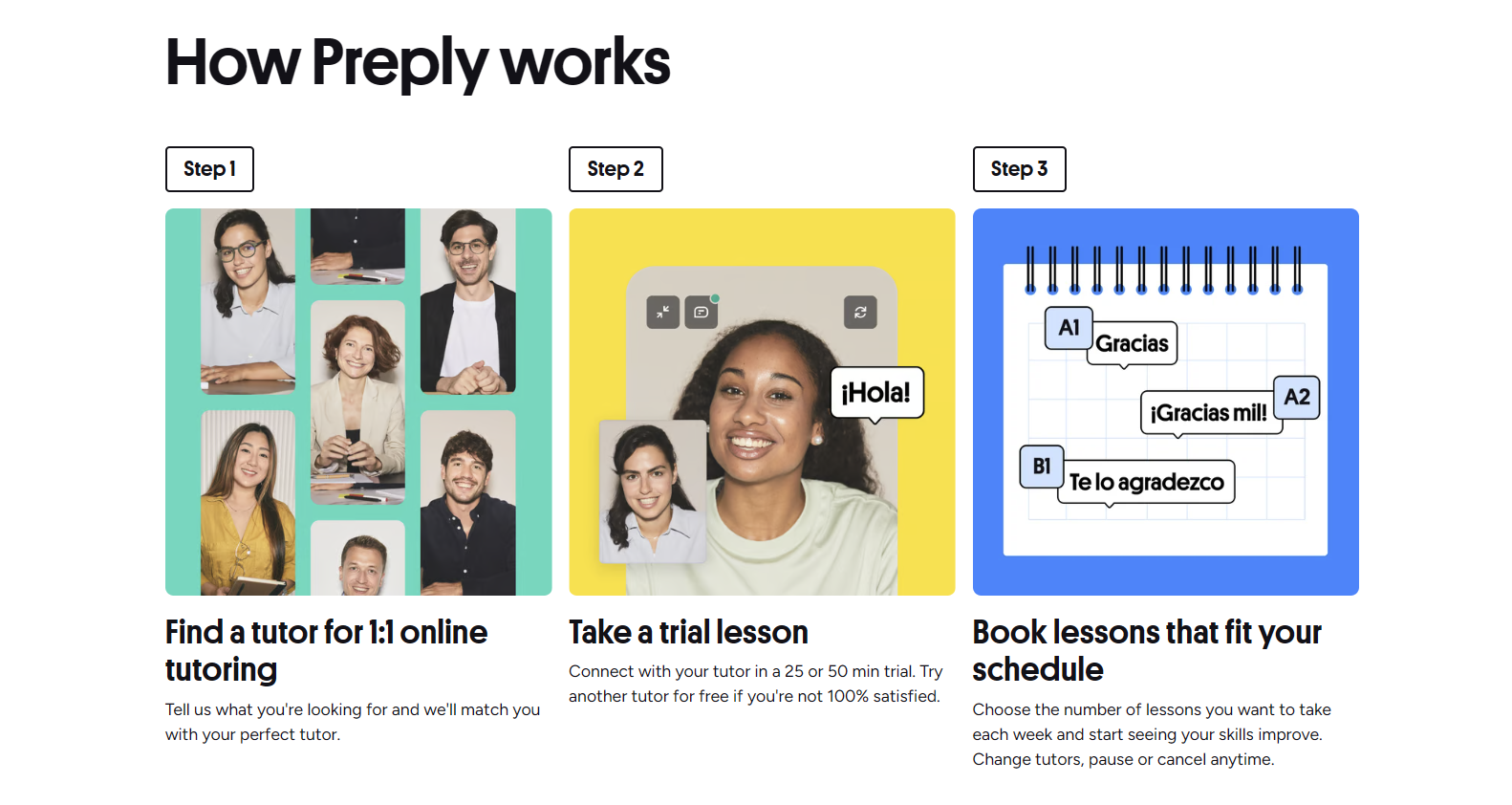
Preply operates on a subscription model that differs from traditional pay-per-lesson platforms. You purchase a package of hours upfront, and those hours renew automatically each month unless you change or cancel the plan. This setup creates specific refund scenarios that catch many users off guard, especially when life gets in the way of scheduled lessons.
Contents
- 1. How Preply's Subscription Model Works
- 2. When Refunds Are Actually Available
- 3. Cancellation vs Pausing Your Subscription
- 4. The 4-Hour Rescheduling Window
- 5. No-Show Policy and Lesson Expiration
- 6. Managing Your Subscription Settings
- 7. Withdrawal Process for Tutors
- 8. Common Refund Scenarios and Outcomes
- 9. Contacting Support for Refund Issues
- 10. Preply vs Other Platforms on Refunds
- 11. Tips to Avoid Refund Headaches
- 12. What Happens When You Delete Your Account
- 13. Final Assessment of Preply Refund Policy
The platform's policies around refunds, cancellations, and subscription changes are detailed in their terms of service, but the practical application isn't always obvious. Whether you're a student who bought too many hours, a traveler who needs to pause learning, or someone dealing with a tutor who keeps canceling, knowing where you stand financially matters.
This guide walks through the actual rules — not the marketing language — so you can make informed decisions about your Preply subscription without surprises.

How Preply's Subscription Model Works
Preply sells lesson packages in monthly subscriptions. You choose a plan — typically 4, 8, 12, or 20 hours per month — and pay a recurring monthly fee. The hourly rate decreases as the package size increases. Unused hours do not roll over to the next month. They expire at the end of each billing cycle.
This expiration rule is the single biggest source of frustration. If you buy 12 hours but only use 7, the remaining 5 vanish when the month resets. There's no partial refund for unused time, and no credit toward future months. The platform treats the subscription as access to a tutor pool for that period, not as a bank of lesson credits you own indefinitely.
The subscription renews automatically on the same date each month. You can change your plan size — upgrade or downgrade — but the change takes effect at the next billing cycle. You cannot prorate a plan change mid-month. If you downgrade from 12 hours to 4 hours halfway through, you still have access to 12 hours until the cycle ends, then 4 hours afterward.
When Refunds Are Actually Available
Preply's official stance: subscriptions are non-refundable. The terms state that once a billing cycle begins, you've purchased access for that period. However, exceptions exist in practice, and the support team has discretion in specific situations.
Refunds are typically granted when: a tutor fails to show up for multiple scheduled lessons without notice, technical issues on Preply's side prevent lessons from happening, or you were charged for a renewal you explicitly canceled before the billing date. Duplicate charges also qualify. If you see two "Preply Inc" charges on your credit card for the same month, contact support immediately with screenshots.
What usually won't get a refund: changing your mind about learning, finding a cheaper tutor elsewhere, being too busy to use your hours, or forgetting to cancel before renewal. The platform considers these user-side decisions, not platform failures.
Cancellation vs Pausing Your Subscription
Cancelling and pausing are different actions with different consequences. Cancelling stops future renewals. Your current subscription remains active until the billing period ends, and you can still use any remaining hours. After that, no more charges, no more access.
Pausing is not a formal feature in the same way. You cannot click a "pause" button and freeze your unused hours. What you can do is cancel the subscription, let it run out, and resubscribe later. Your account, tutor history, and progress tracking remain intact. You just lose the ability to book new lessons during the gap.
Some users treat the cancellation-then-resubscribe approach as a de facto pause. It works, but you lose any grandfathered pricing. If you joined during a promotion or at an older rate, the new subscription will be at current prices. This matters if you've been on the platform for years.
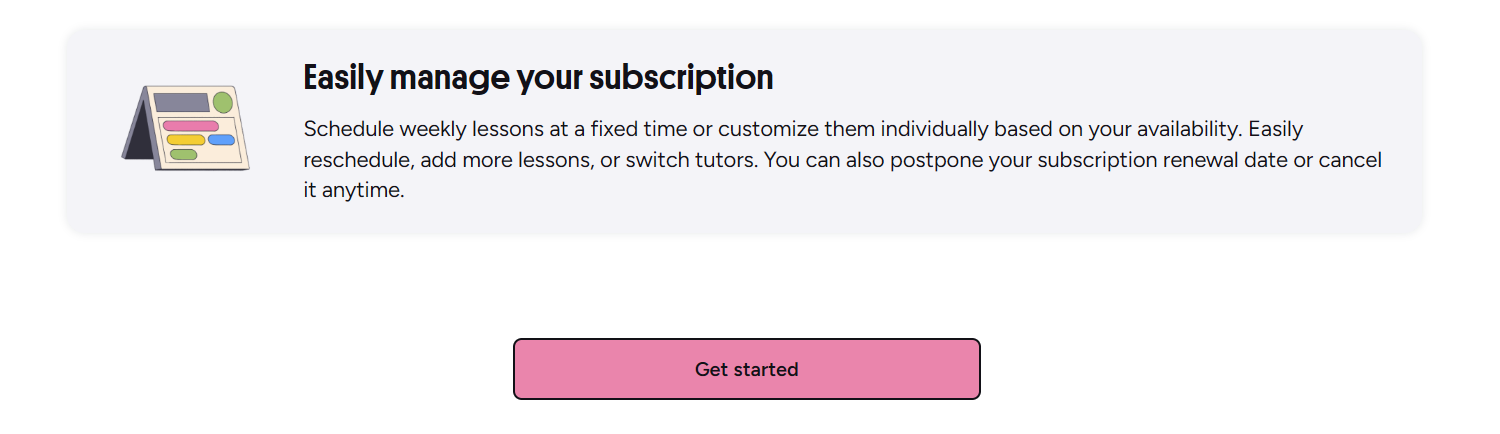
To cancel: go to Settings > Subscription > Manage Subscription > Cancel Subscription. You'll see a confirmation screen showing when your access ends. The platform may offer a discount to stay — sometimes 20-30% off the next month. Take it or leave it, but know the offer expires if you proceed with cancellation.
The 4-Hour Rescheduling Window
Preply requires at least 4 hours' notice to reschedule or cancel a lesson without penalty. This applies to both students and tutors. If you cancel within 4 hours of the start time, the lesson is marked as "completed" and the hour is deducted from your package. No refund, no credit, no makeup.
The 4-hour rule is strict. Time zones matter — the cutoff is based on the lesson's scheduled start time in the tutor's time zone. If your tutor is in Warsaw and you're in New York, calculate carefully. The platform shows the countdown in your local time, but the policy enforcement uses the tutor's zone.
Exceptions are rare. Medical emergencies with documentation might get a courtesy credit from support, but it's not guaranteed. Technical issues on your end — bad internet, microphone failure — count as a no-show. The platform's position: you're responsible for your equipment and connection.
Scroll horizontally to see all columns
| Action | Notice Required | Result If Missed |
|---|---|---|
| Reschedule lesson | 4+ hours before | Free, hour preserved |
| Cancel lesson | 4+ hours before | Hour returned to package |
| Reschedule or cancel | Under 4 hours | Hour deducted, no refund |
| Tutor cancels | Any time | Hour returned, can rebook |
No-Show Policy and Lesson Expiration
If a tutor doesn't show up, wait 15 minutes. After that, you can mark the lesson as "tutor no-show" in the lesson details. The hour returns to your package automatically. If the tutor marks it as "student no-show" instead, you'll need to dispute it with support — screenshots of the empty video room help.
Repeated tutor no-shows are the strongest leverage for a subscription refund. Document each instance: date, time, tutor name, screenshots of the waiting room. Three or more no-shows in a month from the same tutor usually gets support's attention for a partial refund of that month's fee.
Lesson expiration is separate from the no-show policy. As mentioned, unused hours vanish at the end of each billing cycle. There's no "vacation mode" or "rollover" option. If you know you'll be away for two weeks, either use the hours before you leave or accept the loss. Some students schedule intensive sessions before trips to use their package fully.
The expiration policy feels harsh until you realize Preply's model is tutor availability, not lesson banking. You're paying for access to a tutor's calendar each month.
Managing Your Subscription Settings
The subscription management page lets you change your plan size, update payment methods, view billing history, and cancel. It also shows your current cycle dates and hours used versus hours remaining. Check this page weekly if you're on a larger plan — it's easy to lose track.
Payment methods: credit/debit cards, PayPal, and in some regions, local options like iDEAL or Boleto. The "Preply Inc" charge on your statement is the platform's payment processor. If you need to update your card before a renewal, do it at least 24 hours before the billing date. Failed payments trigger a retry cycle, then suspension of lesson booking until resolved.
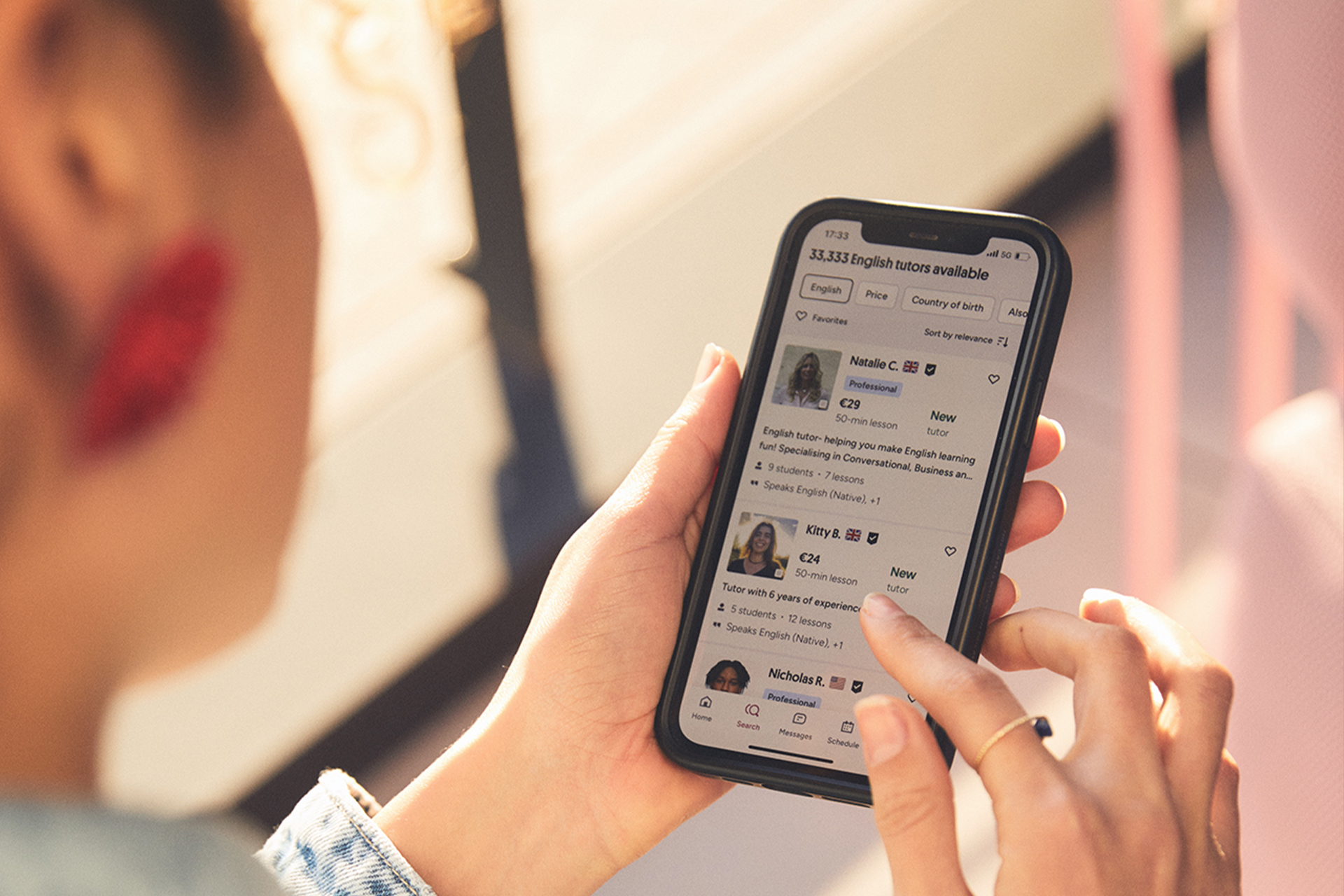
The mobile app mirrors the desktop subscription controls. You can cancel, change plans, and update payment from your phone. This is useful if you're traveling and realize your renewal is coming up. The app also sends push notifications 3 days before renewal — a helpful reminder if you've turned off email notifications.
Withdrawal Process for Tutors
Tutors face a different withdrawal system. Earnings accumulate in a Preply wallet and can be withdrawn to PayPal, Payoneer, or bank transfer (via Wise). Withdrawals process within 3-5 business days. A "withdrawal pending" status means the request is queued — it's normal and not an error.
Withdrawal fees vary by method. PayPal and Payoneer typically charge 2% (capped at $20). Bank transfers via Wise have a small fixed fee plus exchange rate markup if converting currencies. Preply doesn't add its own fee on top, but the payment processors do. Minimum withdrawal is $30 for most methods.
Tutors should note: earnings from trial lessons (the 50% discounted first lessons) have a 14-day hold before becoming withdrawable. This prevents abuse of the trial system. Regular lesson earnings are available immediately after the lesson is confirmed complete.
Scroll horizontally to see all columns
| Method | Fee | Processing Time | Minimum |
|---|---|---|---|
| PayPal | 2% (max $20) | 3-5 business days | $30 |
| Payoneer | 2% (max $20) | 3-5 business days | $30 |
| Wise (bank transfer) | Varies by currency | 3-5 business days | $30 |
Common Refund Scenarios and Outcomes
Scenario 1: You bought a 12-hour plan, used 3 hours, then got sick for three weeks. Outcome: no refund for unused hours. They expired. You could have cancelled before the next renewal to stop future charges, but the current month is gone.
Scenario 2: Your tutor canceled 4 lessons in one month, two with under 4 hours' notice. Outcome: strong case for a partial refund of that month's subscription. Contact support with the lesson IDs and timestamps. They may credit 50-100% of that month's fee as Preply credit or a card refund.
Scenario 3: You were charged for a renewal on the 1st, but you cancelled on the 28th of the previous month. Outcome: full refund, usually processed within 5-10 business days. The cancellation confirmation email is your proof — keep it.
Scenario 4: You see two identical charges for the same month. Outcome: immediate refund of the duplicate once support verifies it. This happens occasionally with payment processor retries. Screenshot both charges with dates and amounts.
Contacting Support for Refund Issues
Preply's help center has a contact form and live chat (limited hours). For refund requests, the form is better — it creates a ticket with a reference number. Live chat agents often escalate to the same ticket system anyway. Include your account email, the specific charge dates, and a concise explanation.
Response time varies. Simple duplicate charge issues resolve in 24-48 hours. Complex cases involving tutor disputes can take a week. If you don't hear back in 3 business days, reply to the ticket thread — don't open a new one. Multiple tickets for the same issue slow things down.
Be specific in your request. "I want a refund" gets a template denial. "Tutor Maria Garcia (ID: 12345) no-showed on March 3, 10, and 17. Lesson IDs: 98765, 98766, 98767. Screenshots attached. Requesting refund for March subscription" gets a human review.
Support agents follow scripts for standard denials. Detailed evidence forces a human decision instead of an automated response.
Preply vs Other Platforms on Refunds
Compared to italki, Preply is stricter. italki uses a wallet system — you deposit funds, book lessons individually, and unused wallet balance stays yours indefinitely. Refunds to your original payment method are possible (with fees). Preply's subscription model means you're buying time-limited access, not a credit balance.
Verbling sits between the two. They offer packages but with more flexible cancellation. Cambly's subscription includes a 7-day free trial and prorated refunds if you cancel mid-month. Preply's model is the least flexible of the major platforms, but the hourly rates at higher packages are often lower.
Scroll horizontally to see all columns
| Platform | Model | Unused Time | Mid-Month Cancel |
|---|---|---|---|
| Preply | Monthly subscription | Expires monthly | No proration |
| italki | Wallet / pay per lesson | Stays in wallet | Full wallet refund (fee) |
| Verbling | Packages + subscription | Partial rollover | Prorated available |
| Cambly | Subscription | Expires monthly | Prorated refund |
Tips to Avoid Refund Headaches
Start with the smallest package (4 hours) for your first month. Test the platform, your tutor, and your schedule. Upgrade only when you're consistently using all your hours. Downgrading is instant for the next cycle; upgrading takes effect immediately but charges the difference.
Set a recurring calendar event for 5 days before your renewal date. Title it "Preply renewal — decide continue/cancel/downgrade." This 5-day buffer gives you time to check hours used, contact support if needed, and make changes before the charge hits.
Book lessons at least a week out when possible. Last-minute booking increases the chance of conflicts that trigger the 4-hour penalty. If your schedule is unpredictable, the 4-hour plan limits your maximum loss to 4 hours per month.
What Happens When You Delete Your Account
Deleting your account is permanent and different from cancelling a subscription. If you delete while a subscription is active, you lose access immediately and forfeit any remaining hours. No refund. The platform warns you, but the warning is easy to click through.
Before deleting: cancel the subscription first, use all remaining hours, wait for the billing cycle to end, then delete. This preserves your money and your lesson history (which you might want if you return). Account deletion removes all data — messages, progress tracking, tutor reviews you wrote, everything.
If you just want a break, cancel the subscription instead. Your account stays dormant with all history intact. You can resubscribe in 6 months and pick up where you left off. The only downside is losing any legacy pricing.
Account deletion is a one-way door. Cancel the subscription, finish the month, then decide if you really want everything gone.
Frequently Asked Questions
Can I get a refund for unused Preply hours at the end of the month?
No. Unused hours expire at the end of each billing cycle and are not refunded or rolled over. The subscription pays for access to tutors during that month, not for a bank of lesson credits.
What happens if my tutor doesn't show up for a lesson?
Wait 15 minutes, then mark the lesson as "tutor no-show" in the lesson details. The hour returns to your package automatically. Repeated no-shows by the same tutor can support a refund request for that month's subscription.
How do I cancel my Preply subscription before the next renewal?
Go to Settings > Subscription > Manage Subscription > Cancel Subscription. Confirm the cancellation. Your access continues until the current billing period ends, then stops. No further charges occur.
Can I pause my Preply subscription instead of cancelling?
There is no formal pause feature. The workaround is to cancel the subscription, let it expire, and resubscribe later. Your account and history remain, but you lose any grandfathered pricing.
What is the 4-hour rescheduling policy?
You must reschedule or cancel a lesson at least 4 hours before its scheduled start time (in the tutor's time zone). Changes within 4 hours count as a completed lesson — the hour is deducted with no refund.
How long do Preply withdrawals take for tutors?
Withdrawals process in 3-5 business days. A "pending" status is normal. Fees depend on the method: PayPal and Payoneer charge 2% (capped at $20), Wise bank transfers vary by currency.
I was charged twice for the same month. What should I do?
Contact support immediately with screenshots of both charges showing dates and amounts. Duplicate charges from payment processor retries are typically refunded within 24-48 hours once verified.
Does Preply offer a free trial or money-back guarantee?
Preply offers a discounted trial lesson (50% off) with each new tutor, but no free trial of the subscription itself and no money-back guarantee on monthly plans. The first lesson with any tutor is the closest thing to a trial.
Final Assessment of Preply Refund Policy
Preply's refund policy is strict by design. The subscription model prioritizes predictable revenue and tutor income stability over student flexibility. For disciplined learners who use their hours consistently, the lower per-hour rates at larger packages outweigh the rigidity. For anyone with an unpredictable schedule, the 4-hour minimum plan limits downside.
The platform does make exceptions for genuine platform-side failures — tutor no-shows, technical outages, billing errors. But these require documentation and persistence. The path of least resistance is managing your subscription proactively: track usage weekly, set renewal reminders, and cancel or downgrade before the charge date if you're not using the hours.
If you're evaluating Preply against alternatives, factor in the expiration policy. A slightly higher per-hour rate on a pay-as-you-go platform may cost less overall if you regularly leave 30-40% of a Preply package unused. Do the math for your actual attendance pattern, not your aspirational one.