

Language Learning
Preply English Exercises: Practice Tools for Every Skill Level
A practical guide to Preply's exercise library and how to use it effectively
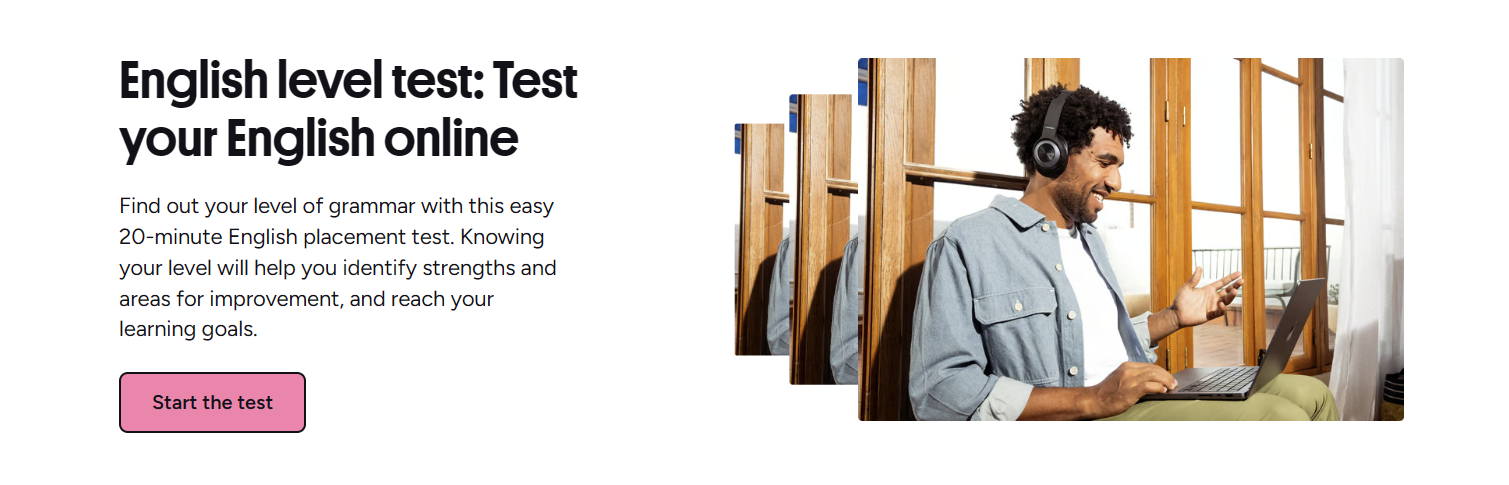
Preply English exercises give learners a structured way to practice between live tutoring sessions. The platform combines a searchable exercise library with tutor-assigned homework, so you can work on grammar, vocabulary, listening, speaking, and writing at your own pace. Unlike static worksheet sites, these exercises connect directly to your lesson plan and the tutor who knows your weaknesses.
Contents
- 1. Getting Started with Preply English Exercises
- 2. Types of Exercises Available on Preply
- 3. Grammar and Vocabulary Practice Tools
- 4. Listening and Speaking Exercise Features
- 5. Writing Practice and Tutor Feedback
- 6. Using the Preply App for Daily Practice
- 7. Progress Tracking and Exercise History
- 8. Preply Exercises vs Other Practice Methods
- 9. Choosing the Right Tutor for Exercise Guidance
- 10. Cost Considerations for Exercise Access
- 11. Common Pitfalls and How to Avoid Them
- 12. Final Assessment of Preply English Exercises
Most students start with the English level test, which places you on the CEFR scale and suggests relevant practice material. From there, you can browse exercises by topic, difficulty, or skill type. Tutors often assign specific sets after a lesson to reinforce what you covered. The system tracks completion and scores, giving both you and your tutor a clear picture of progress over time.
The exercise library is not a standalone course. It works best as a supplement to live conversation practice. You will not reach fluency by doing gap-fill drills alone, but the targeted repetition helps cement patterns you encounter in real dialogue. Think of it as the gym session between matches — necessary, but not the whole game.
Getting Started with Preply English Exercises
After you create an account and take the placement test, the dashboard shows a "Practice" tab. This is your entry point. The test itself takes about 20 minutes and covers reading, grammar, and vocabulary. Listening and speaking are assessed during your first trial lesson with a tutor. Results map to A1 through C2 levels, and the platform tags exercises accordingly.
You can filter the library by level, skill, and topic. Tags include business English, travel phrases, exam preparation (IELTS, TOEFL), idioms, phrasal verbs, and pronunciation drills. Each exercise shows an estimated completion time and the number of questions. Most take five to fifteen minutes. You can start any exercise immediately without booking a lesson.
The interface is clean. Multiple-choice, fill-in-the-blank, matching, and reordering questions appear in a single column. Audio-based listening exercises have a play button with adjustable speed. Speaking exercises use your device microphone — you record a response, then compare it to a model answer. Writing prompts give you a text box; some are auto-graded, others wait for tutor review.
One practical tip: bookmark exercises you find difficult. The "Saved" filter lets you return to them later. This is useful for spaced repetition — revisit a tricky grammar point after a few days instead of moving on immediately. The platform does not yet have a built-in spaced-repetition algorithm, so you manage the schedule yourself.
Types of Exercises Available on Preply
The library splits exercises into five main skill categories. Grammar and vocabulary make up the largest share. Listening, speaking, and writing sections are smaller but growing. Each category has subtopics. For example, grammar includes verb tenses, conditionals, passive voice, reported speech, and article usage. Vocabulary covers collocations, word formation, register, and topic-specific sets like "meetings" or "complaints."
- Grammar: 400+ exercises across all CEFR levels
- Vocabulary: 300+ themed sets with context sentences
- Listening: 150+ audio clips with comprehension questions
- Speaking: 100+ pronunciation and fluency prompts
- Writing: 80+ guided tasks with model answers
Exercise formats vary. Grammar drills tend to be multiple-choice or gap-fill. Vocabulary often uses matching or categorization. Listening exercises play a short dialogue or monologue, then ask detail and inference questions. Speaking tasks show a prompt — "Describe your last vacation" — and you record 60 to 90 seconds. Writing tasks range from email replies to short essays. Some writing exercises are auto-scored for basic errors; others are flagged for tutor feedback.
Business English gets its own filter. These exercises simulate workplace scenarios: writing a project update, handling a client complaint, negotiating a deadline. They are tagged B1–C1. If you are preparing for a specific exam, the IELTS and TOEFL filters surface relevant practice. The TOEFL speaking section, for instance, includes timed independent and integrated tasks modeled on the real test.
Grammar and Vocabulary Practice Tools
Grammar exercises on Preply follow a presentation-practice pattern. A brief explanation appears before the questions — one or two sentences with an example. Then you work through 8 to 12 items. Immediate feedback shows the correct answer with a short reason. This is not a deep grammar reference; it's a check-up. If you consistently miss articles or prepositions, the pattern tells you and your tutor where to focus next lesson.
Vocabulary exercises emphasize collocation and context over isolated word lists. A typical set presents 10 to 15 words in sentences, then asks you to match words to definitions, complete collocations, or choose the right register. The platform recycles words across exercises in the same topic, so you see "submit a proposal" and later "proposal was submitted" — reinforcing passive and active forms.
Scroll horizontally to see all columns
| Aspect | Grammar exercises | Vocabulary exercises |
|---|---|---|
| Primary goal | Structure accuracy | Lexical range and collocation |
| Typical length | 8–12 questions | 10–15 items |
| Feedback type | Rule reminder + correct answer | Definition + context example |
| Best for | Fixing fossilized errors | Expanding active vocabulary |
One limitation: the grammar explanations are brief. If you need a full rule breakdown — say, the difference between present perfect and past simple in American vs British usage — you will want a dedicated grammar guide or your tutor's whiteboard. The exercises assume you already encountered the rule. They test, they don't teach from zero.
Listening and Speaking Exercise Features
Listening exercises use authentic-sounding recordings — not textbook-perfect diction. You hear hesitations, filler words, and natural speed variations. Each clip runs 30 to 90 seconds. Questions test main idea, specific detail, speaker attitude, and inference. You can replay once before answering. After submitting, you see the transcript with the relevant section highlighted.
Speaking exercises are the most distinctive. You see a prompt, press record, and speak. The interface shows a waveform. When you finish, you hear a model answer from a native speaker. You can re-record as many times as you want. There is no automatic pronunciation scoring — Preply relies on tutor feedback for that. Some tutors ask you to complete speaking exercises before a lesson so they can review your recording and prepare targeted correction.
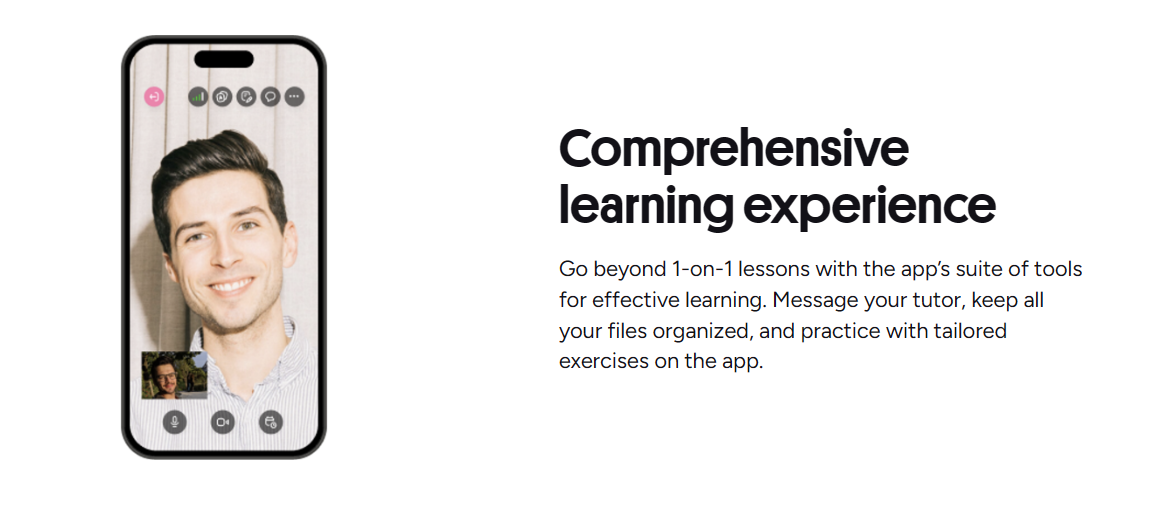
The speaking section includes pronunciation drills for minimal pairs, word stress, sentence stress, and intonation patterns. These are short — repeat a word or sentence three times. They are useful for isolated sound work, but they do not replace live conversation. A tutor can hear connected speech issues that a single-word drill misses.
Writing Practice and Tutor Feedback
Writing exercises fall into two tiers. Auto-graded tasks check spelling, basic grammar, and word count. They give a green check or red highlight instantly. Tutor-graded tasks go to your assigned tutor (or any tutor you choose) with a turnaround of 24 to 48 hours. The tutor adds inline comments, a holistic score, and suggested revisions. This is where the platform shines — you get human feedback on structure, tone, and coherence, not just error counts.
Prompts cover email, report, essay, review, and creative writing. Business writing tasks include a scenario: "You are a project manager. Write a 150-word update to your director explaining a two-week delay." Academic tasks mirror IELTS Task 1 and Task 2 formats. Creative prompts might ask for a personal narrative or opinion piece. Each prompt states the target word count and register.
You can submit the same task multiple times. After tutor feedback, revise and resubmit. The system keeps versions, so you see improvement. Some tutors use a correction code (WW for wrong word, T for tense, P for punctuation) that you learn to recognize. Over time, you internalize the patterns and self-correct before submitting.
Using the Preply App for Daily Practice
The mobile app mirrors the web practice tab. You can do exercises offline if you download them first — useful for commutes. Push notifications remind you of tutor-assigned homework. The app also has a "Daily Practice" widget that serves one random exercise matched to your level. It takes two minutes. Consistency beats intensity for language retention, and the widget lowers the friction to start.
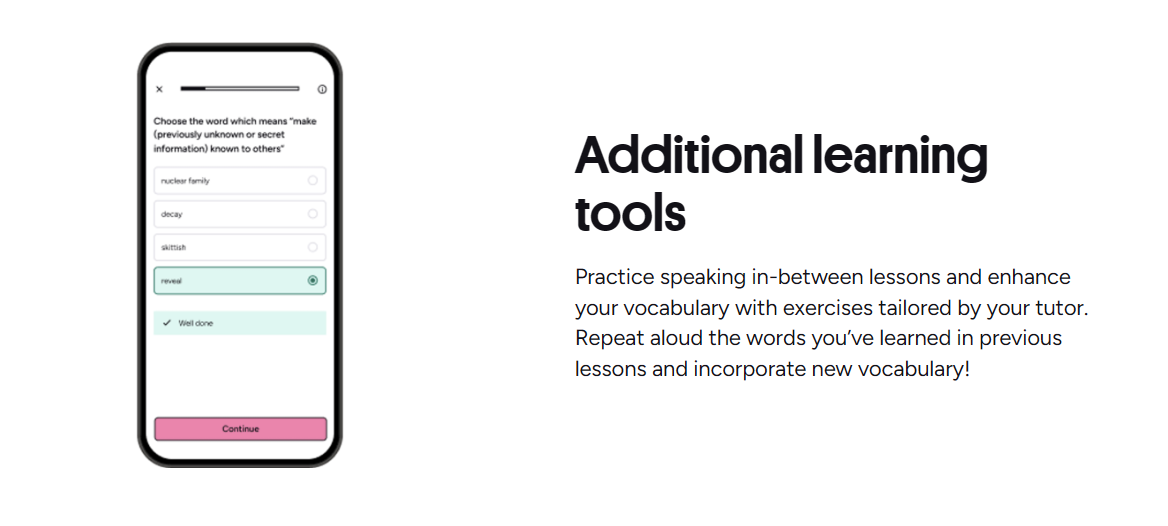
Sync is seamless. Start an exercise on desktop, finish on phone. Progress, bookmarks, and tutor comments stay in sync. The app also includes a vocabulary review mode that pulls words from exercises you completed and quizzes you with flashcards. It uses a simple spaced-repetition interval (1 day, 3 days, 7 days, 14 days). Not as sophisticated as Anki, but it requires zero setup.
Progress Tracking and Exercise History
Your profile shows a progress dashboard. It aggregates exercise scores by skill and level. A line chart tracks your average score over the last 30, 60, and 90 days. You see which grammar topics you attempted, how many times, and your success rate. Tutors see the same view. This shared visibility means your tutor can say, "I notice conditionals are at 55% — let's review them today" without guessing.
The dashboard also logs time spent. It counts active minutes in exercises, not just logins. If you leave a tab open, it pauses after two minutes of inactivity. This gives a realistic picture of study habits. Some learners are surprised to see they average 12 minutes a day when they felt like they studied an hour. The data helps recalibrate expectations.
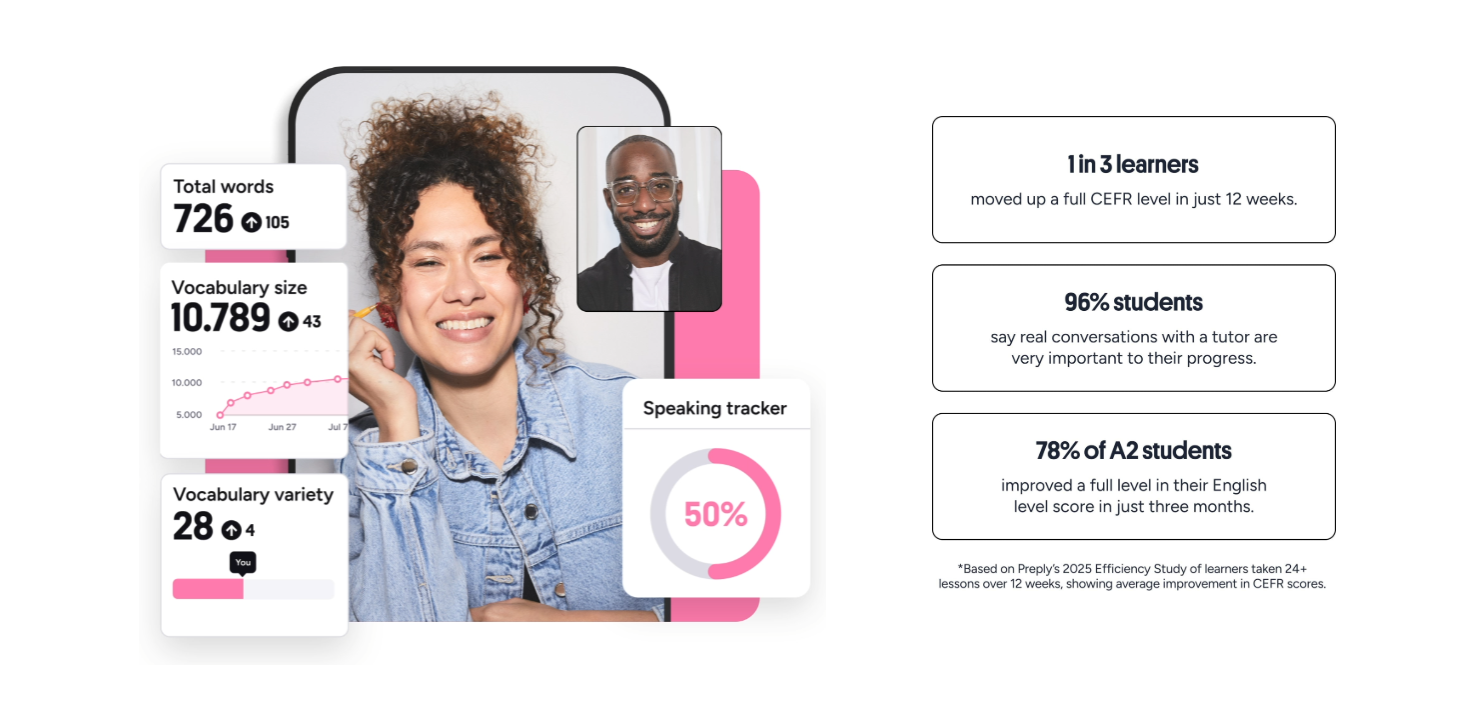
One missing piece: the dashboard does not yet correlate exercise performance with lesson outcomes. You cannot see "did my speaking exercise scores improve after three conversation lessons on the same topic?" That analysis lives in the tutor's notes, not the automated charts. Preply has mentioned adding this correlation in future updates.
Preply Exercises vs Other Practice Methods
Compared to free sites like British Council LearnEnglish or Khan Academy, Preply exercises are narrower but deeper. Free sites cover more topics with more variety, but they lack tutor integration. You do a quiz, get a score, and that's it. On Preply, the same quiz becomes a conversation starter in your next lesson. The tutor sees exactly which items you missed and why.
Compared to app-only platforms like Duolingo or Babbel, Preply exercises are less gamified. No streaks, no leagues, no hearts. This reduces dopamine-driven engagement but increases intentionality. You practice because you and your tutor agreed it matters, not because a cartoon owl guilt-tripped you. For self-motivated adults, that trade-off often works better.
Scroll horizontally to see all columns
| Feature | Preply exercises | Free websites | Gamified apps |
|---|---|---|---|
| Tutor integration | Full — shared dashboard | None | None |
| Feedback depth | Human + auto | Auto only | Auto only |
| Gamification | Minimal | Low | High |
| Content scope | Curated, tutor-aligned | Broad, general | Fixed curriculum |
| Cost | Included with lessons | Free | Freemium |
The main drawback is volume. Preply's library has hundreds of exercises, not thousands. If you want endless drill variations for a single grammar point, you will hit the bottom. The platform expects you to rotate through skills and bring gaps to your tutor for custom practice. It's a curated toolkit, not an infinite worksheet generator.
Choosing the Right Tutor for Exercise Guidance
Not all tutors use the exercise library the same way. Some assign homework after every lesson. Others only use exercises during the lesson itself. A few ignore the library entirely and send PDFs. When you browse tutor profiles, check the "Teaching approach" section and reviews for mentions of homework, practice materials, or structured curriculum. Tutors who reference specific exercise types ("I use the B2 conditionals set") tend to integrate the platform tools more systematically.
You can also message tutors before booking: "Do you assign Preply exercises between lessons? Which skill areas do you focus on?" Their answer tells you whether their style matches your need for structured practice. Some tutors specialize in exam prep and use the IELTS/TOEFL exercise sets heavily. Others focus on conversation and use speaking exercises for pronunciation tuning.

Cost Considerations for Exercise Access
Exercise access is included with any active lesson package. You do not pay extra for the library. If you pause lessons, you keep access to exercises you already started, but new exercises may require an active subscription. The free tier (no lessons booked) gives limited access — mainly the level test and a few sample exercises. Full library unlocks with your first paid lesson.
Lesson prices vary by tutor, typically $10–$40 per hour. A common pattern: one 60-minute lesson per week plus 30–45 minutes of exercises spread across the week. That totals roughly 2–3 hours of combined live and self-study time. For comparison, a group class might cost $15–$25 per hour with no personalized exercise feedback. The value calculation depends on how much you use the practice tools.
Preply occasionally runs promotions — 50% off the first lesson, or a free trial lesson with a new tutor. These let you test a tutor's exercise integration style before committing to a package. The platform also offers a satisfaction guarantee: if your first lesson isn't a fit, you get a free replacement lesson with another tutor. This reduces the risk of paying for a mismatch.
Common Pitfalls and How to Avoid Them
The biggest pitfall is treating exercises as a substitute for speaking. You can score 90% on grammar drills and still freeze in conversation. The exercises build knowledge; lessons build fluency. Schedule them as separate activities. Do 15 minutes of exercises in the morning, take your lesson in the evening. The gap lets your brain consolidate.
Another trap: completing exercises without reviewing errors. The instant feedback tempts you to click "next" and move on. Instead, write down every missed question. Bring the list to your next lesson. Ask "Why is this wrong?" The tutor's explanation turns a passive correction into an active rule you can apply.
A third issue: ignoring the speaking exercises because they feel awkward. Recording yourself is uncomfortable. Do it anyway. The discomfort is the point — it reveals gaps between your internal monologue and actual output. Tutors consistently report that students who submit speaking recordings progress faster in pronunciation and fluency.
Exercises reveal what you know. Lessons reveal what you can do. You need both.
Final Assessment of Preply English Exercises
Preply English exercises work best as a structured bridge between live lessons. They give you measurable practice on specific skills, feed data to your tutor, and keep momentum on days without a session. The library is not exhaustive, the gamification is minimal, and the grammar explanations are terse. But the tutor integration — shared progress, assigned homework, human feedback on writing and speaking — creates a feedback loop that standalone apps and free sites cannot replicate. If you already take Preply lessons, use the exercises. If you only want self-study drills, look elsewhere. The value lives in the connection.
Frequently Asked Questions
Are Preply English exercises free to use?
Full access requires an active lesson package. The free tier includes the level test and a few sample exercises only.
Can I use Preply exercises without a tutor?
You can browse and complete exercises independently, but tutor-graded writing and speaking feedback requires an assigned tutor.
How often are new exercises added to the library?
Preply adds new exercise sets monthly, typically aligned with seasonal topics, exam updates, or tutor requests.
Do exercises work offline on the mobile app?
Yes, you can download exercises for offline completion. Progress syncs when you reconnect.
Can tutors create custom exercises for me?
Tutors cannot create new exercises in the platform library, but they can assign existing sets and provide custom practice materials via chat or file sharing.
Is there a spaced-repetition system for vocabulary?
The app includes a basic flashcard review with fixed intervals (1, 3, 7, 14 days). It pulls words from completed exercises automatically.
How long does tutor feedback on writing take?
Typically 24 to 48 hours. Some tutors respond faster; others batch feedback weekly. Check the tutor's profile or ask directly.